

Work centers
A work center is a place where production steps are carried out, such as a machine, an assembly table or a packing desk. It holds the data Aureus needs to plan work: when the place is open, how many units it handles at once, how efficient it is and what an hour of use costs.
In simple words: A work center is the "where" of a production step.
Open Manufacturing → Configurations → Work Centers.
Settings
Gate
Work Centers is hidden until you turn on Work Orders in Manufacturing → Settings → Manage Operations. The option reads "Execute operations at designated work centers."
Overview
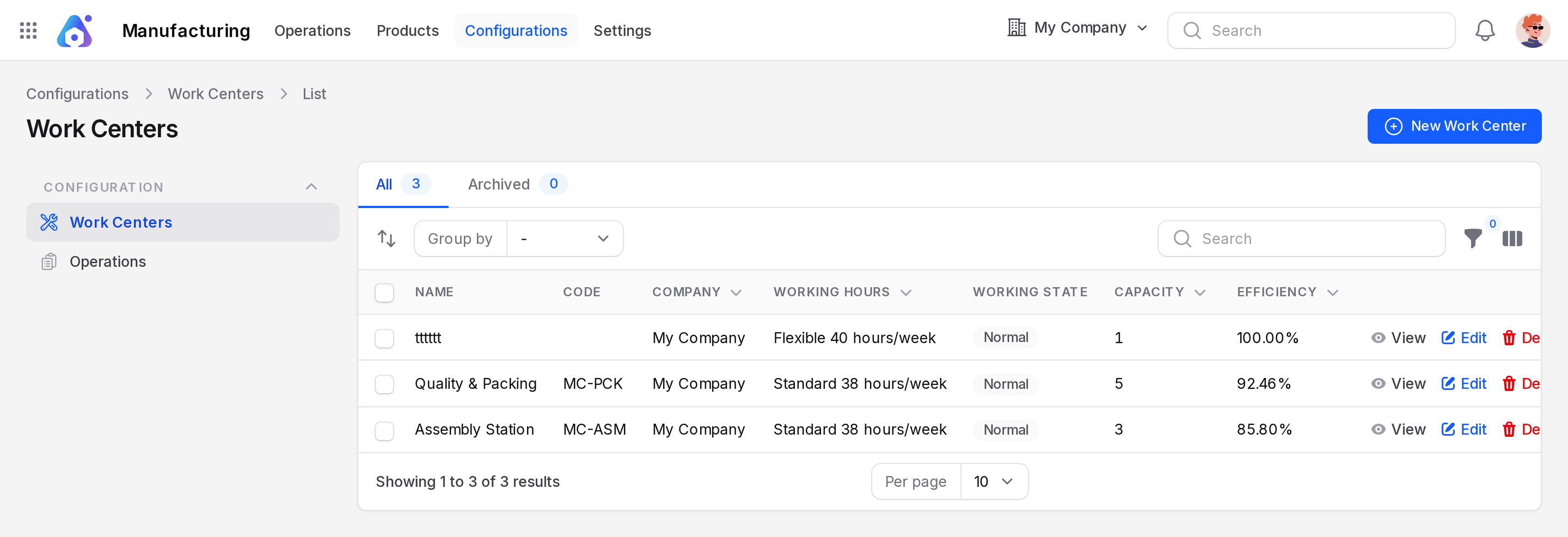
- Tabs: All and Archived.
- Columns: Name, Code, Company, Working Hours, Working State, Capacity, Efficiency. Cost per Hour can be shown from the column toggle.
- New Work Center: opens the create form.
Create a work center
Scenario: the sample shop has Assembly Station (code MC-ASM, capacity 3, efficiency 85.80%) and Quality & Packing (code MC-PCK, capacity 5, efficiency 92.46%). Both use the Standard 38 hours/week schedule.
- Open
Manufacturing → Configurations → Work Centersand click New Work Center.
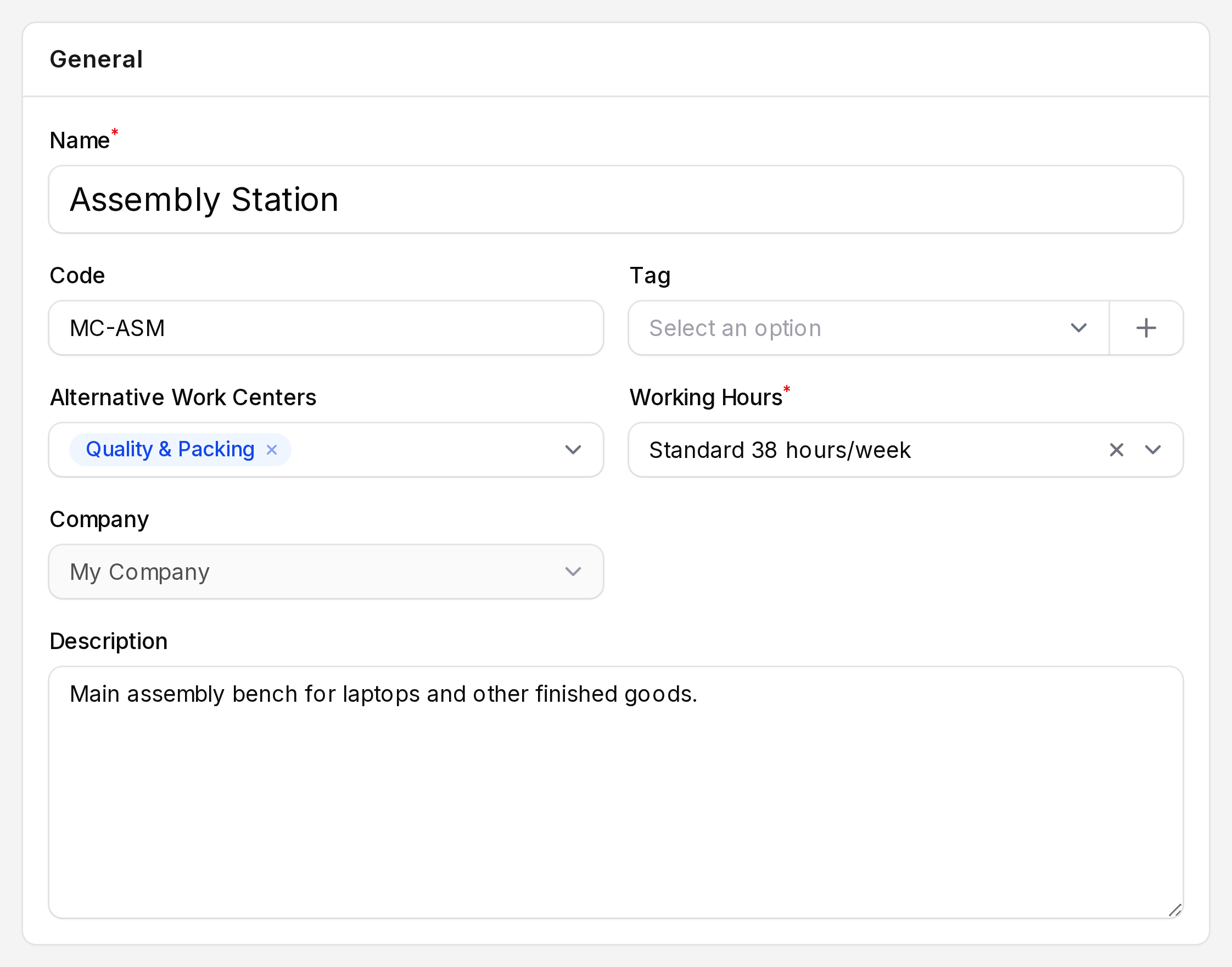
General
- Name: The title shown on work orders. Required.
- Code: A short reference, for example
MC-ASM. - Tag: Optional labels to group similar work centers.
- Alternative Work Centers: Other work centers that can do the same job. When planning, Aureus compares them with this one.
- Working Hours: The schedule that says when the work center is open. Required. Planning places work orders inside these hours.
- Company: The owning company.
- Description: Free notes for your team.
WARNING
If a work center has no working hours calendar, planning fails with "There is no defined calendar on work center".
Production Information
- Time Efficiency: A percentage up to 100. A lower value lengthens the planned time. At 80%, a 60 minute step is planned for 75 minutes.
- Default Capacity: How many units the work center makes in one cycle.
- Setup Time: Minutes to prepare before a run.
- Cleanup Time: Minutes to clean up after a run.
Costing Information
- Cost per Hour: What one hour of use costs. Aureus multiplies it by the expected hours to get the operation cost on the manufacturing order.
Specific Capacity
Use this when one product needs different numbers from the default. Click Add a line.
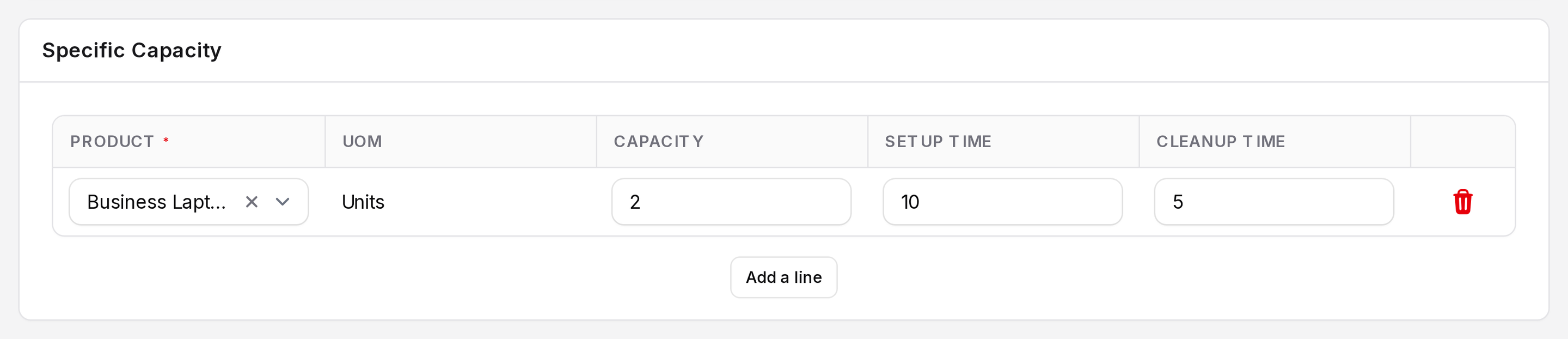
- Product: The product the line applies to.
- UOM: Its unit of measure.
- Capacity: Units per cycle for this product.
- Setup Time and Cleanup Time: Minutes for this product. They replace the work center defaults.
- Click Create. Use Create & create another to add the next one.
How the expected time is worked out
cycles   = units to make / capacity, rounded up
duration = setup + cleanup + cycles x step time x 100 / efficiency
Example: 5 laptops at Assembly Station with capacity 3 make 2 cycles. With a 60 minute step and 85.80% efficiency, the cycles take about 140 minutes. Setup and cleanup are added on top.
The Operations sub page
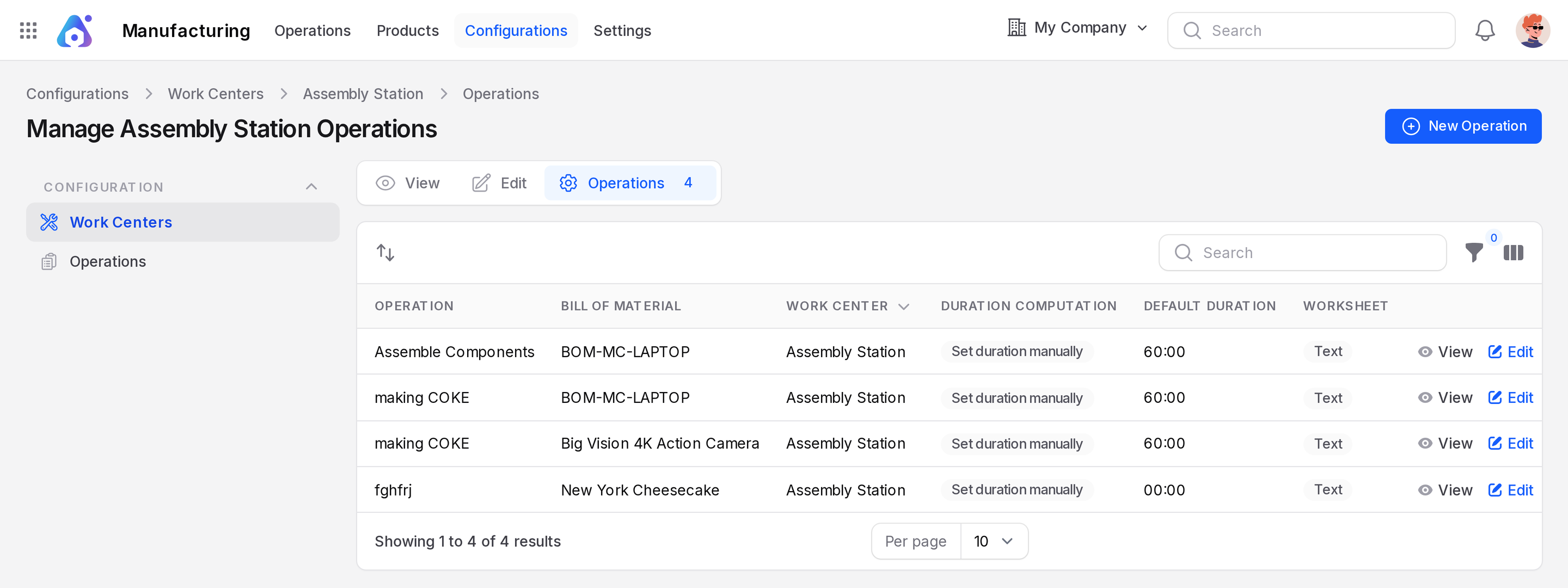
Open a work center and click Operations. You see every routing step that runs here, and the New Operation button adds one with this work center already chosen. See Operations.
Actions and statuses
- View and Edit show or change the record.
- Delete archives the work center. It moves to the Archived tab, with the message "Work center archived".
- On the Archived tab you can restore it or delete it for good.
- A permanent delete is refused when the work center is in use: "The work center cannot be deleted because it is currently in use."
- The Working State column shows whether the work center is currently running work.
TIP
Give every work center a realistic efficiency. Planned dates for work orders depend on it.