

Bill sequence
Every vendor bill gets a number when you save it, for example BILL/2026/4. Aureus builds this number from a sequence that belongs to the Vendor Bills journal. Knowing how it works helps you read your numbers and fix them when needed.
In simple words: The bill number is made by a counter. The counter belongs to the Vendor Bills journal and starts again each year.
How a bill number is made
A number has three parts: a prefix, the year and a counter.
- Prefix: The journal code. For vendor bills the code is
BILL. - Year: The year of the accounting date, for example
2026. - Counter: A number that grows by one with each bill. New sequences pad it to five digits.
A new bill is therefore numbered like BILL/2026/00005. Older seed data may show shorter counters, such as BILL/2026/4. Both forms are valid.
The default prefix is {journal code}/{year}/. For the Vendor Bills journal, that is BILL/%(year)/.
Reset every year
The counter is set to restart Every Year. The first bill of 2027 becomes BILL/2027/00001. You can change this rule in the sequence.
Refund numbers
A refund is a bill you reverse with the Refund button. Its number depends on the journal.
- If the journal has Dedicated Credit Note Sequence on, refunds use their own counter. Their prefix gets an
R, so you seeRBILL/2026/00006. - If the toggle is off, refunds share the counter of the bills.
Set this toggle in Accounting → Configurations → Accounting → Journals. Open the Vendor Bills journal and find it under Accounting Information. See Journals.
See and change the sequence
- Go to
Settings → Sequences. - Find the rows Vendor Bills and Vendor Bills (Refund).
- Check Next Document Number to see the number the next bill gets.
- Click Edit to change it.
The list shows Name, Code, Applies To, Company, Next Document Number, Next Number and Reset Counter. In the example data, Vendor Bills shows BILL/2026/00005 and Vendor Bills (Refund) shows RBILL/2026/00006.
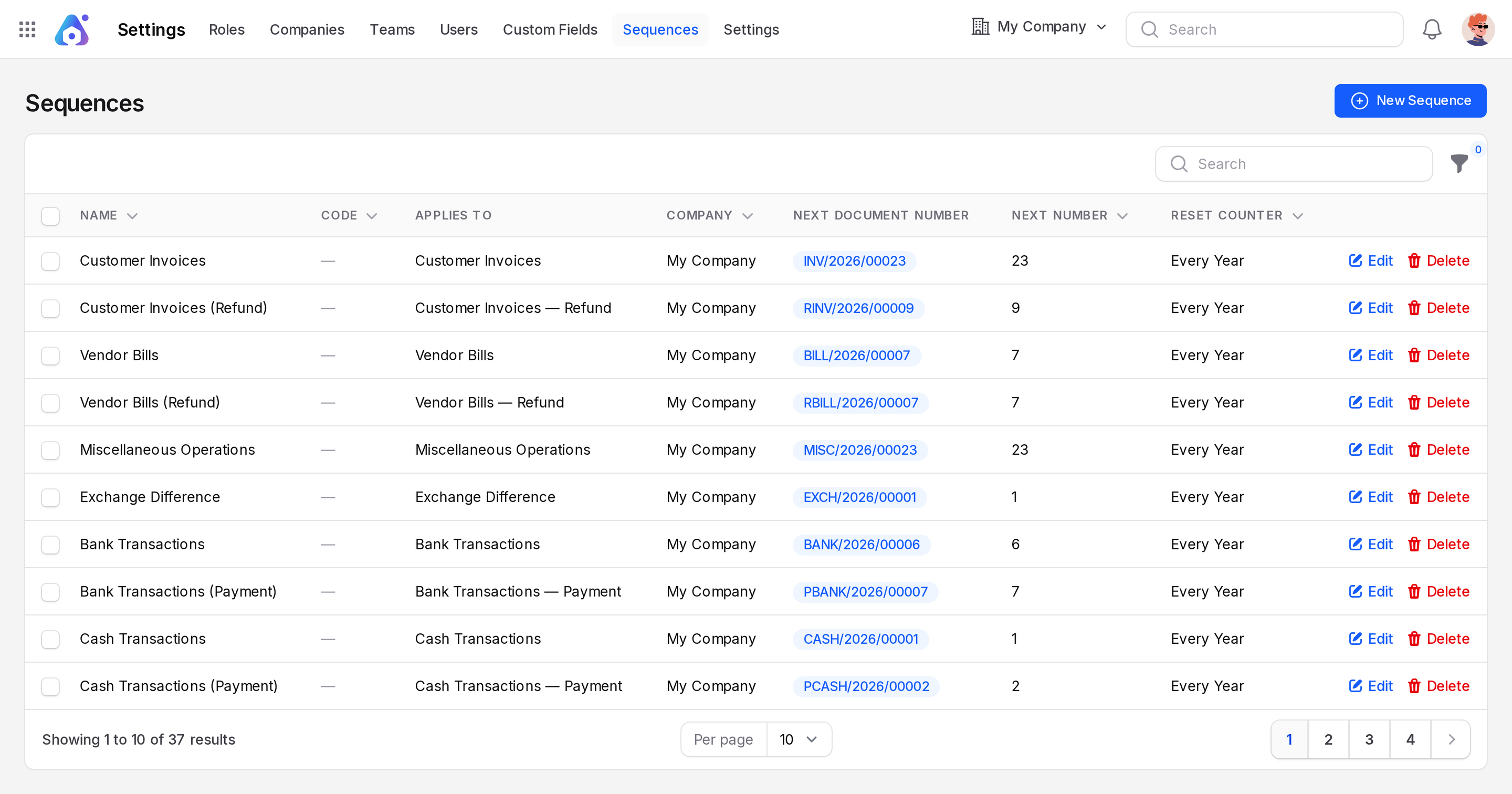
On the edit form you can change the Name, Prefix, Suffix, Number Padding, Next Number, Step and Reset Counter. See Sequences for every field.
Rules for Next Number
- You can only raise Next Number. You cannot lower it.
- Aureus checks this so two bills never share a number.
- To skip numbers, enter a higher value. The next bill uses it.
- Deleting the sequence does not restart at 1. Aureus rebuilds it after the highest number that exists.
WARNING
Do not lower a counter to reuse numbers. Posted bills keep their numbers, and gaps in a series are normal.
TIP
Customer invoices work the same way, with the code INV. See Invoice sequence.