

Project stages and milestones
Project stages describe the phase of a whole project. Milestones are key points inside one project, such as a sign off. Stages are shared by every project. Milestones belong to one project.
In simple words: Stages say where a project is. Milestones say which big goals are reached.
Three different things
A project stage is not a task stage and not a task State. Task stages and states are explained in Task stages and states.
Project stages
Needs Enable Project Stages in Project settings. Without it the stage bar is hidden on the project form.
Open Project → Configurations → Project Stages.
- Click New Project Stage. A window opens.
- Type a Name, for example To Do.
- Click Create.
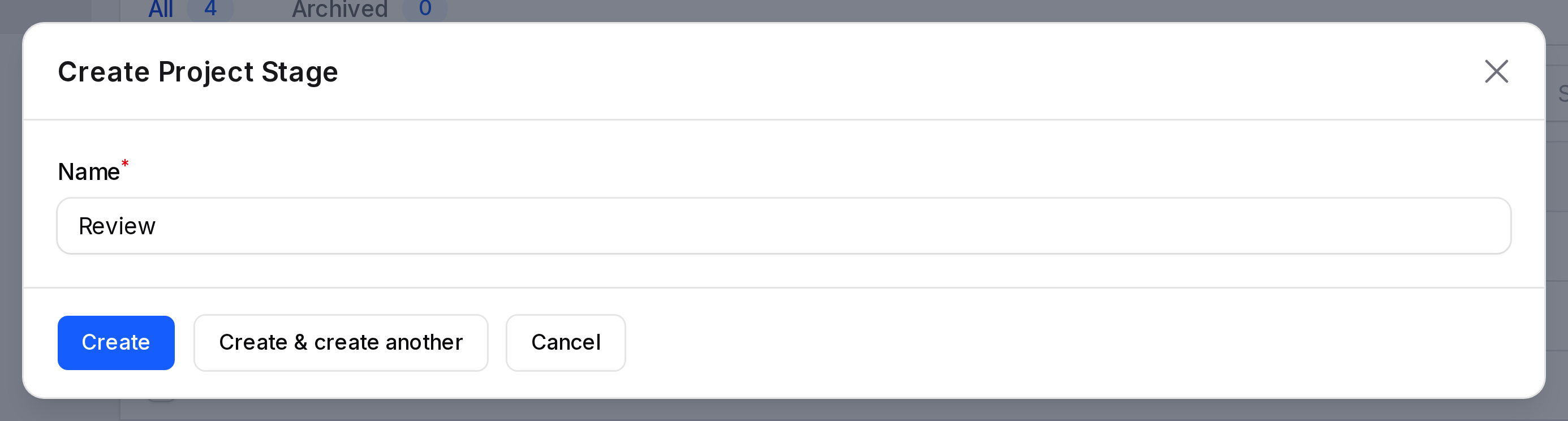
- Name: Required and unique. Up to 255 characters.
Add To Do, In Progress, Done and Cancelled for the example. Drag the rows to set the order. The first stage in the list is the default for a new project.
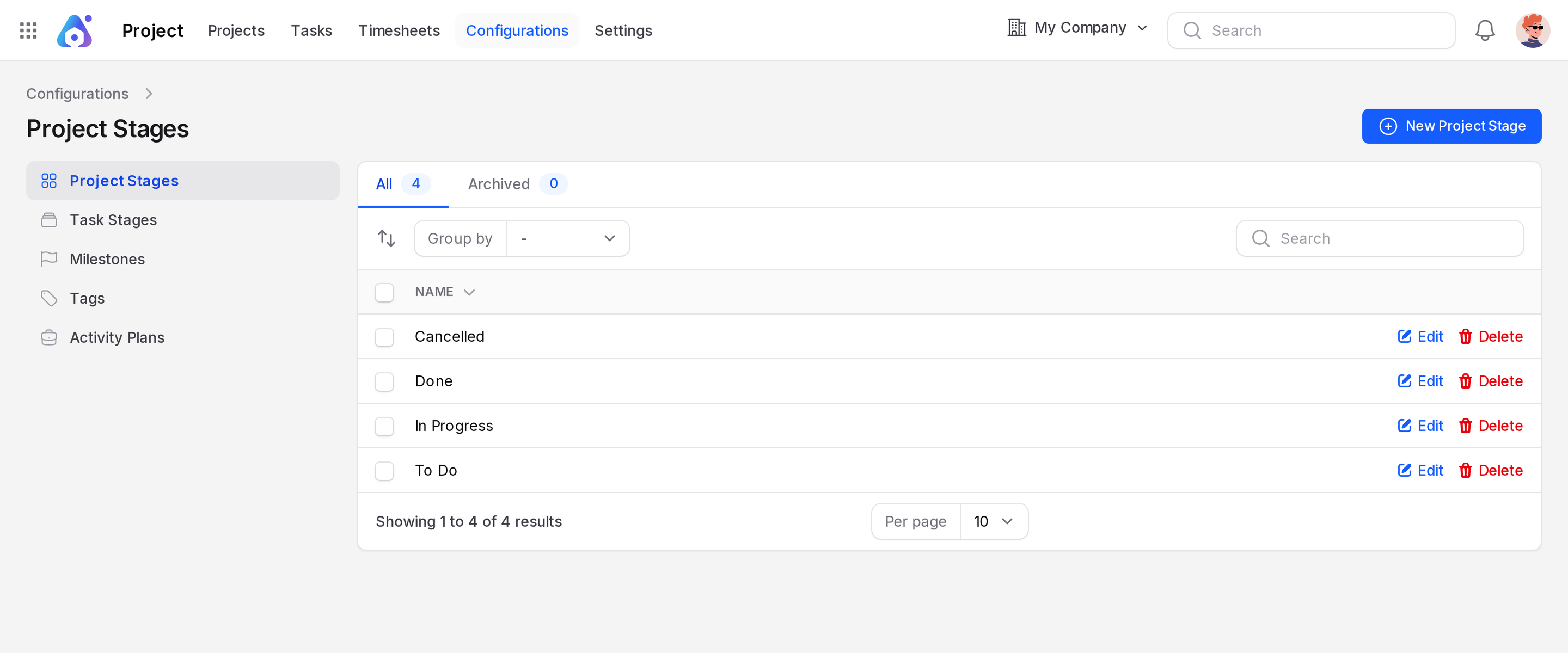
Each row has Edit, Delete, Restore and Force delete. Delete archives the stage. You can group the list by Created At.
Milestones
Needs Enable Milestones in settings and Allow Milestones on the project. Open the project and click Milestones in the top links.
- Open Website Revamp and click Milestones.
- Click Add Project Milestone. A window opens.
- Fill the form and click Create.
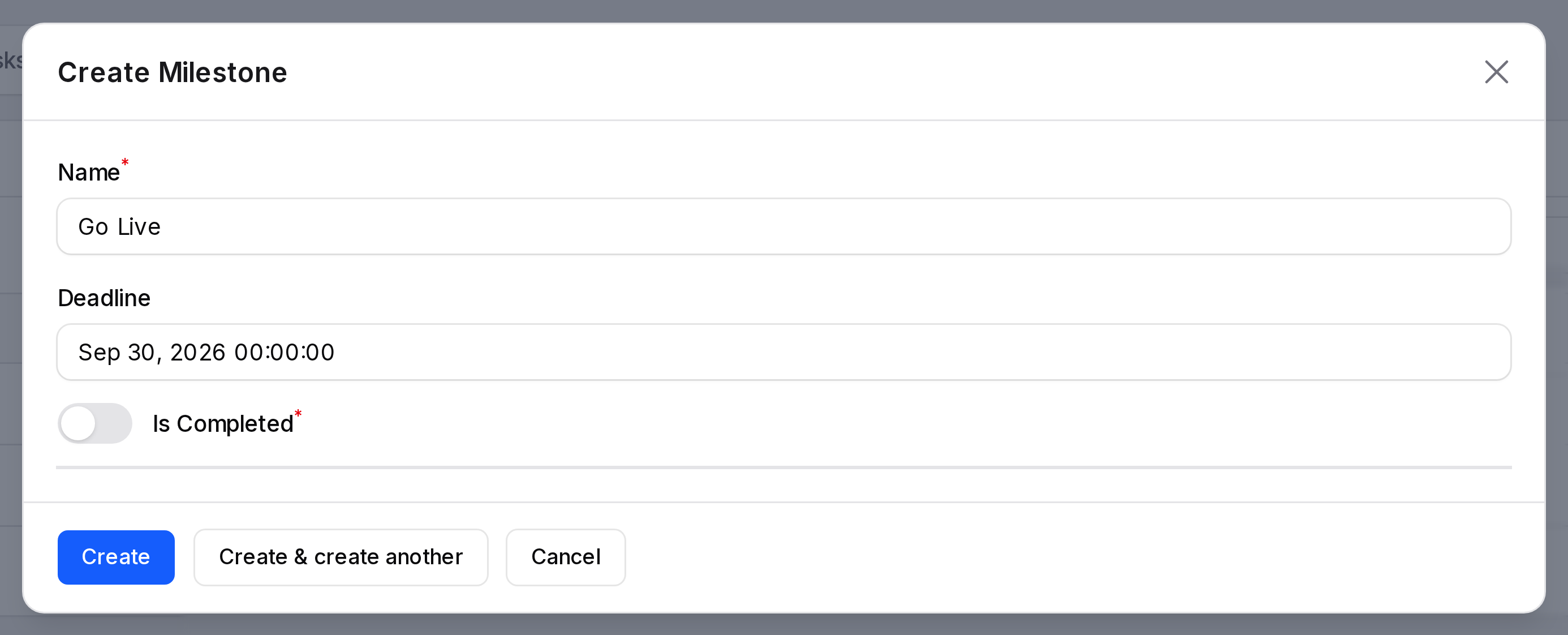
- Name: Required. Example: Phase 1 Complete.
- Deadline: The date and time to reach it.
- Is Completed: Required toggle. Off until the goal is reached.
- Project: Required. Hidden when you add the milestone inside a project.
The list shows Name, Deadline, Is Completed and Completed At. Switch Is Completed in the row when the goal is done. Completed At fills automatically.
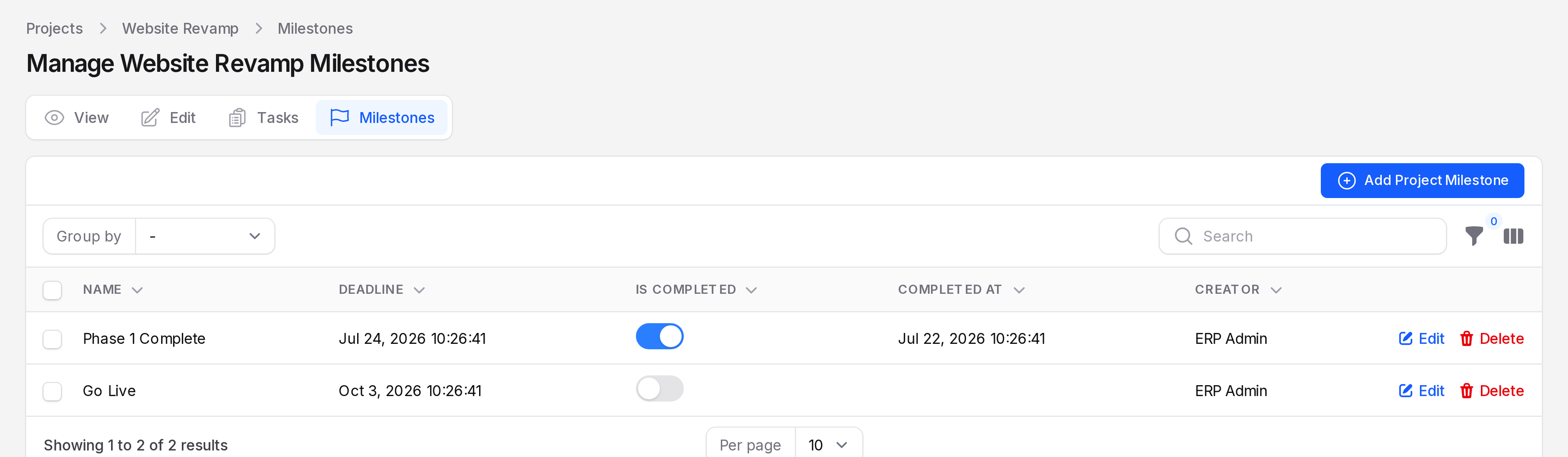
You can also reach all milestones at Project → Configurations → Milestones. Filter by Is Completed, Project or Creator.
Completed count
The project card shows milestones as completed over total. With Phase 1 Complete done and Go Live open, it reads 1/2. The View page shows the same under Milestones Progress.
Use on tasks
When a project allows milestones, the task form has a Milestone field. Link a task to a milestone there. See Create a task.
Actions and statuses
- Edit: changes a stage or a milestone.
- Delete: archives a stage. Restore it from the list filter.
- Force delete: removes a stage for good.
- A milestone is Completed when Is Completed is on.