

Units of measure
A unit of measure tells Aureus how a quantity is counted. You may buy flour in kilograms, sell eggs by the dozen and count chairs as units. Units of measure are grouped in categories so Aureus only converts between units that fit together.
In simple words: A unit is how you count. A category keeps kilograms with weights and metres with lengths.
Settings
Go to Inventory → Settings → Manage Products and turn on Unit of Measure. The menu Configurations → Units of Measure → UOM Categories then appears, and products and moves show unit fields. See Inventory settings.
Overview
Open Inventory → Configurations → Units of Measure → UOM Categories. The list shows Name and UOMs. Aureus ships six categories.
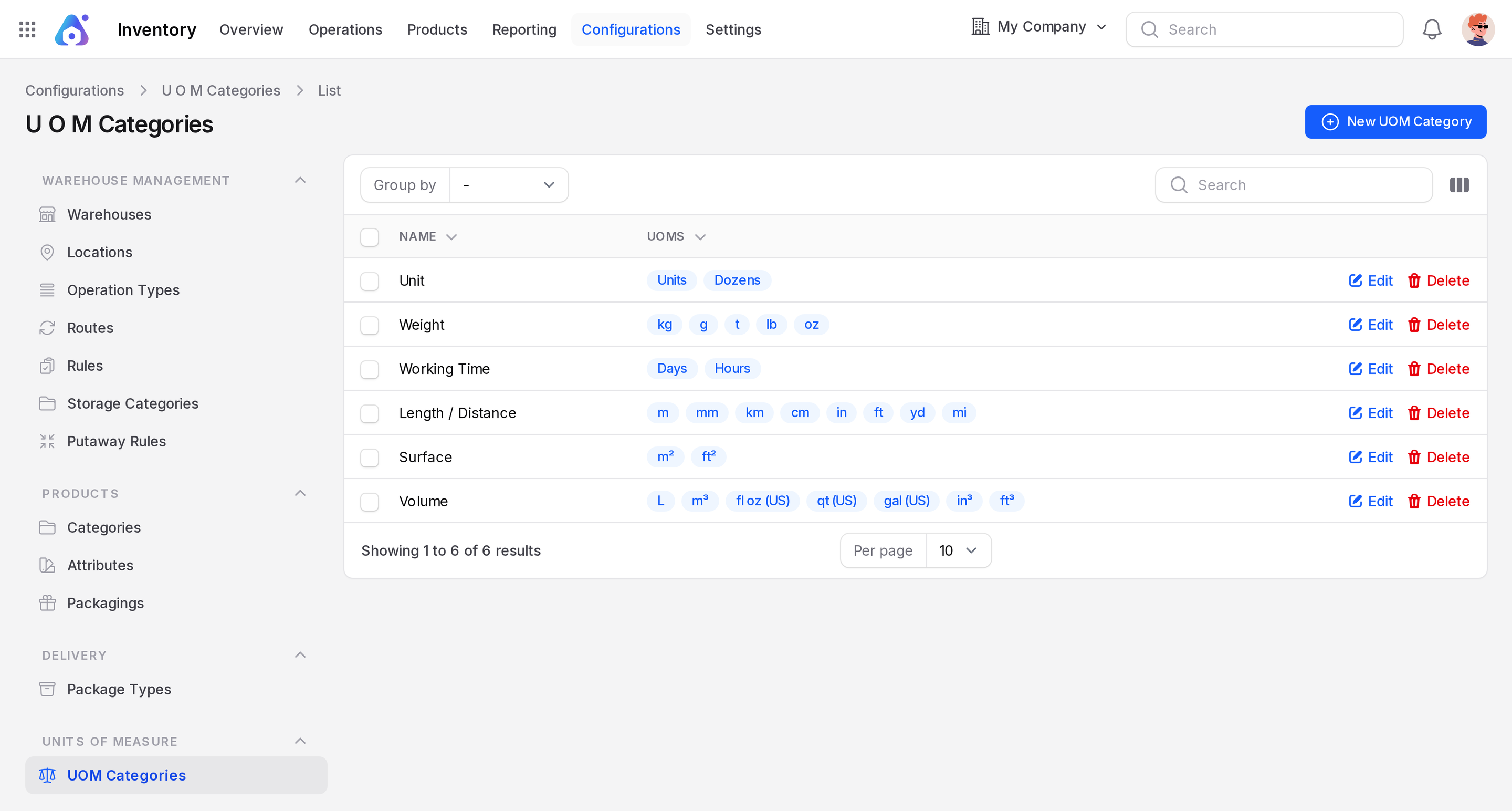
| Category | Units |
|---|---|
| Unit | Units, Dozens |
| Weight | kg, g, t, lb, oz |
| Working Time | Days, Hours |
| Length / Distance | m, mm, km, cm, in, ft, yd, mi |
| Surface | m², ft² |
| Volume | L, m³, fl oz (US), qt (US), gal (US), in³, ft³ |
Rows have Edit and Delete actions.
Create a category
- Go to
Inventory → Configurations → Units of Measure → UOM Categories. - Click New UOM Category.
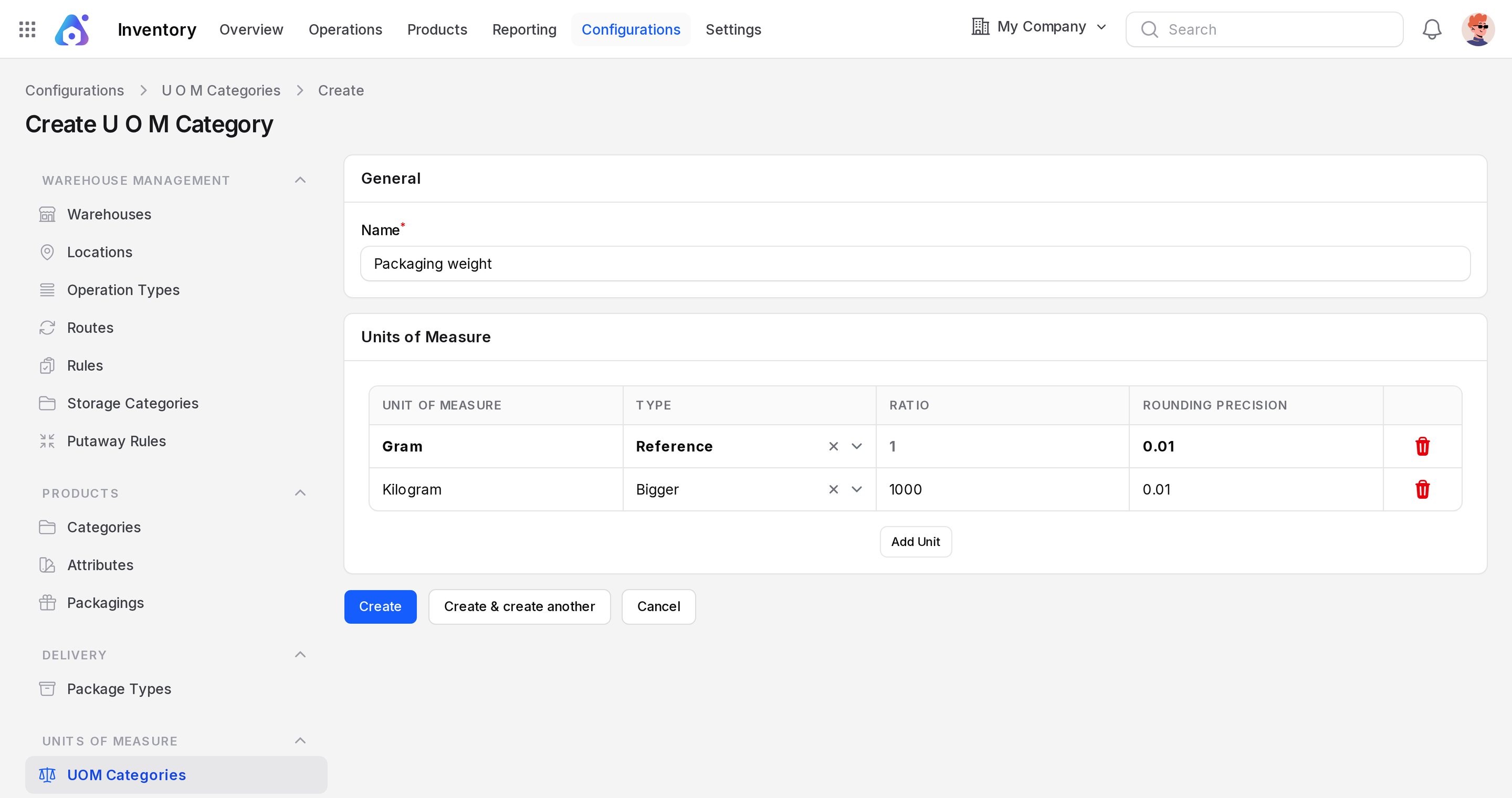
- Name: Required. The category, for example Packaging weight.
- Units of Measure: Click Add Unit for each row.
- Unit of Measure: Required. The unit name.
- Type: Required. The first row is the Reference unit. Later rows are bigger or smaller than it.
- Ratio: How many reference units fit in this one. Default 1. Locked for the Reference row.
- Rounding Precision: Required. The smallest step allowed. Default 0.01.
- Click Create.
TIP
Create the reference unit first. Set the other units against it. For example, kg is the reference and g has a smaller ratio.
Use units on stock
Choose the unit on the product, and Aureus shows it on prices, order lines and stock moves. On a receipt, the Unit column shows the unit for each move. Quantities are converted to the product unit when stored.
Example: Wheat Flour is held in kg. The sample warehouse holds 675 kg in WH/Stock.
Behind the scenes
The reference unit is the base for the category. When you receive a different unit, Aureus converts it with the ratio. You cannot convert between categories, for example kilograms to metres.
INFO
This page covers the inventory view. The same records are managed in Sales. See UOM categories in Sales.