

Job positions
A job position is a role that exists in your company, such as Sales Manager or Warehouse Supervisor. It holds the official title, the department, a description and the requirements. Employees pick a job position on their profile, and Recruitment uses the same roles when you hire.
In simple words: A job position is the official name of a role, with its department and description.
Open Employees → Configurations → Job Positions.
Prerequisite
Create the department first, for example Operations. See Departments. Employment types are optional. See Employment types.
Overview
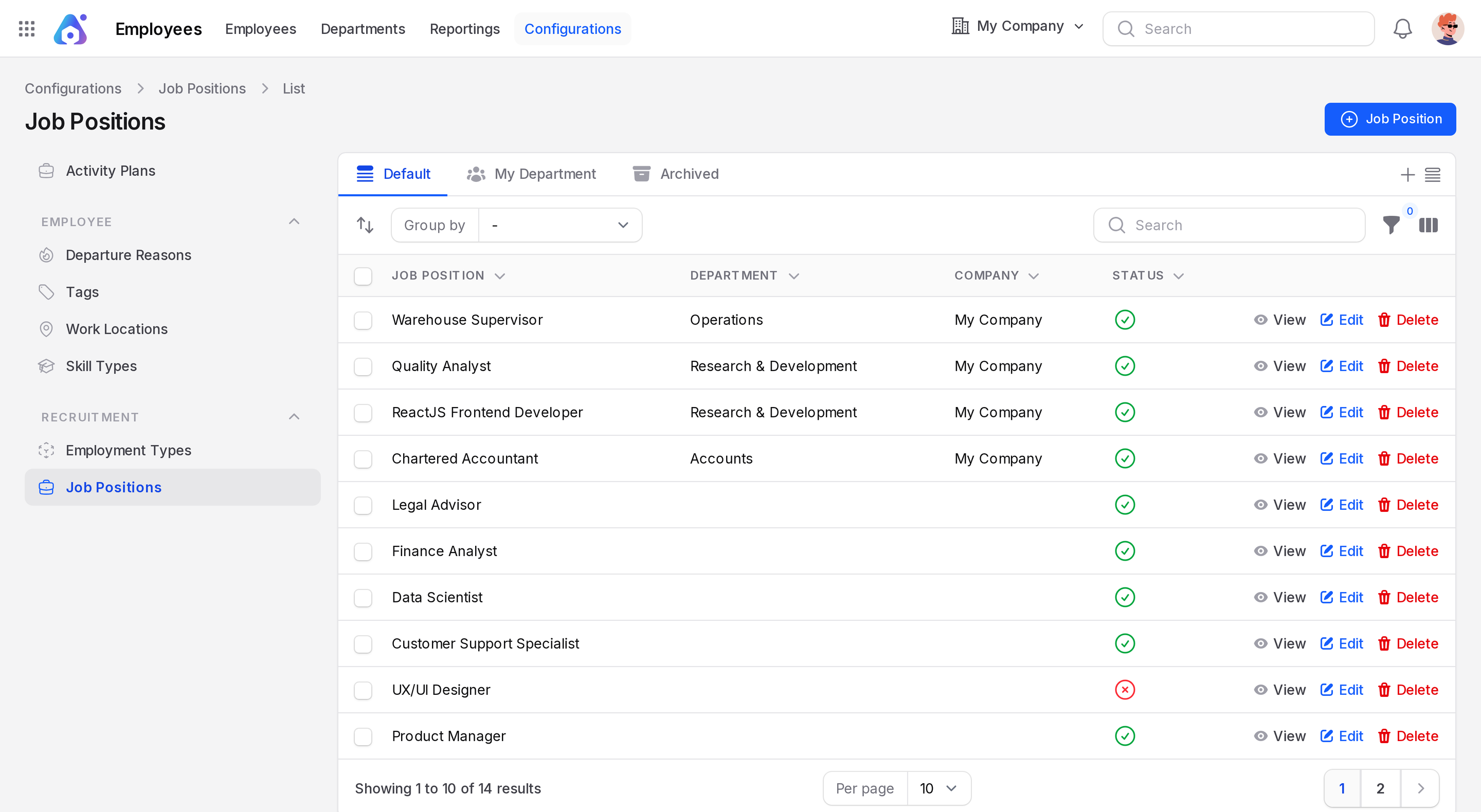
The list has three tabs.
- Default: all active positions.
- My Department: positions in your own department.
- Archived: positions you deleted. Restore them from here.
Columns are Job Position, Department, Company and Status (Yes or No). The list holds 14 positions, including Warehouse Supervisor once you add it. On the Default tab, drag the handle on a row to change the order. Filters cover Department, Employment Type, Company and Status.
Create a job position
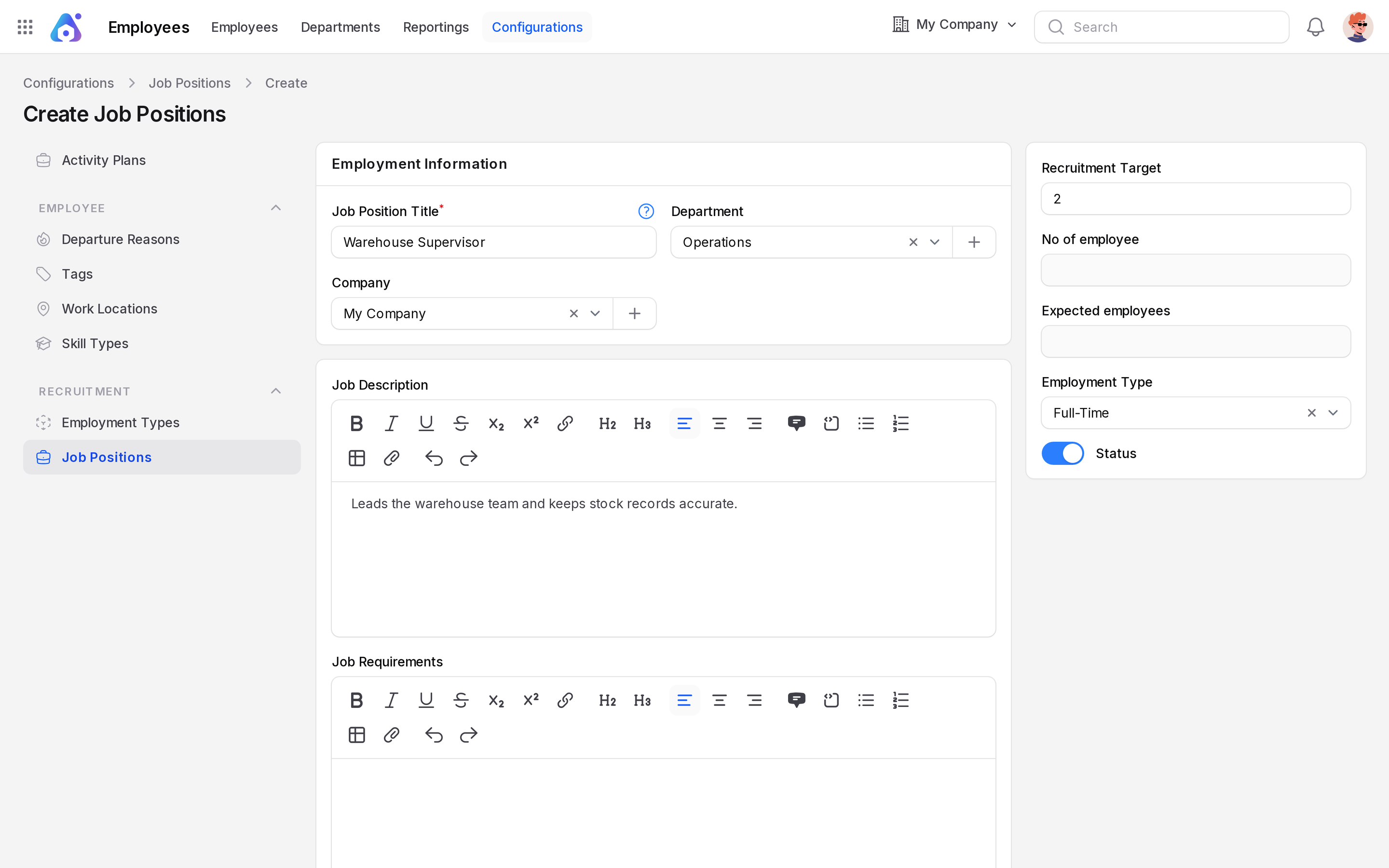
This example creates Warehouse Supervisor in the Operations department.
- Open
Employees → Configurations → Job Positions. - Click the Job Position button in the page header. A full page opens.
- Fill in the form.
Employment Information
- Job Position Title: Required. Type the official title,
Warehouse Supervisor. A ? icon next to the title shows a hint. - Department: Choose Operations. The plus button creates a department on the spot.
- Company: Fills with My Company. The plus button creates a company.
- Job Description: Rich text. Type
Leads the warehouse team and keeps stock records accurate. - Job Requirements: A second rich text editor. List the skills and experience you need.
Right card
- Recruitment Target: A number. Default
0. Type2for two hires. - Employment Type: Choose Full-Time.
- Status: A toggle. Turn it on to make the position active.
- No of employee and Expected employees: Read-only. Aureus fills them in.
- Click Create.
WARNING
Turn Status on before you rely on the position.
Edit, archive and restore
Click Edit on a row to change a position. Click Delete to archive it. It moves to the Archived tab. Use Restore there to bring it back.
Where job positions are used
- On the employee form, the Job Position field offers these records.
- If you change the company on an employee, the job position clears and you pick again.
- In Recruitment, positions are the roles you hire for. See Recruitment.