

Work with several companies
If you work for more than one company, Aureus lets you switch between them without signing out. The company switcher in the top bar shows which company you are working in, and lets you view records of several companies at once.
In simple words: The company switcher tells Aureus which company you are working for right now.
Who sees the switcher
The switcher shows in the top bar only when you are allowed to use more than one company. If you have one company, you do not see it.
An administrator sets the companies for each user in the user form, under Multi Company:
- Allowed Companies: The companies the user may work in.
- Default Company: The company the user starts in. It must be one of the allowed companies.
Switch company
- Click the company name in the top bar.
- Click the name of the company you want.
The page reloads in that company. The company in bold is the one you are working in.
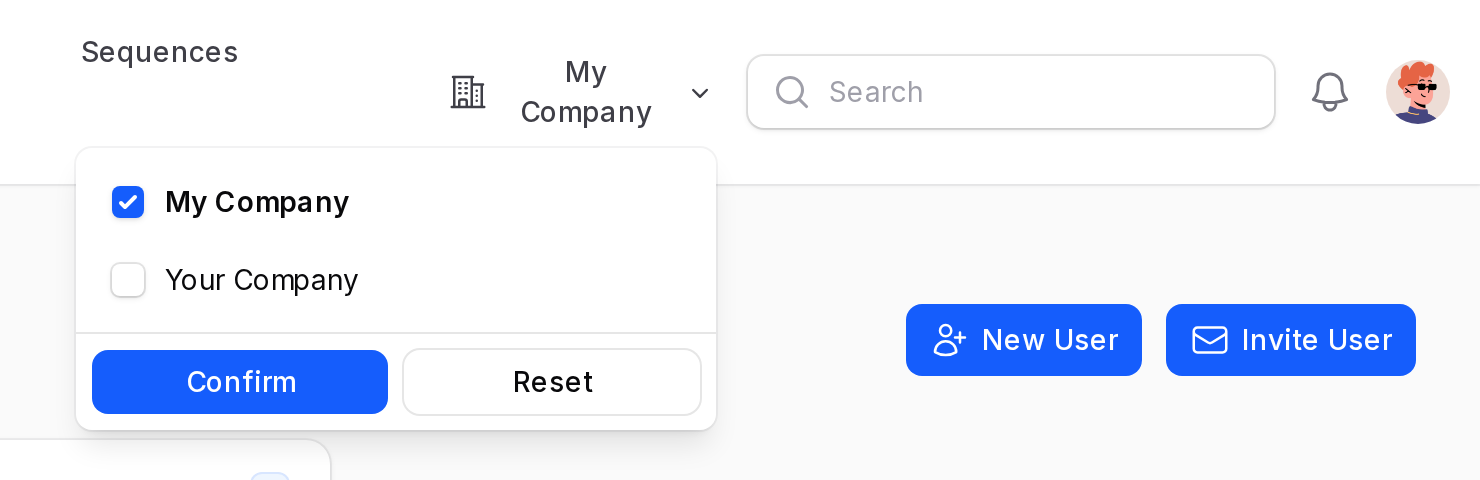
Work in several companies at once
- Click the company name in the top bar.
- Tick the boxes of all the companies you want to see.
- Click Confirm.
Lists now show records from all the ticked companies. The company in bold is the current company. New records you create belong to the current company.
To go back to one company, click the name of that company, or click Reset.
TIP
Click Reset to clear your choice and return to your default company.