

Equipment categories
An equipment category groups similar equipment, for example Packaging Machines, IT Equipment or Vehicles. It also names one person who is responsible for that kind of equipment. This saves typing, because the person flows into new requests.
In simple words: A category is a folder for similar machines, with a default person in charge.
Open Maintenance → Configurations → Categories.
Prerequisite
The Responsible person is a user. Create users first in Manage users. Make the category before you add equipment, because equipment picks a category.
Overview
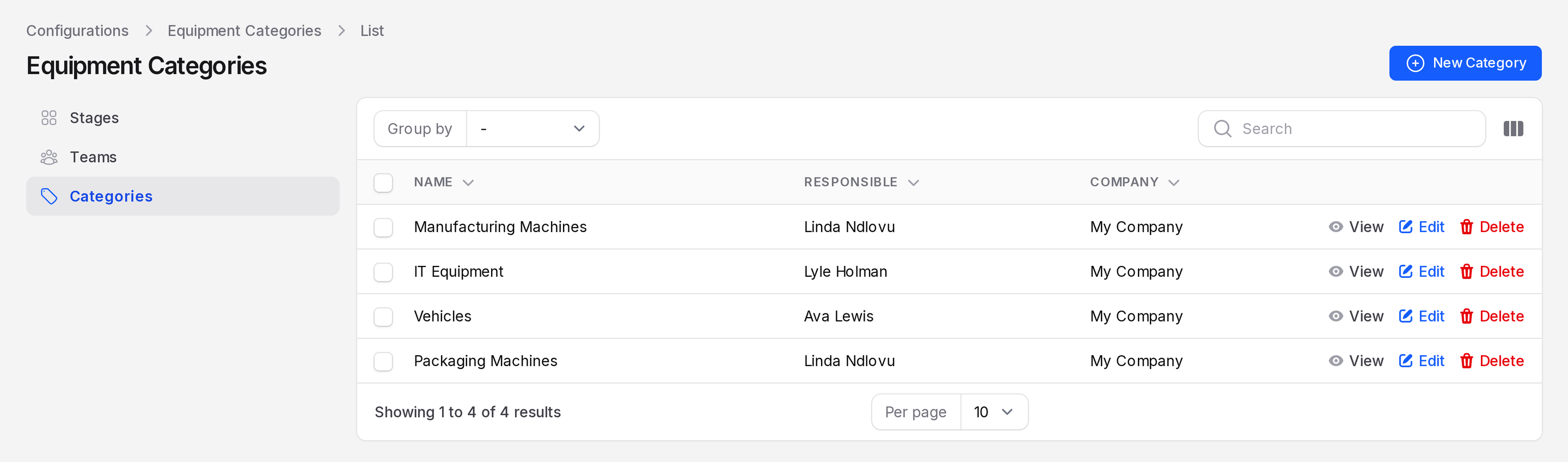
The list shows Name, Responsible and Company. Use Group by to group rows by Responsible. Use the search box to find a category by name. Each row has View, Edit and Delete actions.
Create a category
This example makes Packaging Machines, with Linda Ndlovu in charge.
- Open
Maintenance → Configurations → Categories. - Click New Category. A full page opens.
- Fill in the General Information section.
- Name: Required. Type
Packaging Machines. - Responsible: The person in charge of this kind of equipment. It starts as you. Choose Linda Ndlovu.
- Company: Fills with your company.
- Note: Optional text for your team, such as where these machines are kept.
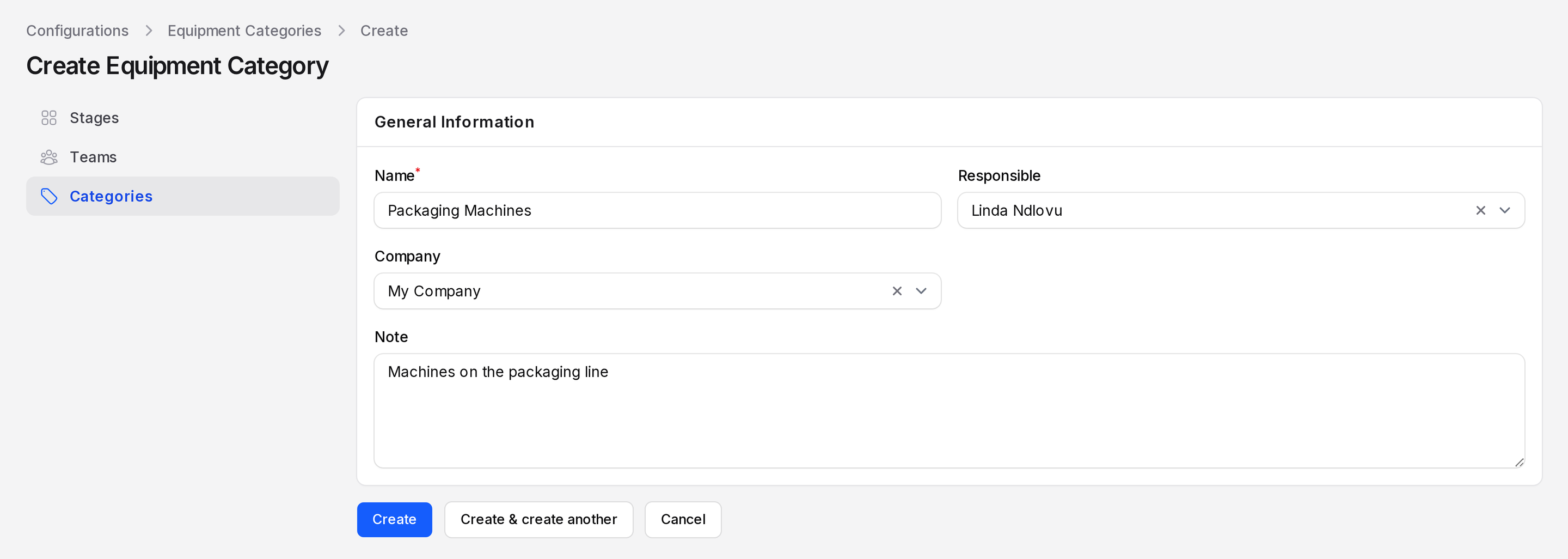
- Click Create. The notification Category created appears with the text "The category has been created successfully." The category opens on its view page.
You can also click Create & create another or Cancel.
Why Responsible matters
The Responsible person becomes the default technician. When you pick equipment of this category on a request, Aureus fills Responsible with the equipment technician. On the equipment form, choosing the category fills Technician with this person. If the equipment has none, it uses the category's person. If that is empty too, it uses you.
TIP
Pick the person who usually leads the repairs. You can still change the responsible person on any single request.
Edit or delete a category
Click View to read a category. Click Edit to change fields, then Save changes. Click Delete to remove it.
WARNING
A category used by equipment is hard to remove. Move the equipment to another category first.