

Skills report
The Skills report shows which employee has which skill, and at what level. Use it to find people for a job, spot gaps in a team or check that skills are recorded. The report only reads data. You add or change skills on each employee.
In simple words: It is one big table of every skill of every person.
Open Employees → Reportings. The report opens as Skills.
Prerequisite
Skills come from the Manage Skills page of each employee. See Skills and resume. Skill types are set up in Skill types.
Overview
There is no create button and no row action. You can only read, search, filter and group.
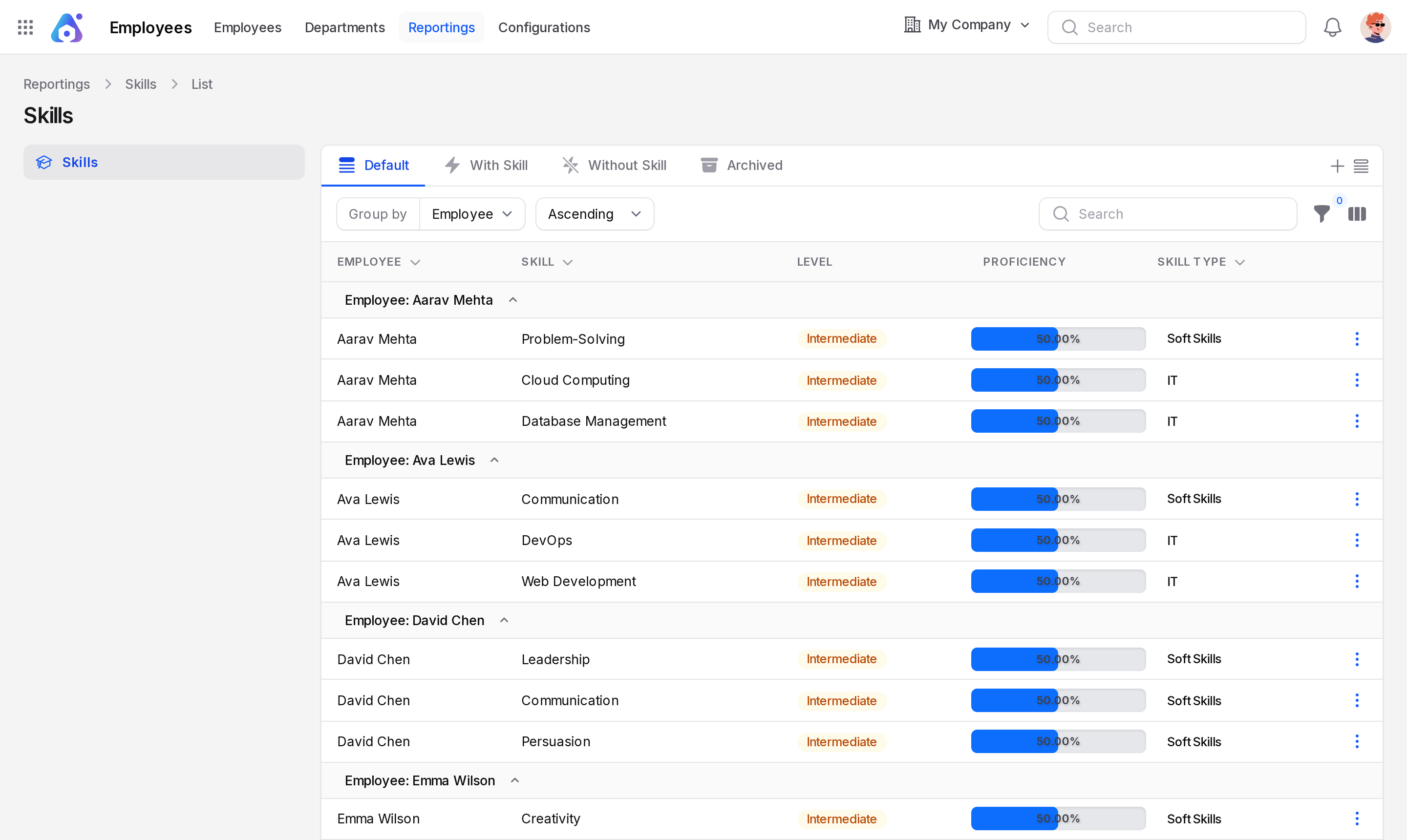
Tabs
The report lists skill records, not employees.
- Default: every skill record. The report has four tabs in all.
- With Skill: the same list of records as Default.
- Without Skill: empty, with the message No Skills.
- Archived: empty unless you have archived records.
Columns
- Employee: the person.
- Skill: the skill, such as Communication.
- Level: the grade, such as Intermediate, shown as a badge.
- Proficiency: the level as a percentage bar.
- Skill Type: the group of the skill, shown as a badge.
Search, group and filter
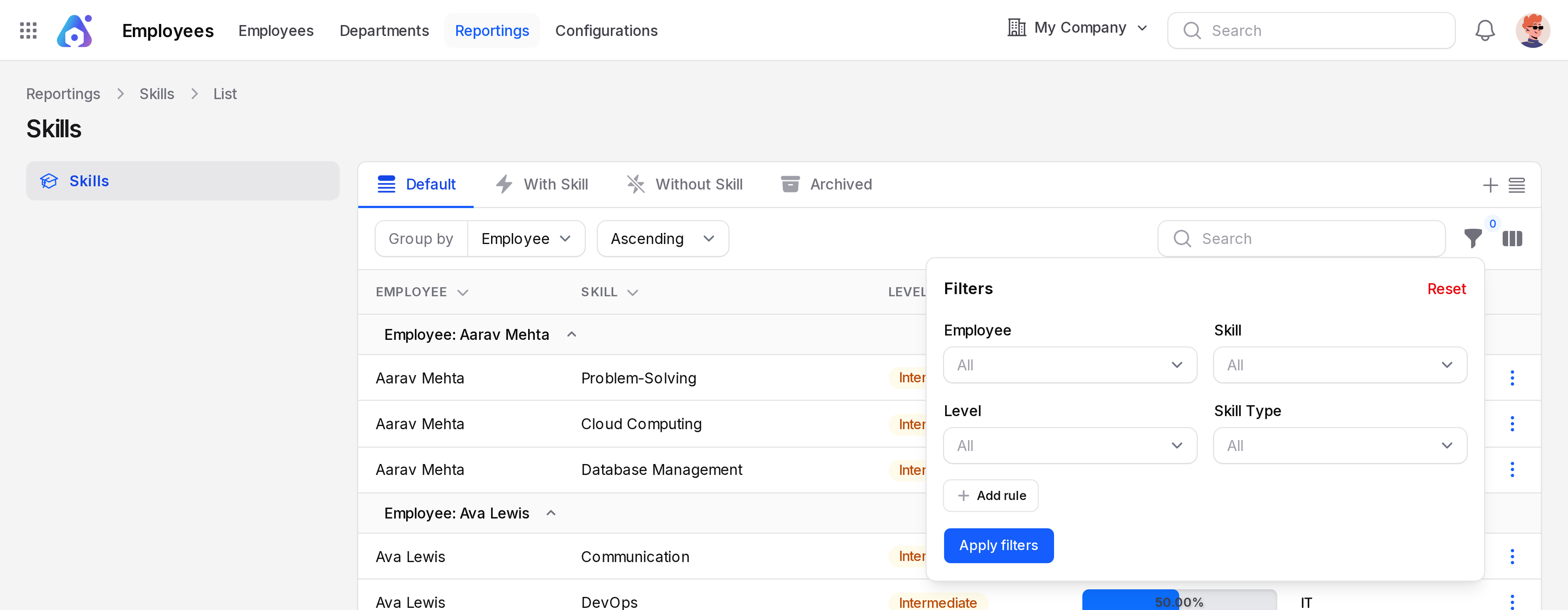
Use the search box to narrow the rows. A column-toggle icon shows or hides columns. The report opens grouped by Employee. Group by has a direction select: Ascending or Descending. You can group by Employee or Skill Type. Groups start expanded. Open the filter to use Employee, Skill, Level or Skill Type.
Read the report
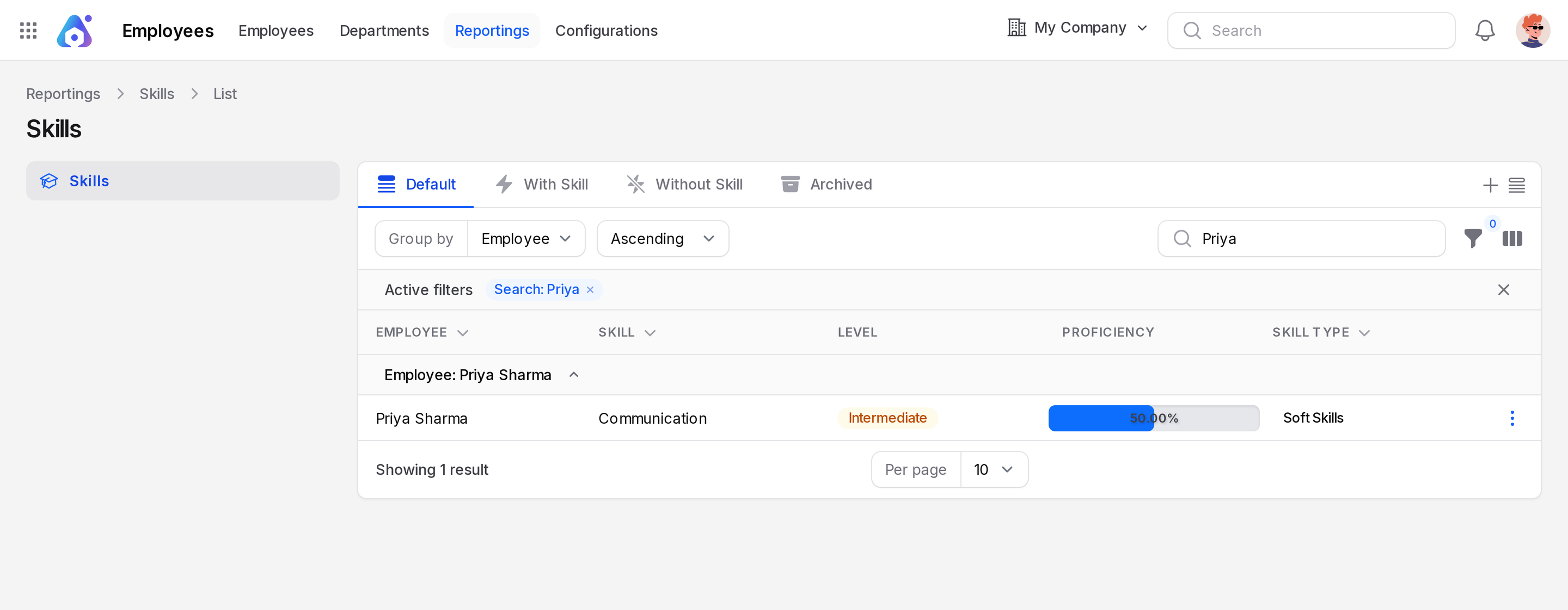
Look at Priya Sharma in the report. She has one row once you add her skill in the tutorial: Skill Communication, Level Intermediate, Proficiency 50.00%, Skill Type Soft Skills.
- Open
Employees → Reportings. - Group by Employee, or type
Priyain the search box. The list narrows to her group. - Read the row. It matches what is on her Manage Skills page.
To find everyone with a skill, open the filter, pick the Skill, then read the Employee column. Group by Skill Type to compare teams side by side.
TIP
Use With Skill or Default to read every skill record. Both show the same rows.
Behind the scenes
The report is not stored separately. It reads the skills on each employee. When you add or change a skill there, the report shows it at once.