

Tax groups
A tax group is a heading that collects related taxes. Every tax must belong to one tax group. The group gives the tax a family name, such as VAT or Sales Tax, and can be limited to a country.
In simple words: A tax group is the folder a tax is filed under.
When to use this page
- You add a tax that does not fit an existing family.
- You work in several countries and want a group per country.
Open the page
- Invoices app:
Invoices → Configurations → Tax Groups - Accounting app:
Accounting → Configurations → Accounting → Tax Groups
Overview
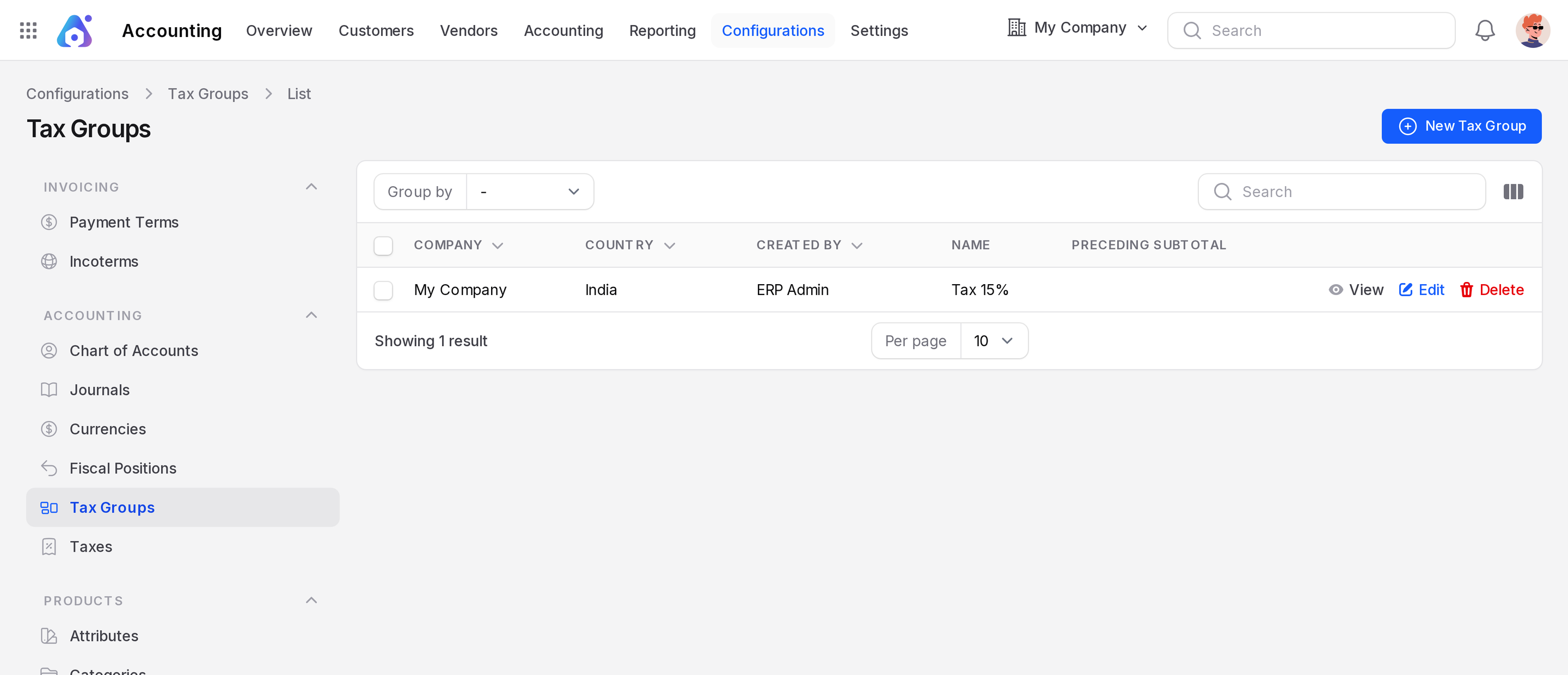
The list shows Company, Country, Created By, Name and Preceding Subtotal. You can group the rows by Name, Company, Country or Created By.
Create a tax group
- Open the Tax Groups page.
- Click New Tax Group.
- Fill in the fields.
- Click Create.
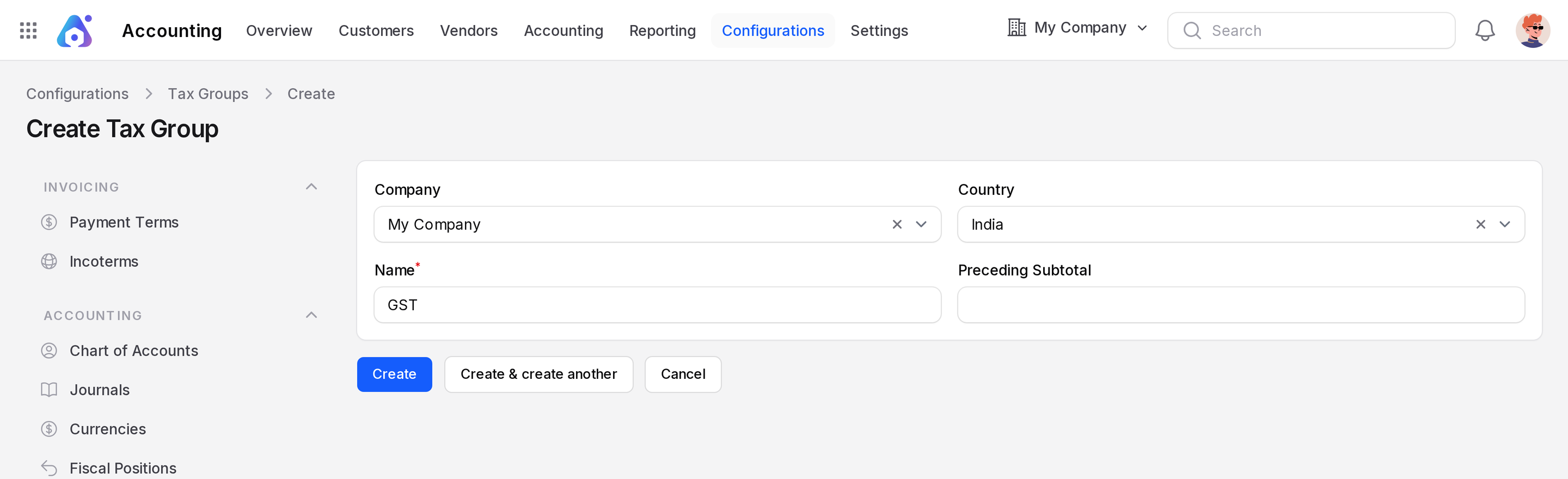
- Company: The company the group belongs to. It starts as your current company.
- Country: Optional. Use it when the group is only for one country.
- Name: The family name, such as
GST. Required. - Preceding Subtotal: Optional text, such as
Untaxed Amount. It is a label that can be shown above the group in a tax summary.
Example
Your sample company has a group named Tax 15%. Your first sales tax and purchase tax both use it. When you add an 18 % tax for a new region, create a group GST 18 and choose it in the Tax Group field of the tax. You can also create it straight from the tax form.
WARNING
A tax group that has taxes cannot be deleted. Aureus shows "Tax Group could not be deleted".