

Partner ledger
The partner ledger shows, for each customer and vendor, what they owe you or what you owe them. Use it to prepare a statement for one partner, or to check a balance before you call them.
In simple words: It is the general ledger sorted by person instead of by account.
It is in the Accounting app only: Accounting → Reporting → Partner Ledger.
Filters
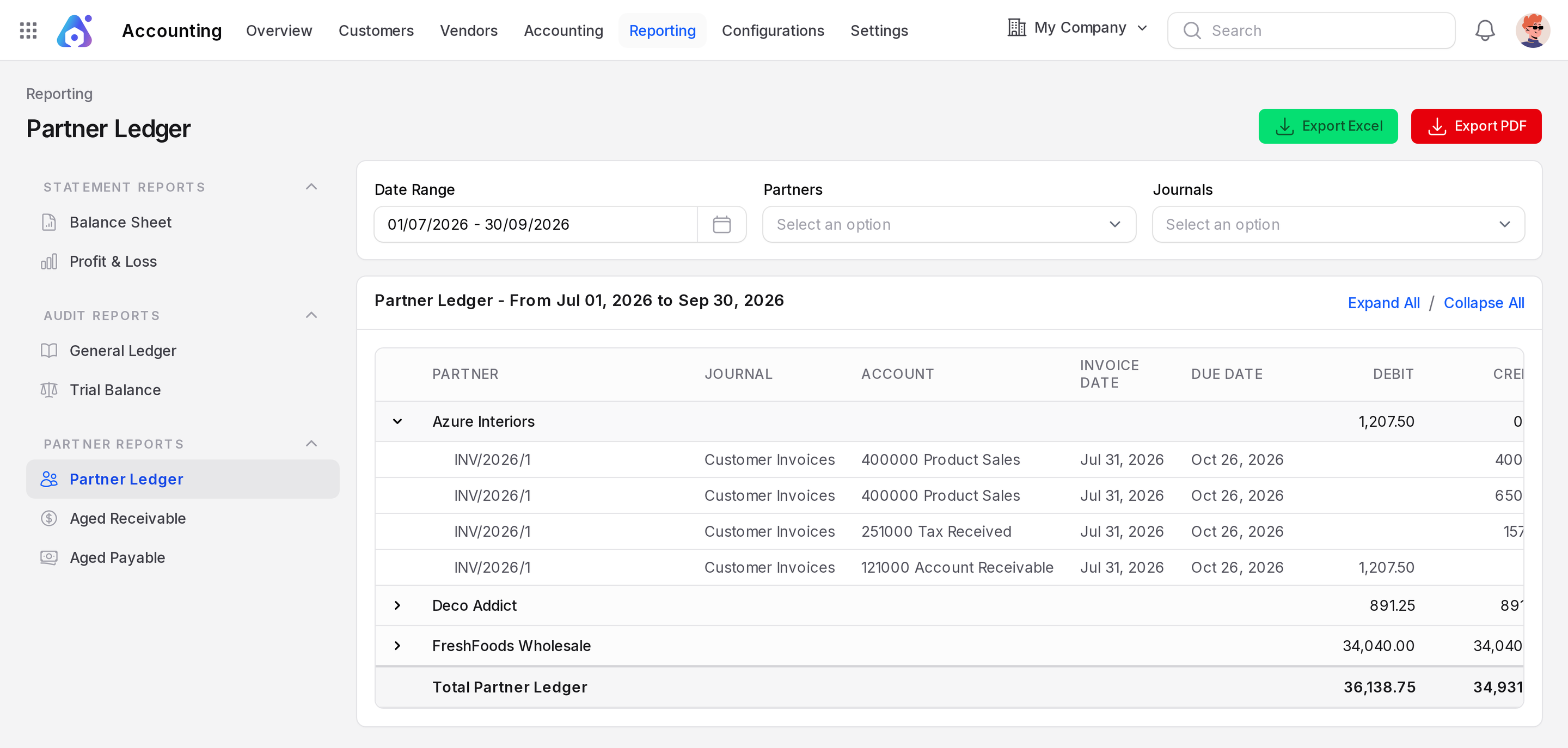
- Date Range: The period of the entries.
- Partners: Pick one or more partners. Leave it empty to list all.
- Journals: Limit the report to chosen journals.
How to read it
The columns are Partner, Journal, Account, Invoice Date, Due Date, Debit, Credit and Balance.
- Each row is one partner. Click it, or use Expand All, to open its lines. Collapse All closes them.
- A line shows the journal, the account, the invoice date and the due date.
- Debit is what the partner owes you. Credit is what you owe them or what they paid.
- Balance is the net amount. A positive balance means the partner owes you.
- Total Partner Ledger sums the debit and credit at the bottom.
Example. The report from the sample data lists three partners:
| Partner | Balance | Meaning |
|---|---|---|
| Azure Interiors | 1,207.50 | Invoice INV/2026/1 is unpaid. |
| Deco Addict | 0.00 | Invoice INV/2026/2 was fully paid. |
| FreshFoods Wholesale | 0.00 | Bill BILL/2026/4 was fully paid. |
For July 2026, Deco Addict has a debit of 891.25 (the invoice) and a credit of 891.25 (the payment). Azure Interiors has a debit of 1,207.50 and no credit.
Export
Click Export Excel or Export PDF to download the report.
Common questions
Why is a partner at zero? All their invoices are paid. The lines cancel each other.
Why does the partner not appear? The partner has no posted entry up to the end date.
How do I see only overdue partners? Use Aged receivable and aged payable.