

Refuse and reopen an applicant
Refusing closes an application and records why. The reason helps you see later why people drop out. If you refused by mistake, or the person comes back, you can restore the applicant and continue.
In simple words: Click Refuse, pick a reason, and submit. Click Restore to undo it.
Open an applicant from Recruitments → Applications → Applicants.
Before you start
Create your refuse reasons. Aureus ships with seven, for example Does not fit the job requirements, Duplicate and Refused by applicant: salary.
Worked example
Meera Nair applied for Warehouse Supervisor. She declined because of the pay. You record that.
- Open Meera's applicant page. Click Refuse in the header.

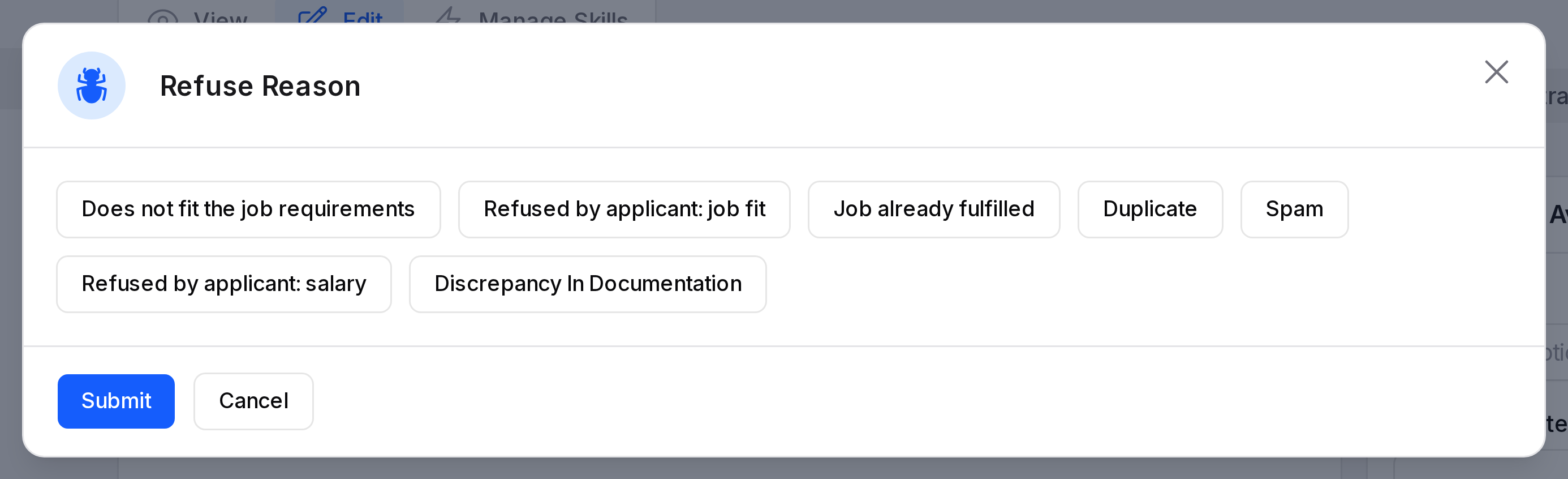
- The Refuse Reason window opens. It shows the seven reasons as buttons. Click Refused by applicant: salary. The button turns blue.
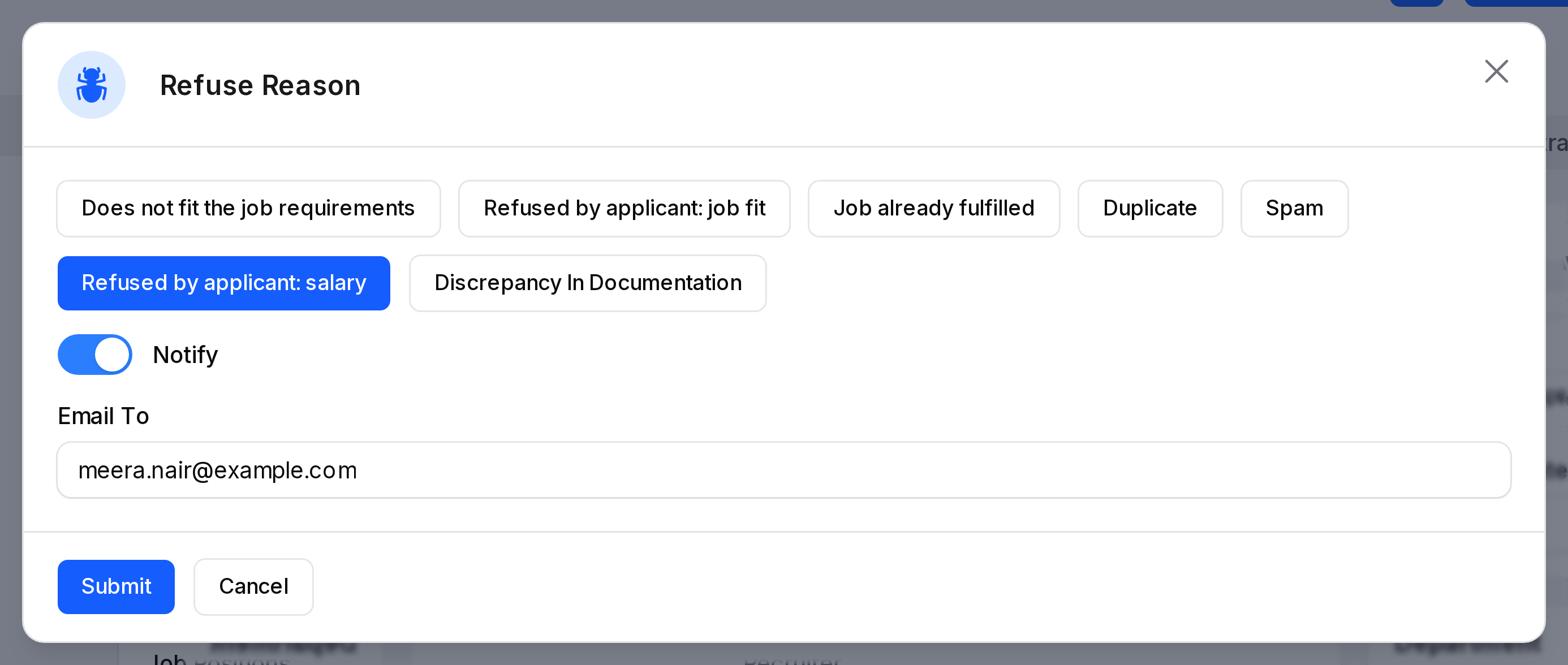
- After you choose a reason, Notify and Email To appear. Notify is on by default. Email To holds the candidate's email address.
- Refuse reason: Required. Pick one button.
- Notify: On by default. It controls whether the candidate gets an email about the refusal. The refusal and the reason are recorded either way.
- Email To: Shows only when Notify is on. It starts with the candidate's email address. You can type another address.
- Turn Notify off if you do not want to send a message. Email To then disappears. Click Submit.
What happens after you refuse
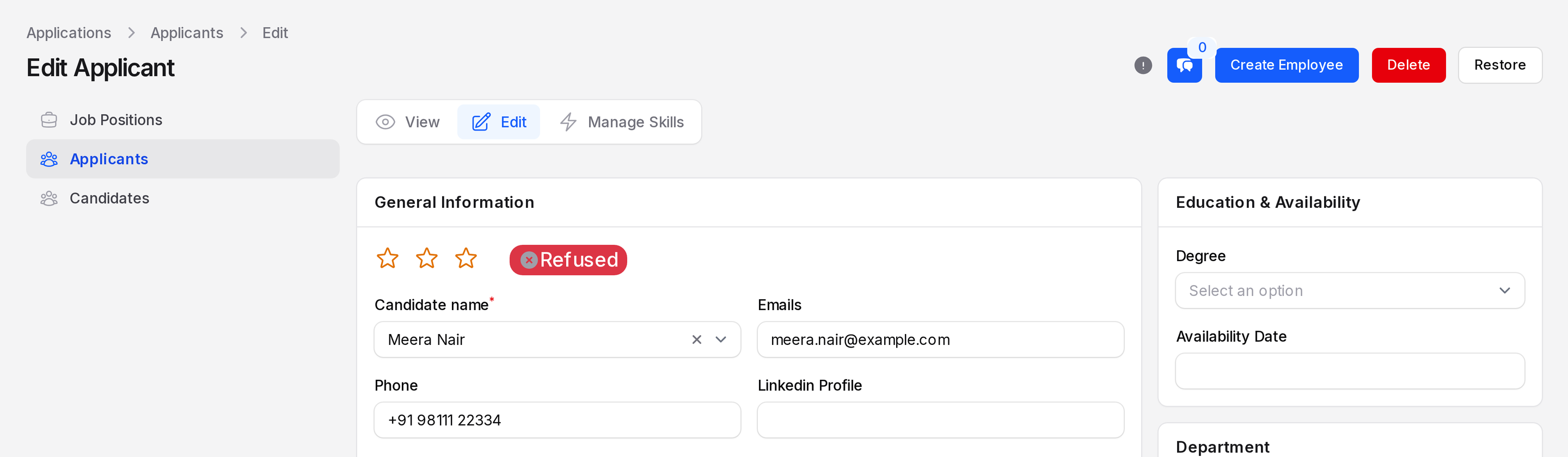
- The Application status shows Refused.
- The stage bar is hidden.
- The applicant becomes inactive and shows under the Archived tab of the applicant list.
- The header now offers Restore instead of Refuse. Create Employee and Delete stay.
Each reason has an email template, Applicant Refuse or Applicant Not Interested. You choose it in Refuse reasons.
Reopen the applicant
- Aureus calls reopening Restore. Open Meera's applicant page. Click Restore in the header.

- A window titled Reopen Applicant asks Are you sure you would like to do this? Click Confirm.
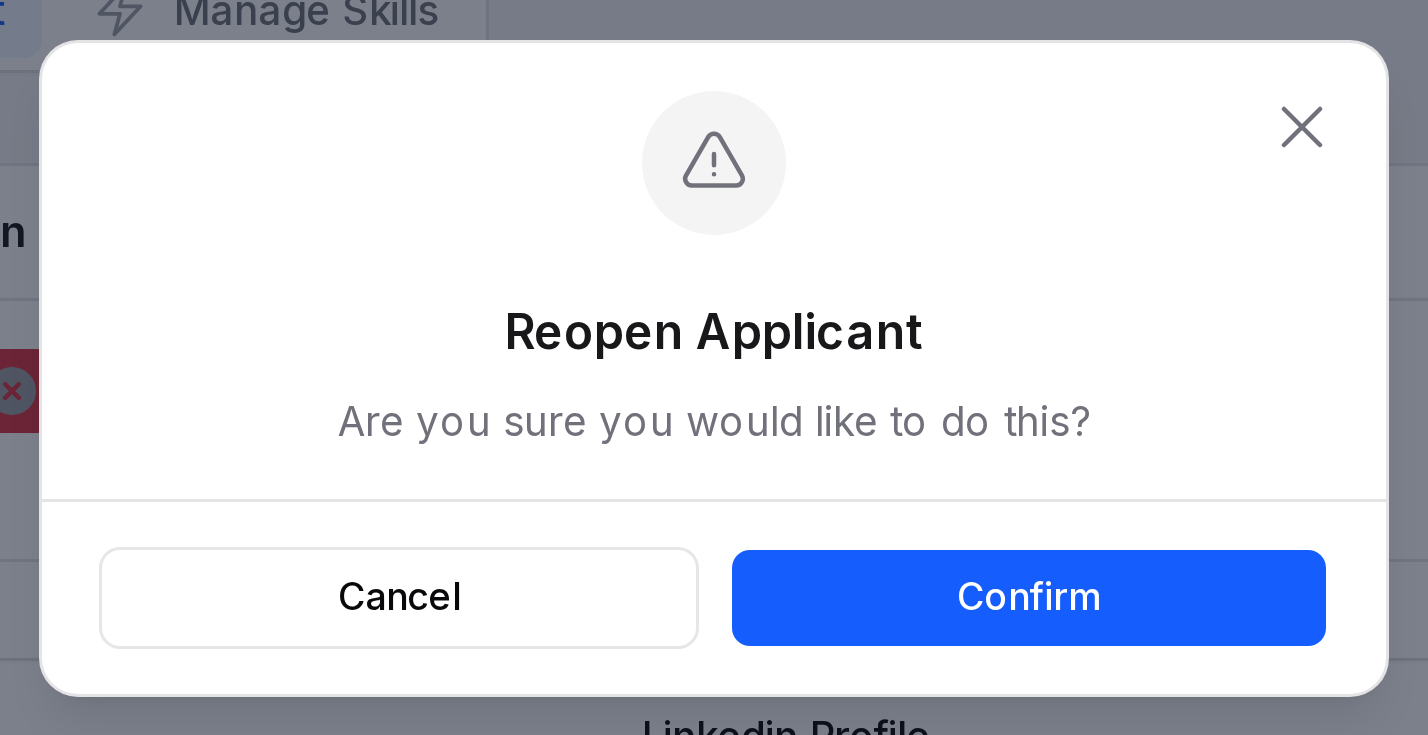
Aureus reopens the application. The stage bar comes back and you can click a stage again.
Actions and statuses
- Refuse: closes the application with a reason.
- Restore: reopens a refused application.
- Refused: status shown on a turned down applicant.
- Archived: the list tab that holds inactive applicants.