

CRM configuration
Configuration holds the lists and rules that shape your sales process. You set up stages, tags, lost reasons, recurring plans and partner levels once. Your team then picks from them on every lead and opportunity.
In simple words: Configuration is where you define the choices your team sees in the CRM.
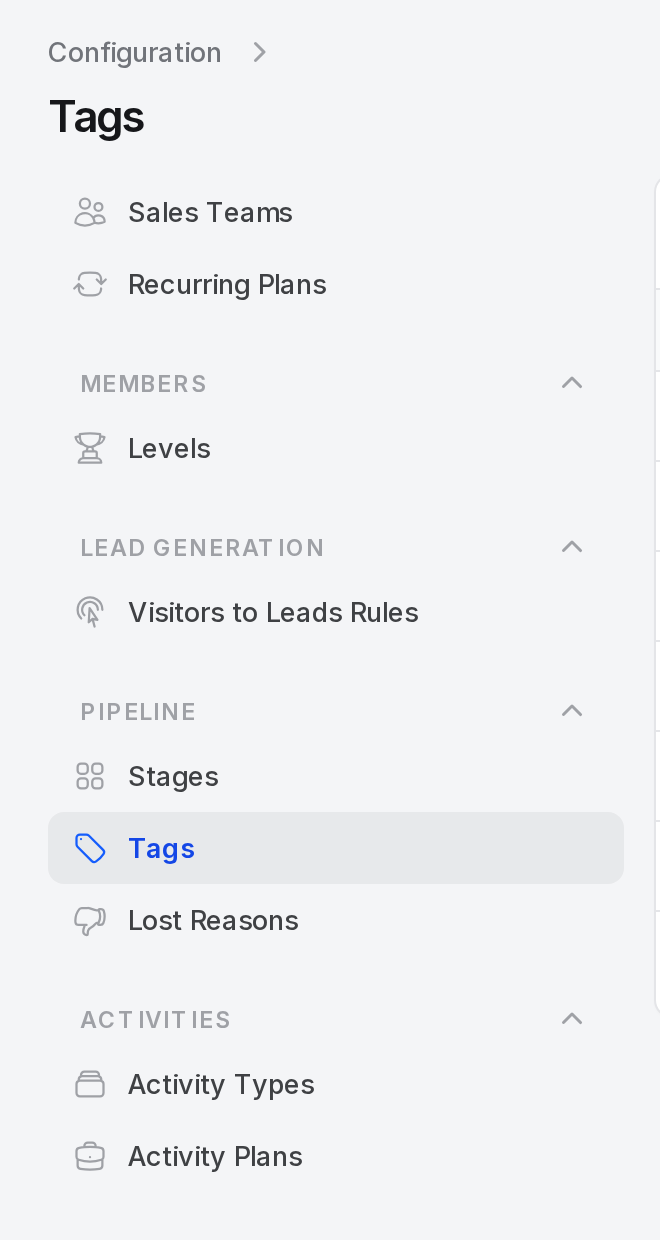
Open CRM → Configuration. The left menu has four groups.
What to set up and in which order
Start with the switches, then build the pipeline, then the helper lists.
text
Settings ──> Stages ──> Tags and Lost reasons ──> Recurring plans and Levels ──> Teams- Settings: Decide which features you use. They reveal menus. See CRM settings.
- Stages: Build the columns of your pipeline board.
- Tags and Lost reasons: Add the labels and the loss answers your team will pick.
- Recurring plans and Levels: Add them if you sell subscriptions or rank partners.
- Teams: Group your salespeople.
Menu map
| Group | Entry | Where it is documented |
|---|---|---|
| Members | Sales Teams | Manage sales teams |
| Members | Recurring Plans | Recurring plans |
| Members | Levels | Partner levels |
| Lead Generation | Visitors to Leads Rules | Lead generation |
| Pipeline | Stages | Stages |
| Pipeline | Tags | Tags |
| Pipeline | Lost Reasons | Lost reasons |
| Activities | Activity Types | Activities |
| Activities | Activity Plans | Activities |
Recurring Plans shows only when Recurring Revenue Plans is on in the settings.
Pages in this group
| Page | Path | What it helps you do |
|---|---|---|
| CRM settings | CRM → Settings → Manage CRM | Turn features on or off and set automatic lead assignment. |
| Stages | Configuration → Pipeline → Stages | Define the steps of your pipeline. |
| Tags | Configuration → Pipeline → Tags | Label leads and opportunities with colours. |
| Lost reasons | Configuration → Pipeline → Lost Reasons | Record why deals are lost. |
| Recurring plans | Configuration → Members → Recurring Plans | Set the periods for recurring revenue. |
| Partner levels | Configuration → Members → Levels | Rank partners and give each rank a weight. |
Common behaviour
All the small lists work the same way.
- A New ... button in the page header opens a short form.
- Edit changes a row. A notice confirms the change.
- Tags and stages are deleted for good. Lost reasons, recurring plans and levels go to an Archived tab first, and you can restore them.
- A stage that still holds records cannot be deleted.
- You can export rows with the bulk action.
Behind the scenes
- These lists feed the forms and the reports. A stage, a tag or a lost reason you add here appears at once on the forms.
- Changing a name changes it on every record that uses it.
- Reports group by these lists. See CRM reporting.