

Operation types
An operation type is a template for a kind of stock job: receive, deliver, pick, pack and so on. It decides the document prefix, the default from and to locations and a few behaviours such as backorders. Each transfer you create belongs to one operation type.
In simple words: An operation type answers "what kind of job is this?" and fills in sensible defaults for it.
Open Inventory → Configurations → Warehouse Management → Operation Types.
Settings
Some fields show only when a setting is on:
- Locations in
Inventory → Settings → Manage Warehousesshows the Locations fieldset. - Lots & Serial Numbers in
Inventory → Settings → Manage Traceabilityshows the Lots/Serial fieldset.
Overview
The list shows only Name, Company and Warehouse, 10 rows per page (14 in all). Tabs are All and Archived. You can group by type or warehouse and filter by Type, Warehouse or Company. Open a record to see the other fields.
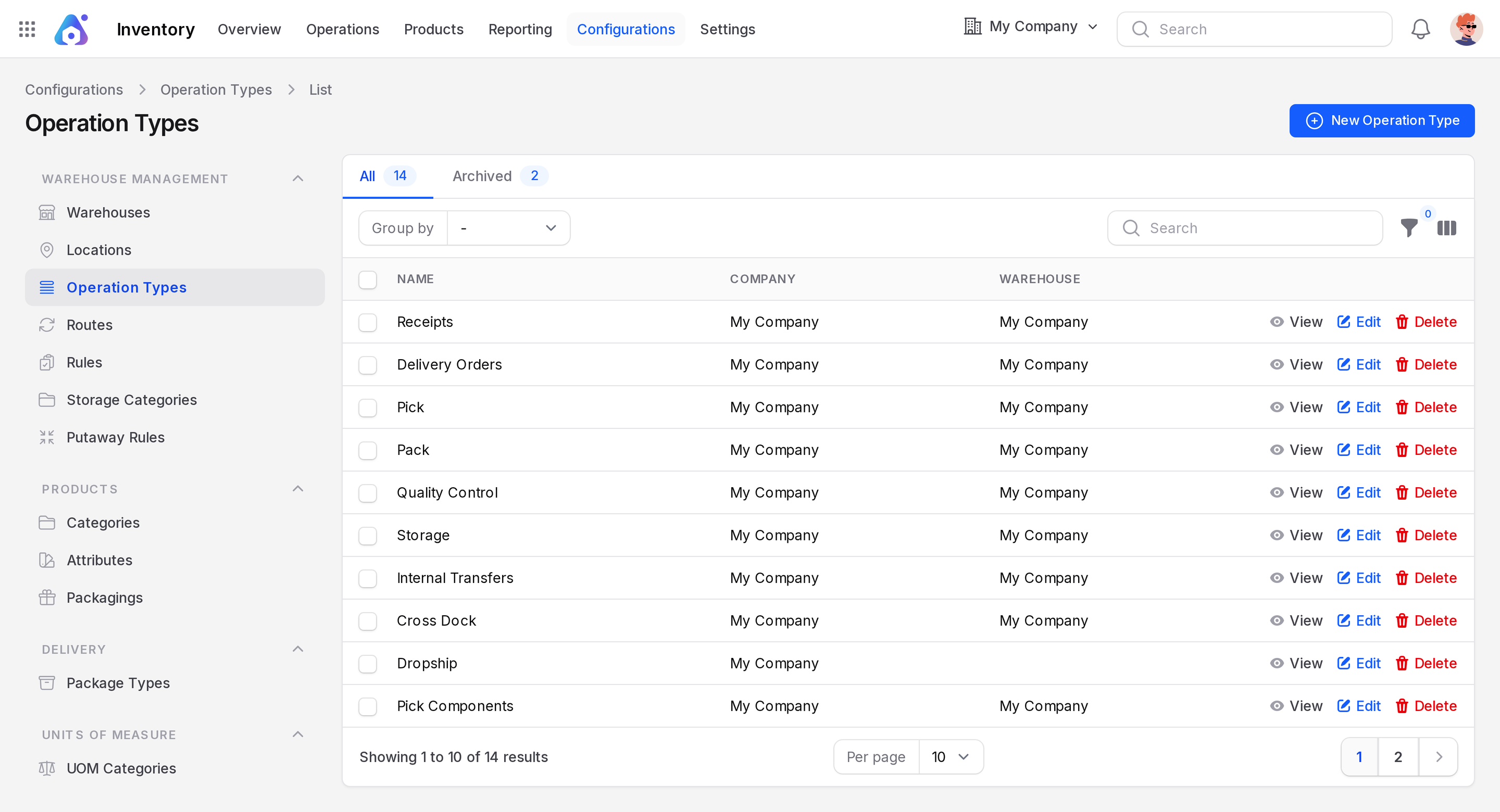
The 14 ready-made types
The example warehouse has these types. For all of them the reservation method is At Confirm and the move type is As soon as possible.
| Name | Type | Prefix | Backorder | From to |
|---|---|---|---|---|
| Receipts | Receipt | IN | Ask | Partners/Vendors to WH/Input |
| Delivery Orders | Delivery | OUT | Ask | WH/Output to Partners/Customers |
| Pick | Internal | PICK | Ask | WH/Stock to WH/Packing Zone |
| Pack | Internal | PACK | Ask | WH/Packing Zone to WH/Output |
| Quality Control | Internal | QC | Ask | WH/Input to WH/Quality Control |
| Storage | Internal | STOR | Ask | WH/Quality Control to WH/Stock |
| Internal Transfers | Internal | INT | Ask | WH/Stock to WH/Stock |
| Cross Dock | Internal | XD | Ask | WH/Input to WH/Output |
| Dropship | Dropship | DS | Ask | Partners/Vendors to Partners/Customers |
| Pick Components | Internal | PC | Ask | WH/Stock to WH/Pre-Production |
| Store Finished Product | Internal | SFP | Ask | WH/Post-Production to WH/Stock |
| Manufacturing | Manufacture | MO | Ask | WH/Pre-Production to WH/Post-Production |
| PoS Returns | Receipt | POSRET | Never | Partners/Customers to WH/Stock |
| PoS Orders | Delivery | POS | Never | WH/Stock to Partners/Customers |
The step options on the warehouse create or use these types for you. Most are created by the three-step setup.
Create an operation type
- Click New Operation Type.
- Type the name in Operation Type, for example Returns to vendor.
- Fill the General tab. The form has a top card for the name, then the General tab.
- Click Create.
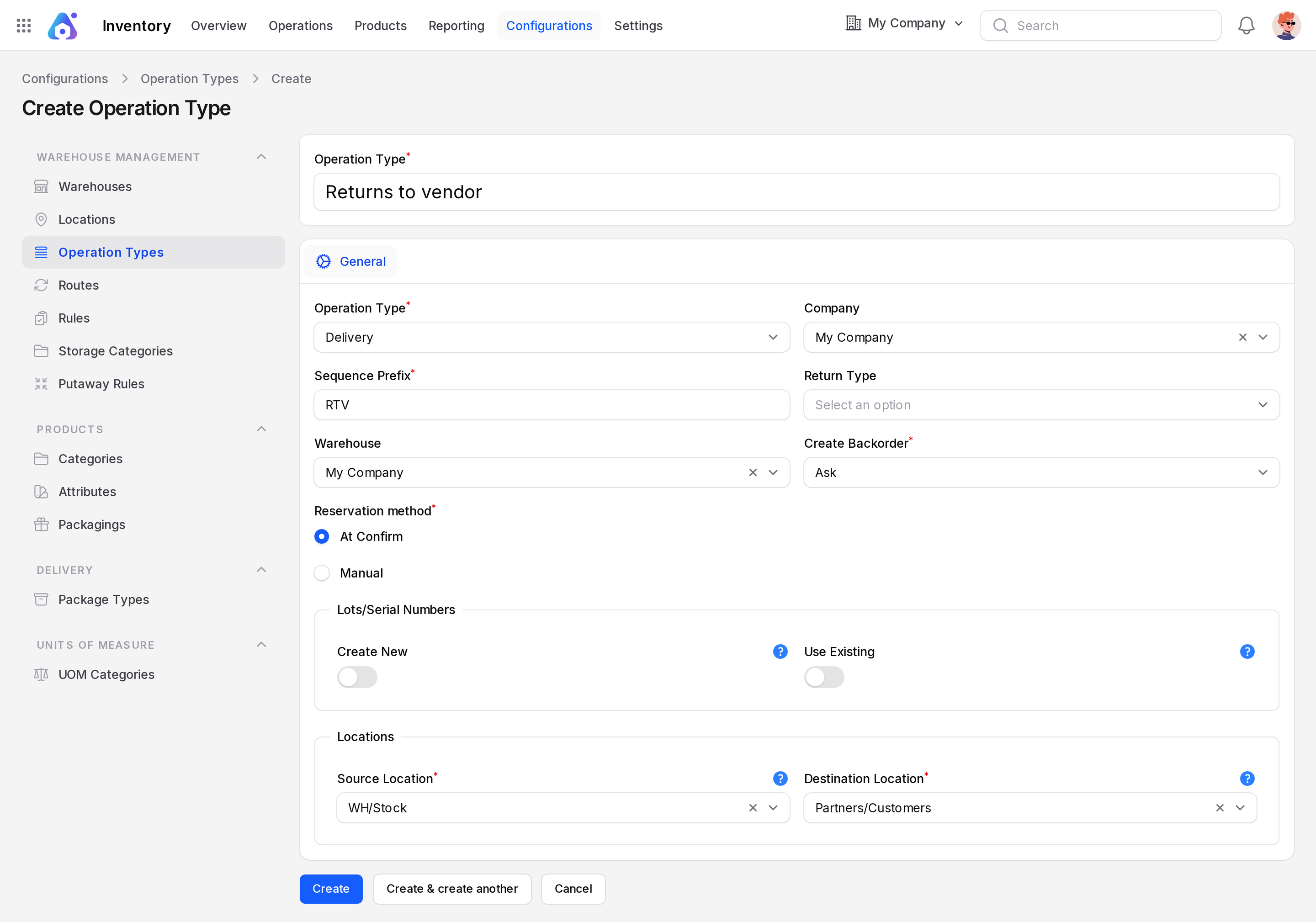
General tab
- Operation Type: Required. Choose Receipt, Delivery, Internal, Dropship or Manufacture. The default is Receipt. The choice sets default locations. For example, choosing Delivery fills WH/Stock to Partners/Customers.
- Sequence Prefix: Required. The letters in the document number, such as IN in WH/IN/00024.
- Warehouse: The site that owns the type.
- Reservation Method: Radio buttons. At Confirm reserves stock when the document is confirmed. Manual waits until you click Check Availability.
- Company: Your current company.
- Return Type: The type used when you click Return. Receipts return through Delivery Orders and the reverse.
- Create Backorder: Ask, Always or Never. See Backorders and returns.
- Move Type: For internal types. As soon as possible or When all products are ready.
Lots/Serial fieldset
Shows with the traceability setting on.
- Create New: A toggle. Lets users type new lot or serial numbers on this operation.
- Use Existing: A toggle. Lets users pick numbers that already exist, or leave the field empty.
Locations fieldset
- Source Location: The default "from" place for new documents. Required.
- Destination Location: The default "to" place. Required.
TIP
These defaults are only a start. Routes and rules can choose other locations on a real document. See Routes and rules.
Actions and statuses
- Edit and View open a record.
- Delete archives a type. One that documents still use cannot be deleted.
- Restore archived types from the Archived tab.