

Barcode app
The Barcode app is a full-screen, phone-friendly screen for warehouse work. Workers scan products and documents instead of typing. It handles transfers and stock counts.
In simple words: A simple scanner screen for receiving, delivering and counting.
Gate
The Barcode plugin must be installed. Without it, the menu does not appear.
Open it
- In the admin menu, find the Barcode group.
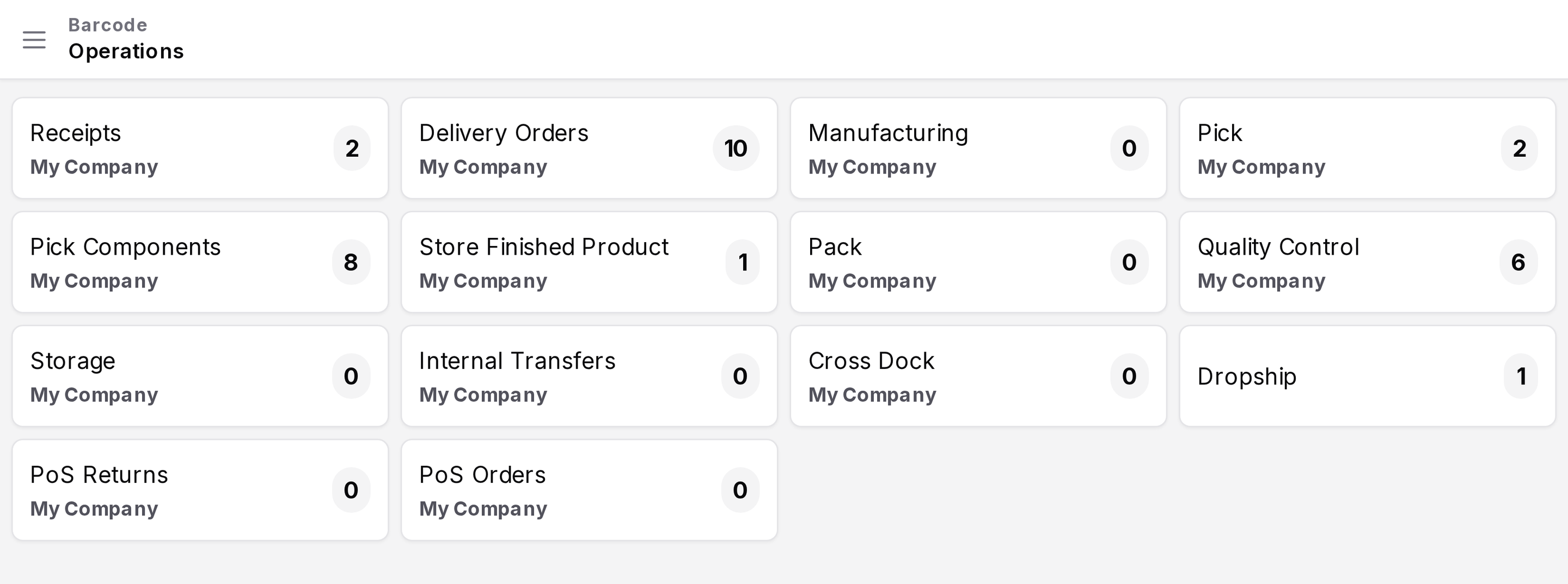
- Click Barcode App. The app opens in a new full-screen layout.
The app uses its own sign-in page, Sign in to Barcode. Use your normal credentials.
Screen layout
- Top bar: a menu button, the page title and a scan icon for the camera.
- Sidebar, Navigation: Inventory Operations and Inventory Adjustments.
- Dashboard: a card for each operation type, with the number of open operations.
Click a card to open its list of transfers.
What it is for
| Task | Page |
|---|---|
| Receive, pick, pack or deliver with scans | Scan operations |
| Count stock by location, product or lot | Scan adjustments |