

One step flow
In the one step flow, goods go directly between the outside world and your main stock. Receipts land in WH/Stock. Deliveries leave from WH/Stock. It suits small teams where one person receives, stores and ships.
In simple words: One document to receive, one document to deliver. No extra stops.
When to use it
- You have a small stock room.
- Nobody inspects goods before storing them.
- You do not pack orders in a separate area.
Set it in the warehouse
- Open
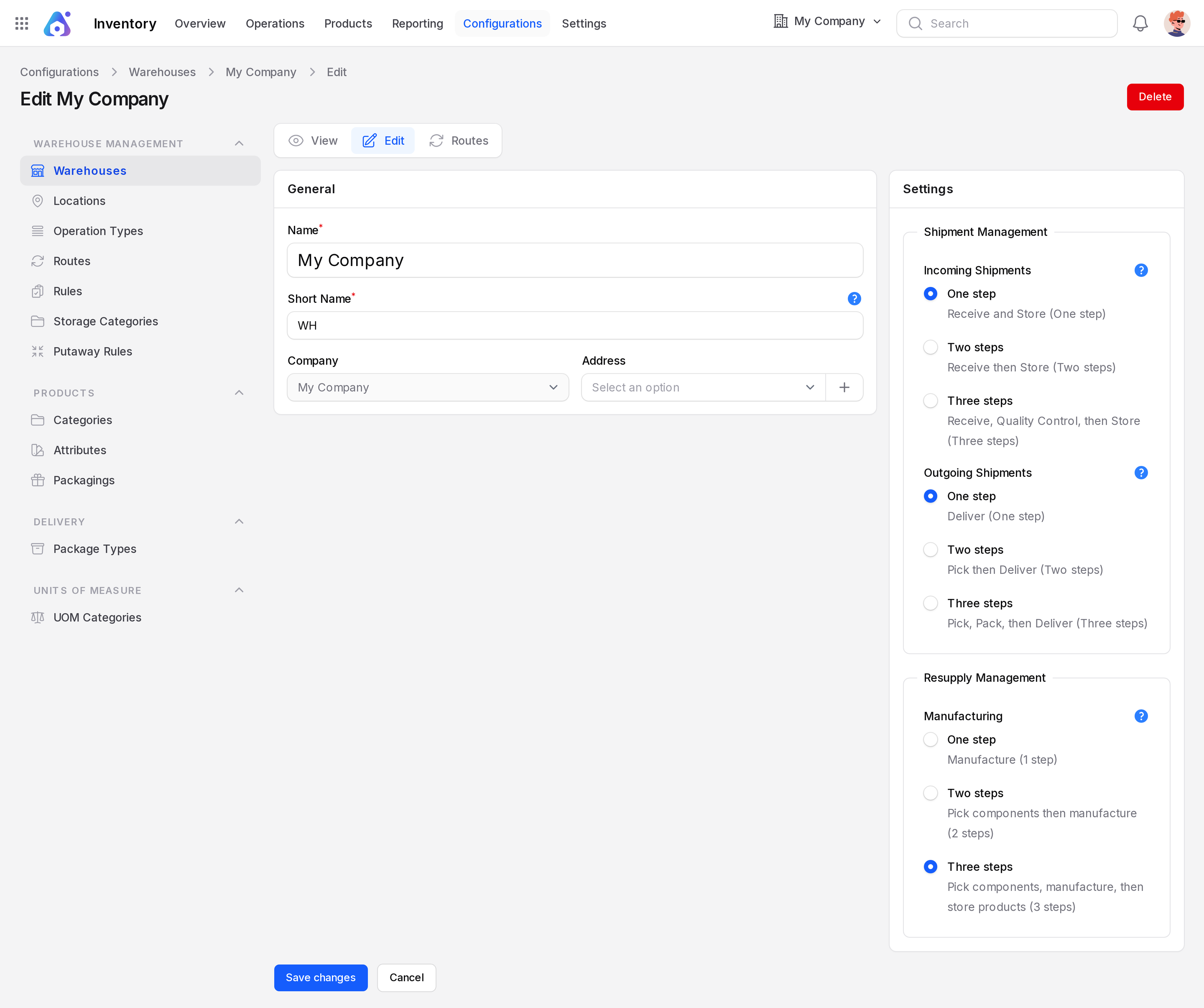
Inventory → Configurations → Warehouse Management → Warehouses. - Open your warehouse and click Edit.
- In Shipment Management, set Incoming Shipments to Receive and Store (One step).
- Set Outgoing Shipments to Deliver (One step).
- Click Save changes.
INFO
These options show only when Inventory → Settings → Manage Warehouses → Multi Steps Routes is on. Without it, the warehouse works in one step.
Documents created
| Order | Document | Prefix | From → To |
|---|---|---|---|
| Purchase order | Receipt | WH/IN | Partners/Vendors → WH/Stock |
| Sales order | Delivery | WH/OUT | WH/Stock → Partners/Customers |
Example
You buy 20 Camping Hammocks on a purchase order.
- Confirm the purchase order. A receipt WH/IN/n appears.
- Open the receipt from
Inventory → Operations → Transfers → Receipts. - Click Validate when the boxes arrive.
- The hammocks are now in
WH/Stock. Stock rises by 20.
The screenshot comes from the three-step example warehouse, so it shows WH/Input as the destination. In a one-step warehouse the destination is WH/Stock.
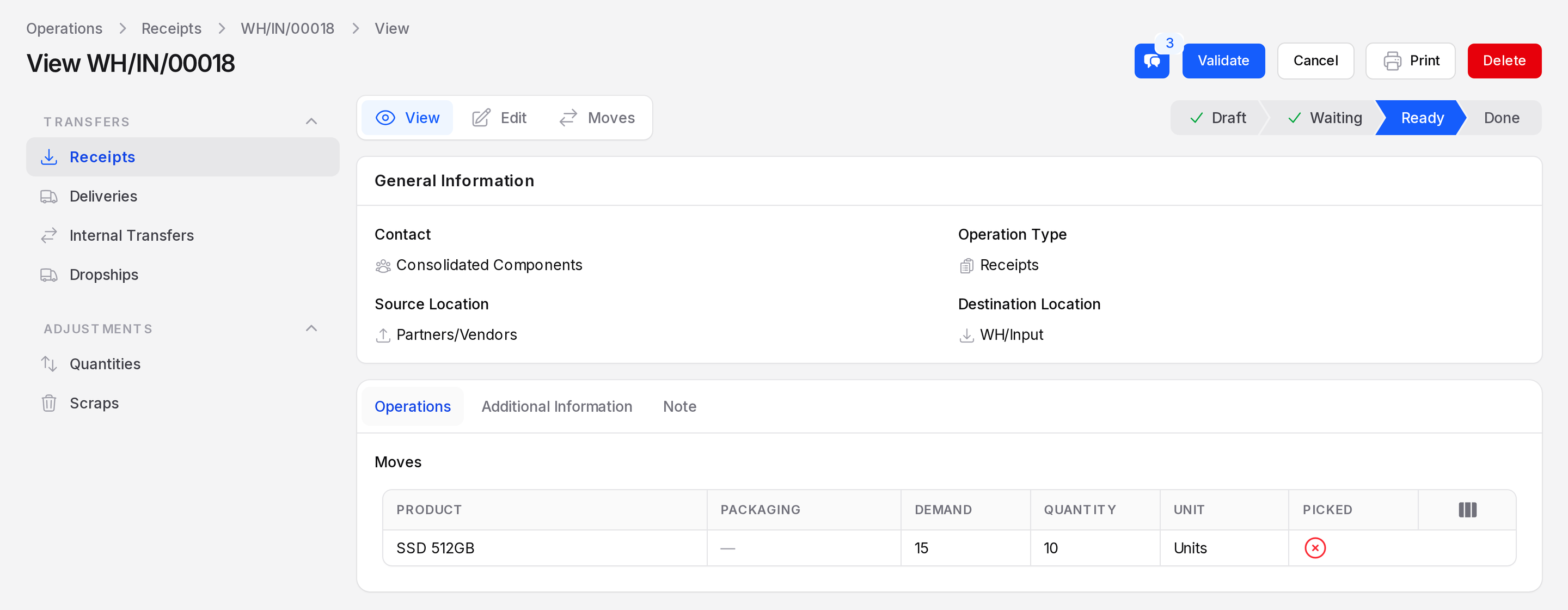
For a sale, confirming the sales order creates WH/OUT. Click Validate when the parcel leaves. Stock falls and the goods sit in Partners/Customers.
What you do at each step
| Step | Your action |
|---|---|
| Receive | Validate the receipt |
| Deliver | Validate the delivery |