

Public holidays
A public holiday is a date or a short range of dates when the whole company is off, such as New Year's Day. You keep them in one list so everyone can look them up. Staff see the list in the Holidays window on My Time.
In simple words: Public holidays are the shared days off of your company, kept in one list.
Open Time Off → Configuration → Public Holidays.
Prerequisite
The Calendar field uses a working schedule. A working schedule lists the days and hours a team works. Pick one that already exists, such as Flexible 40 hours/week.
Overview
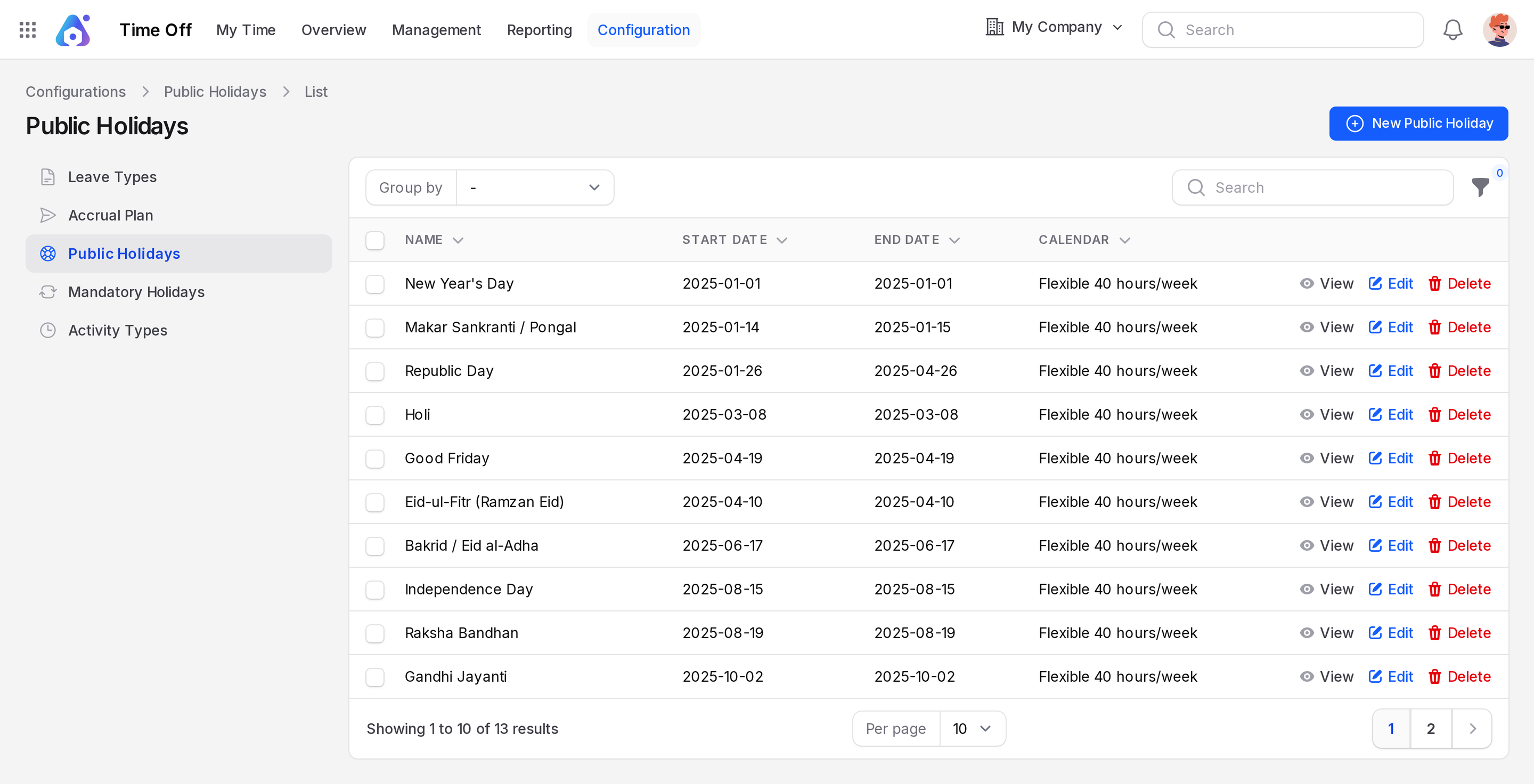
The page lists each holiday. The columns are Name, Start Date, End Date and Calendar. Use the search box to find a name, for example Day. Group the list by Start Date, End Date or Company Name. Each row has View, Edit and Delete.
Sample data includes holidays of 2025, from New Year's Day to Christmas Day. They use the calendar Flexible 40 hours/week. Dates show as 2025-01-01. Use the page numbers below the table to see more rows.
Create a public holiday
This example adds Company Foundation Day.
- Open
Time Off → Configuration → Public Holidays. - Click New Public Holiday. A window opens.
- Fill in the form.
- Name: Required. Type
Company Foundation Day. - Start Date: Required. Pick the first day. Dates show like
Oct 20, 2026. - End Date: Required. Pick the last day. For one day, pick the same date.
- Calendar: Optional. Choose Flexible 40 hours/week.
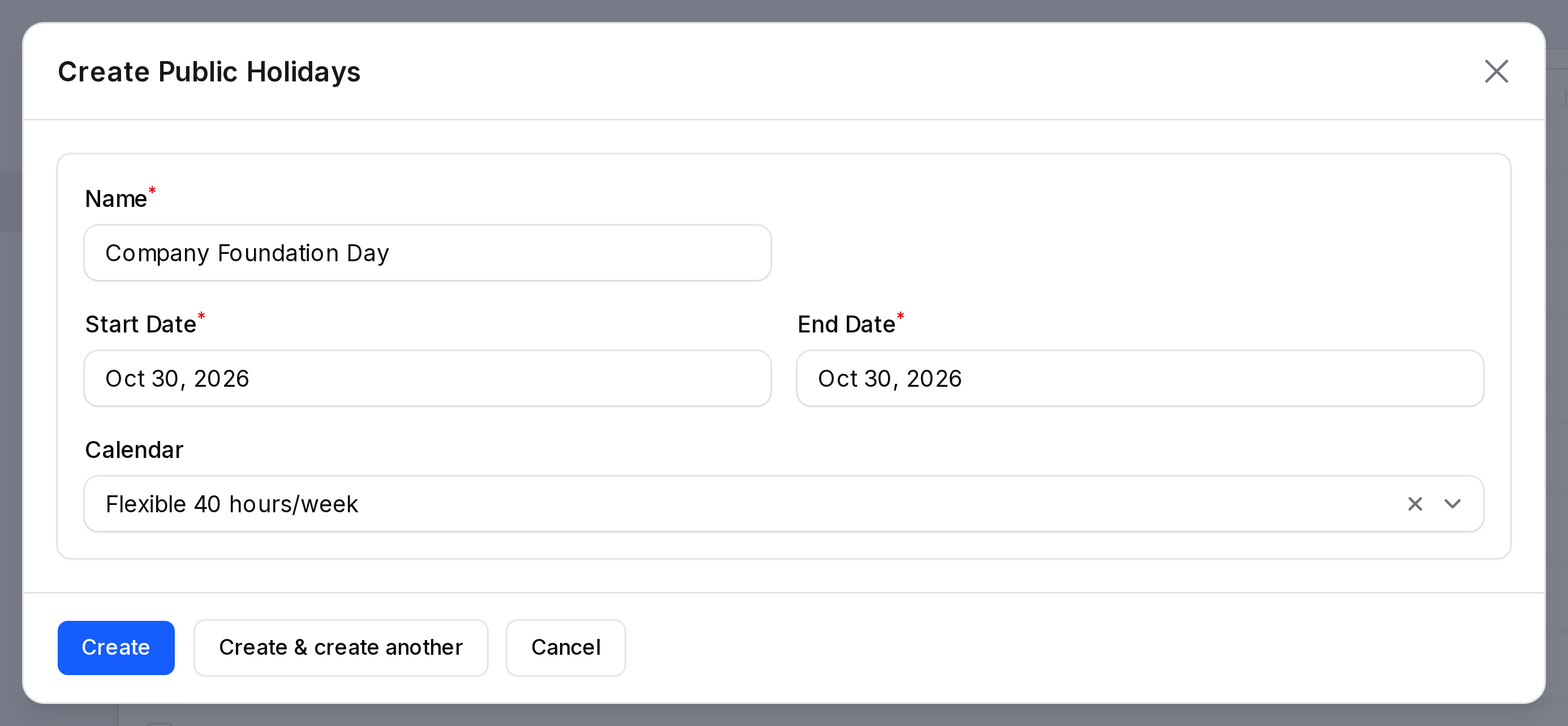
- Click Create. The window closes and the holiday joins the list.
TIP
Click Create & create another to add several holidays in a row.
Where holidays show
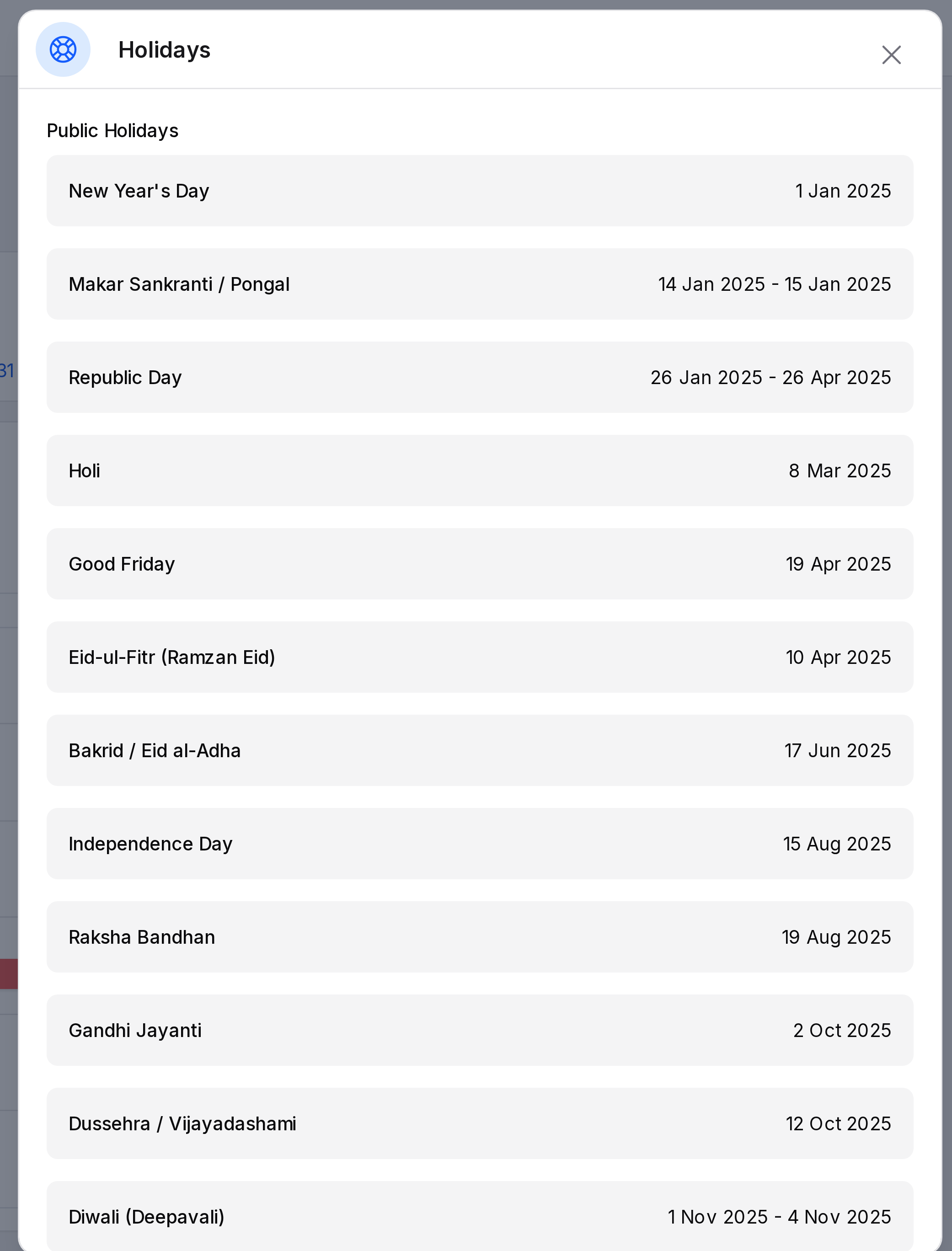
Open Time Off → My Time → Dashboard. Click the round blue icon button next to New Time Off. A Holidays panel slides in from the right with two sections: Public Holidays and Mandatory Holidays. Each public holiday shows its name and its date or date range. Scroll down to see Mandatory Holidays.
INFO
A public holiday does not change the Duration of a request. Duration skips Saturdays and Sundays only.
Edit or delete
Click Edit to change the name, dates or calendar, then Save changes. Click Delete to remove a holiday. Click View for a read-only window.