

Maintenance teams
A maintenance team is a named group of people who repair or service equipment. You give each piece of equipment a team, and each request a team. This tells everyone who owns the job, and it lets you group work by team.
In simple words: A team is the crew that takes care of a set of machines.
Open Maintenance → Configurations → Teams.
Prerequisite
Team members are users. Create them first in Manage users. The team Internal Maintenance already exists, so you can start without creating one.
Overview
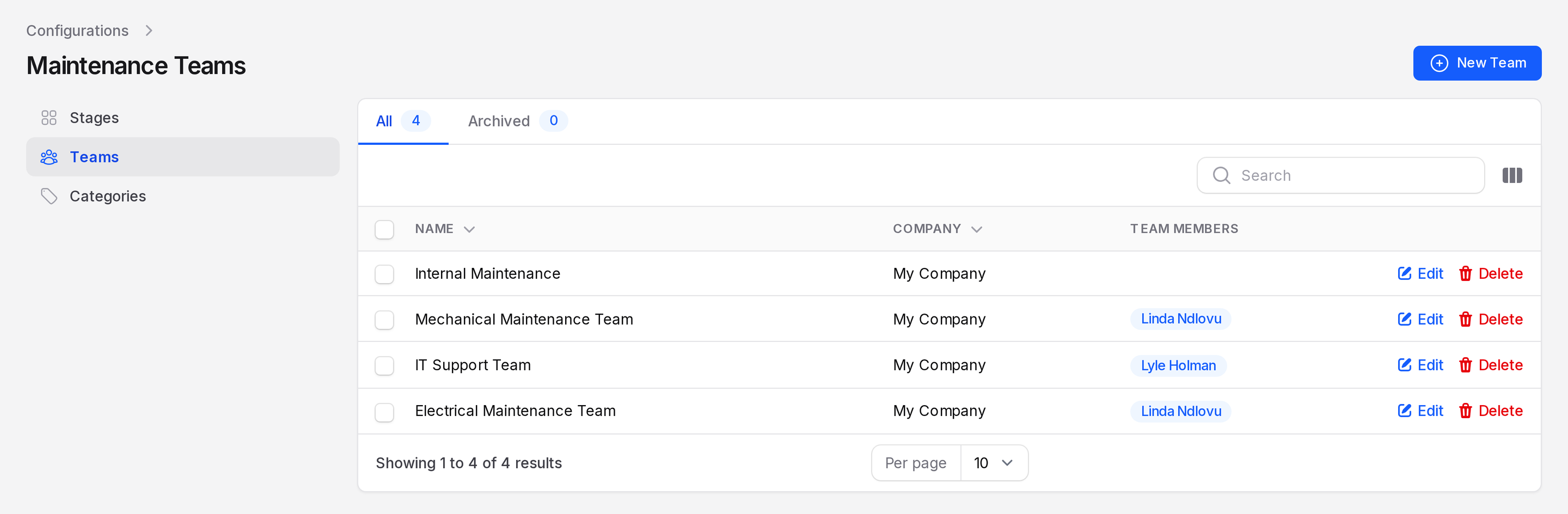
The page lists every team. Two tabs sit above the list.
- All: teams in use.
- Archived: teams you deleted. You can restore them from here.
Columns are Name, Company and Team Members. Members appear as small badges. Each row has Edit and Delete actions.
Create a team
This example makes the Electrical Maintenance Team, with Linda Ndlovu as the member.
- Open
Maintenance → Configurations → Teams. - Click New Team. A window opens.
- Fill in the form.
- Name: Required. Use a name people recognise, such as
Electrical Maintenance Team. - Team Members: Pick one or more users. Choose Linda Ndlovu.
- Company: Fills with your company. Change it only if you run several companies.
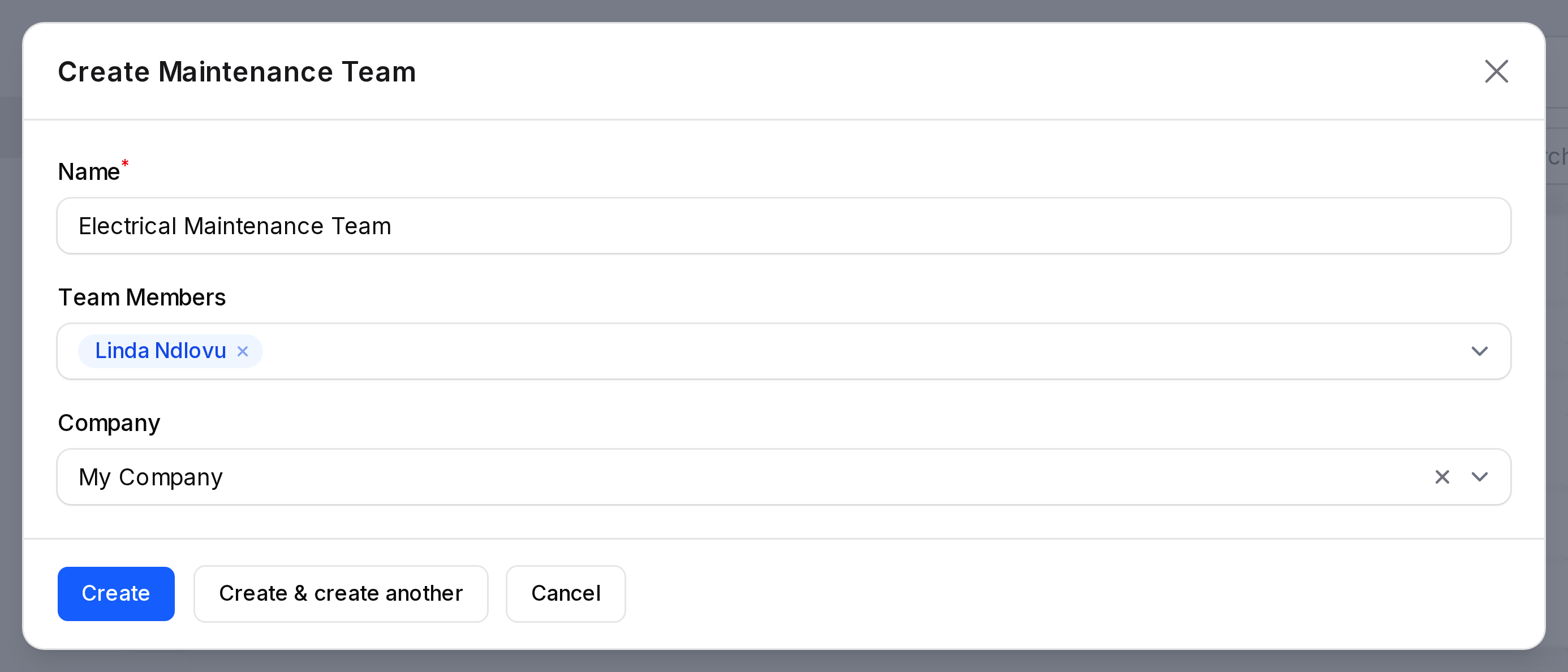
- Click Create. The window closes and the team appears in the list.
TIP
Click Create & create another to add several teams in a row.
Edit or delete a team
Click Edit on a row to change the name, members or company. Click Delete to archive the team. It moves to the Archived tab. Use Restore selected there to bring it back. Force delete selected removes it for good.
Where teams are used
- On Equipment, the Maintenance Team field says who looks after the machine.
- On a request, Team is required. It fills from the equipment you pick.
- Teams and equipment share a company. If you change the company on a record, the team clears and you pick again.
Behind the scenes
When you create a request without equipment, Aureus uses the first team of the company. For a new installation, this is Internal Maintenance.