

Candidates
A candidate is a person in your talent pool. It holds their name, contact details, degree, tags and skills once. Each time the person applies for a job, Aureus creates an applicant linked to the candidate. Because of this, you never retype details when someone applies twice.
In simple words: The candidate is the person. Create it once and reuse it for every application.
Open Recruitments → Applications → Candidates.
Overview
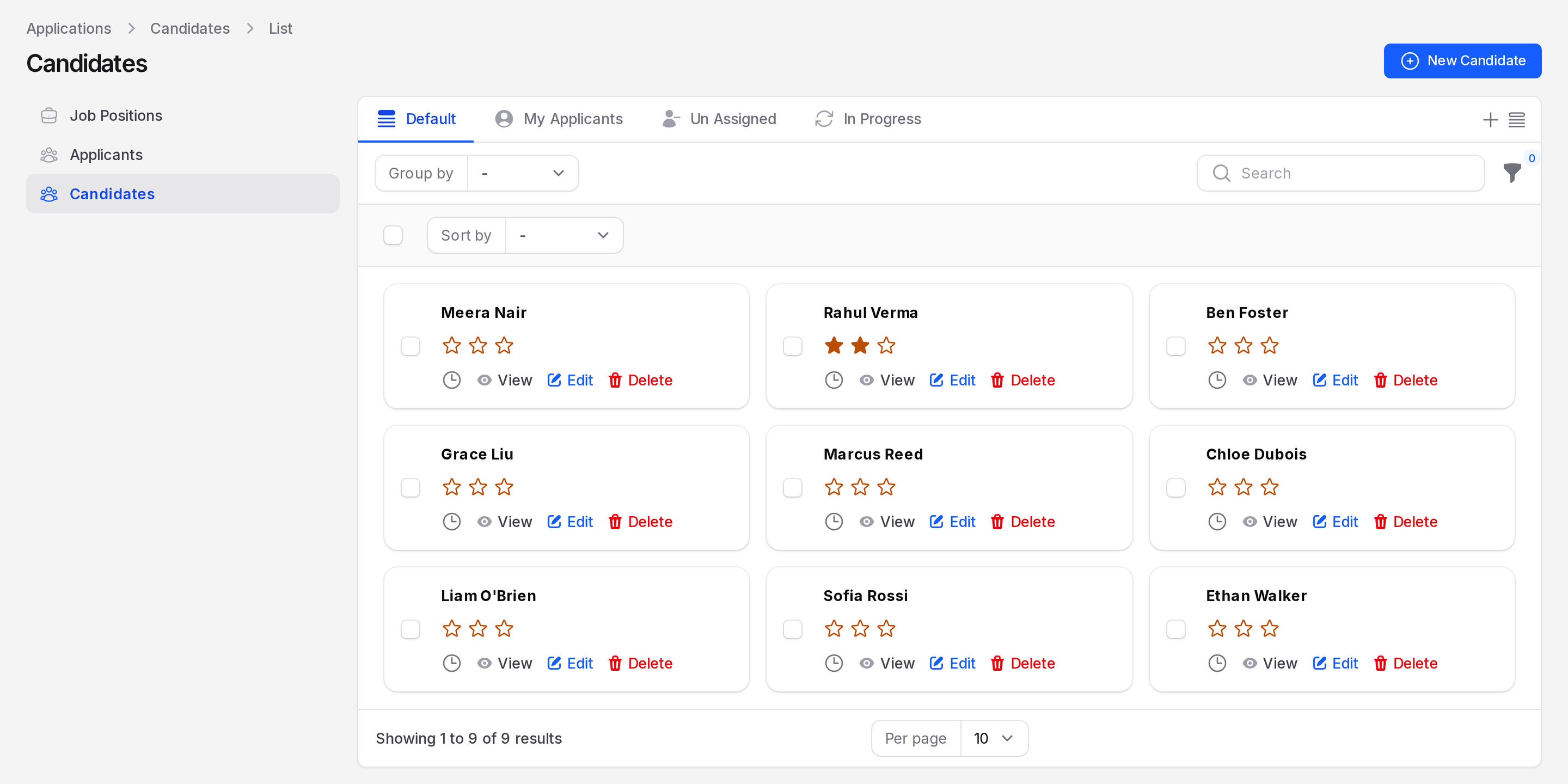
The page lists candidates as cards. Each card shows the name, the star rating and the actions View, Edit and Delete. A clock icon opens the activity action. Use Sort by to order the cards by Full Name. Use Group by to group them by Manager.
Create a candidate
You can also create a candidate while adding an applicant.
- Click New Candidate. The page is titled Create Candidate.
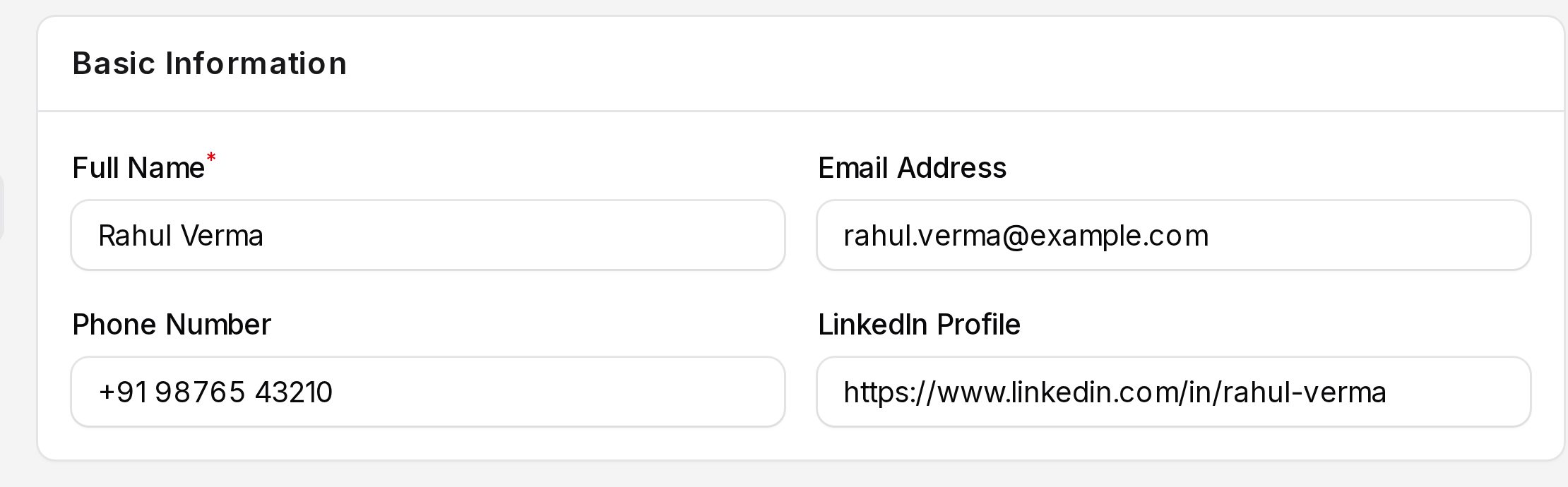
Basic Information
- Fill in the person's details.
- Full Name: Required. Example:
Rahul Verma. - Email Address: The email used for messages. Example:
rahul.verma@example.com. - Phone Number: The contact number.
- LinkedIn Profile: The link to the person's profile.
Additional Details
- Add the rest if you know it.
- Degree: The highest degree. Create options in Tags and degrees.
- Tags: Labels that describe the person. You can pick several.
- Manager: The Aureus user who owns this candidate record. It is not the employee's manager.
- Availability Date: When the person can start. Pick a day in the calendar.
The Status card beside the form has two more items:
- Status: A toggle for an active candidate. It is on by default.
- Evaluation: Shows the star rating. A new candidate starts with no stars.
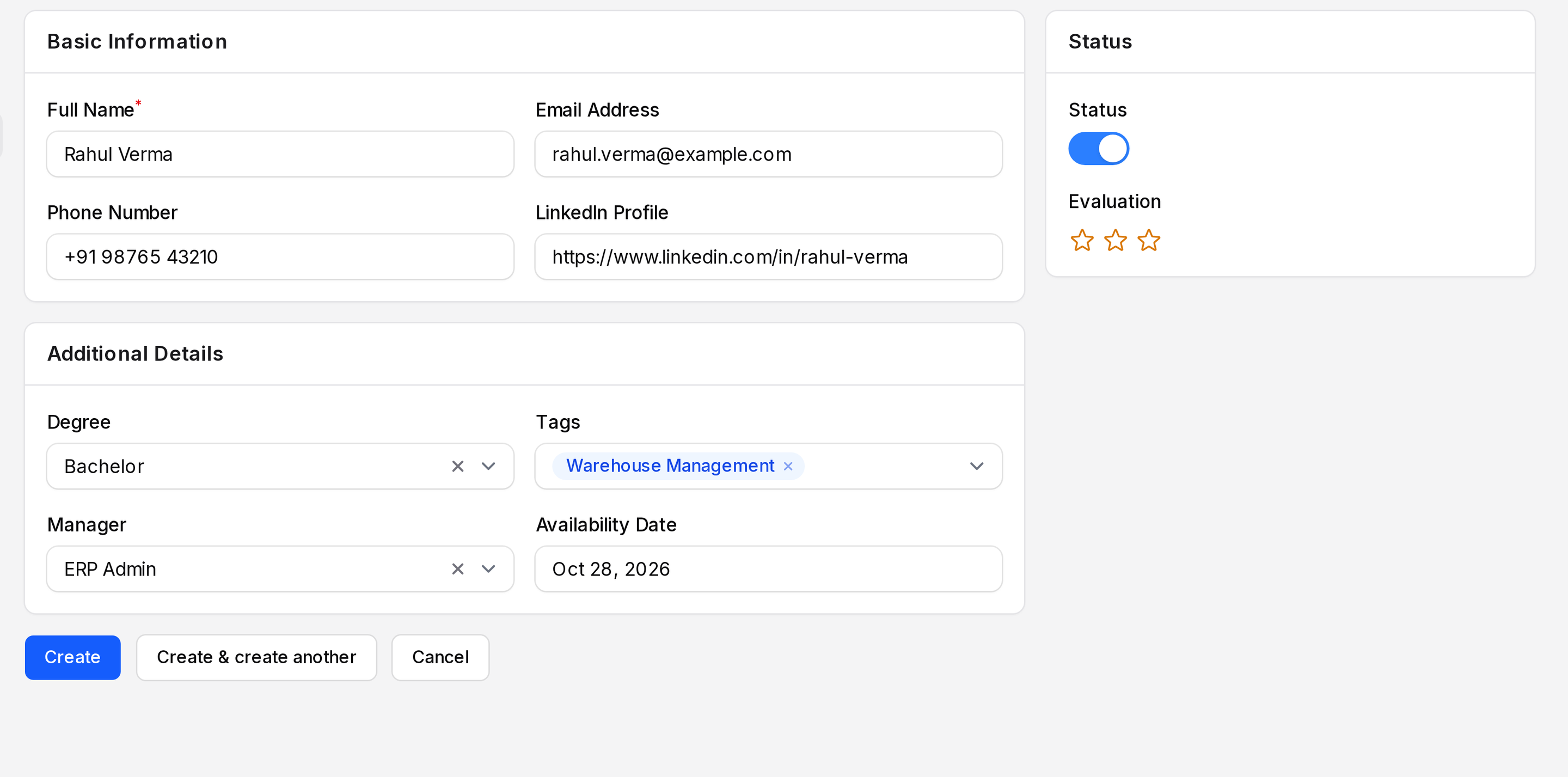
- Click Create, or Create & create another to add more.
Skills
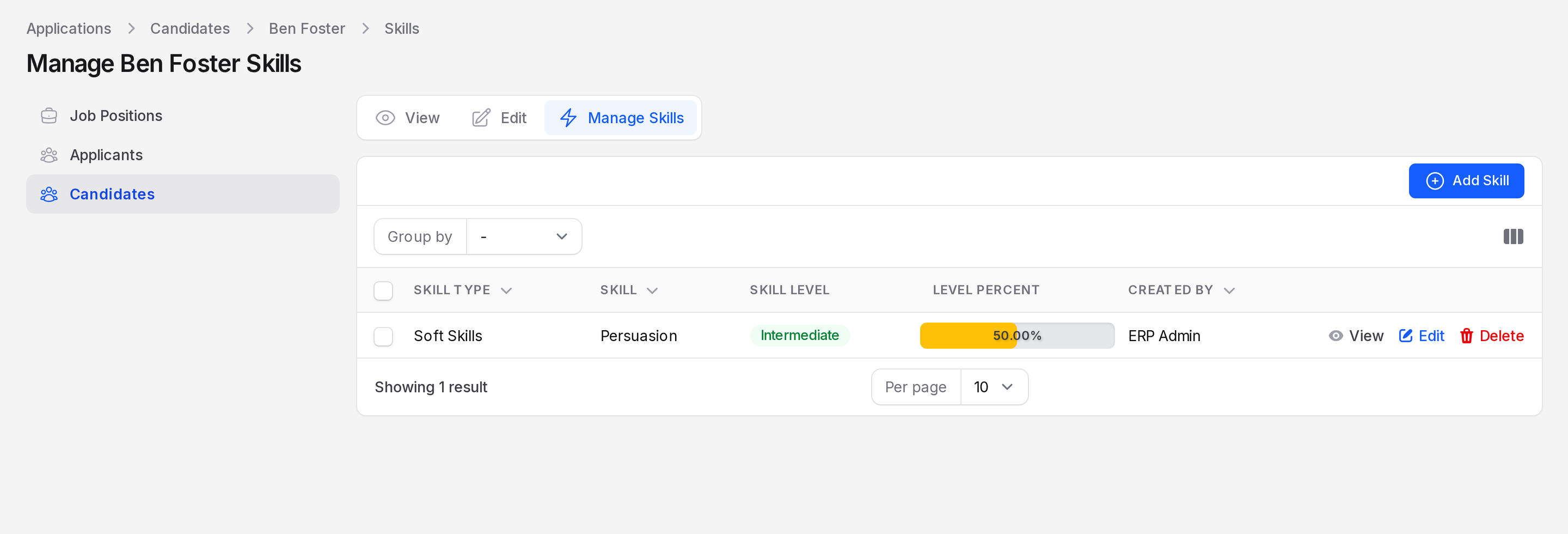
Open a candidate and use the Skills table, or the Manage Skills tab. Click Add Skill to open Create Candidate Skill. Choose a Skill Type, then a Skill and a Skill Level. Click Create. Each row shows Skill Type, Skill, Skill Level and Level Percent. The Skill Level shows as a label and the Level Percent as a bar. Created By shows who added the skill. Use the row actions View, Edit and Delete to manage a skill. Skill types are set up in the employee settings.
Actions
- Create employee: on the candidate page, turns the person into an employee.
- Delete: removes the candidate.