

Invoice a POS order
Most till sales need only a receipt. Some customers, such as businesses, need a proper invoice for their records. You can create a customer invoice from a POS order, either while paying or later from the Orders page.
In simple words: Tick Invoice when you pay, or click Invoice on the order afterwards. Aureus creates the invoice for the customer.
An invoice needs a customer on the order. Add one first. See Notes and customers.
Invoice while paying
- Add the customer to the order.
- Click Payment.
- Choose the method and enter the amount.
- Tick the Invoice checkbox.
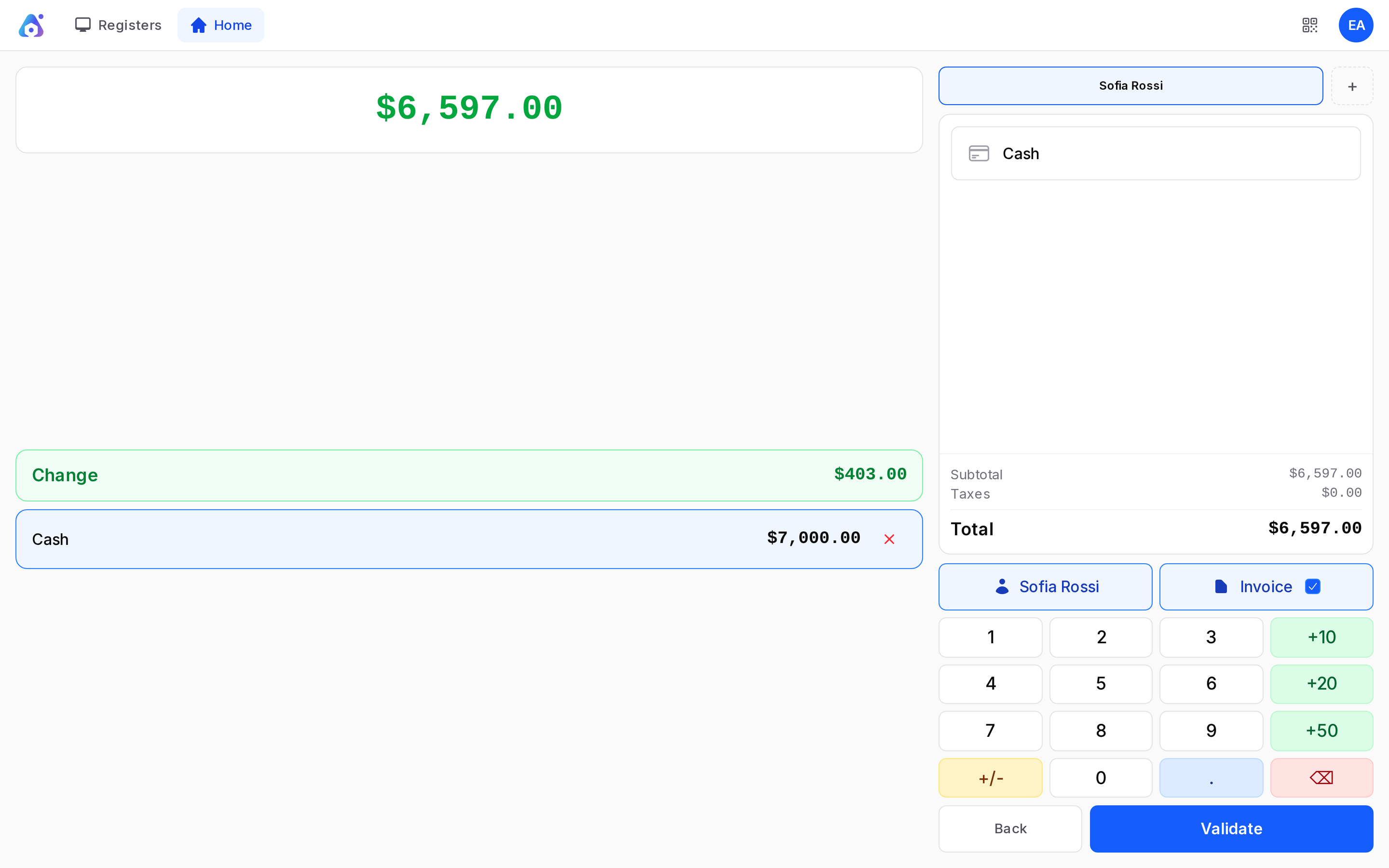
- Click Validate.
If there is no customer, the terminal shows "Customer required" and asks you to select one before validating.
Invoice later from the Orders page
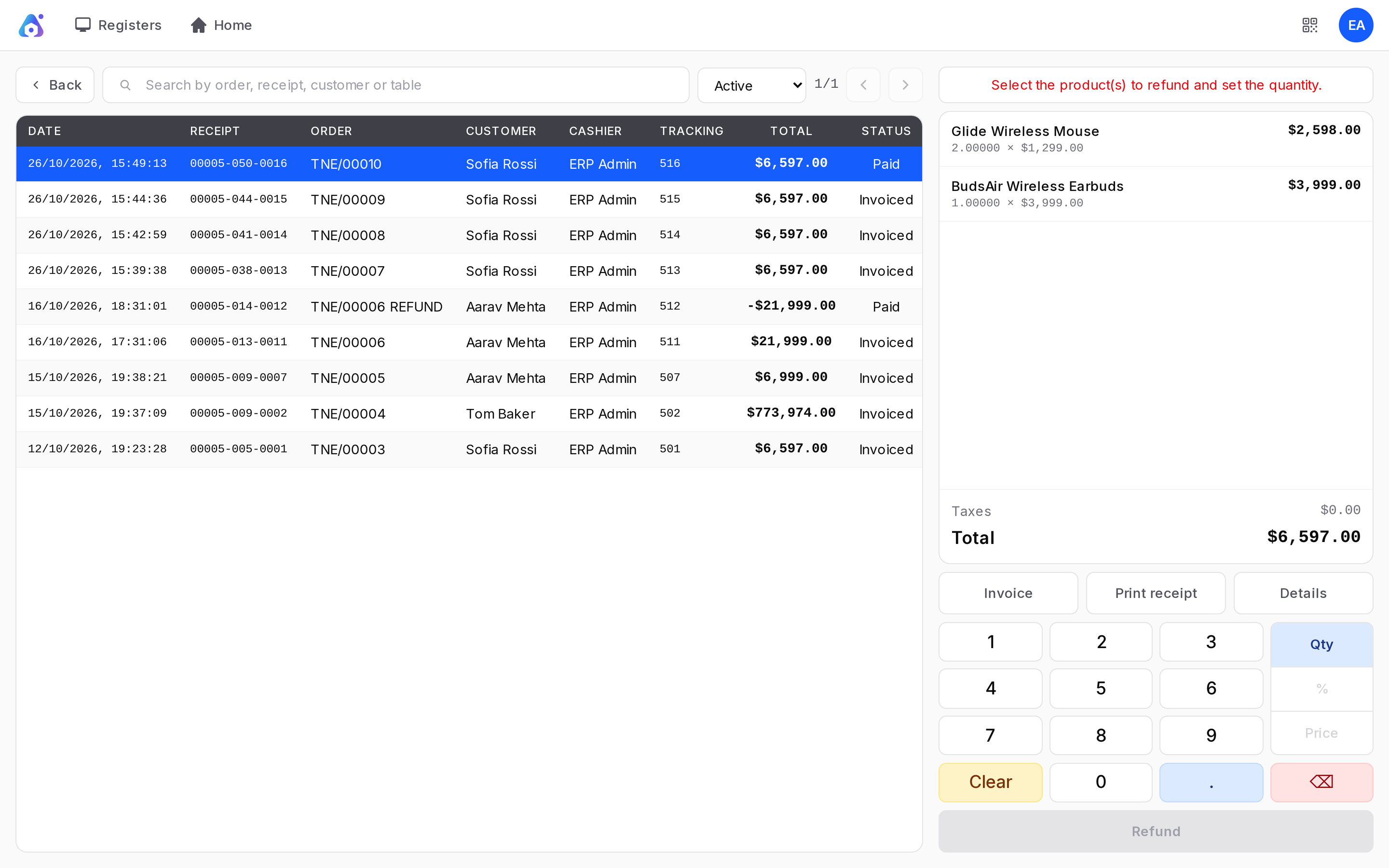
- Click your initials, then Orders.
- Click the paid order, for example TNE/00001 for Sofia Rossi.
- Click Invoice.
- In the window "Create an invoice for this order?", click Confirm.
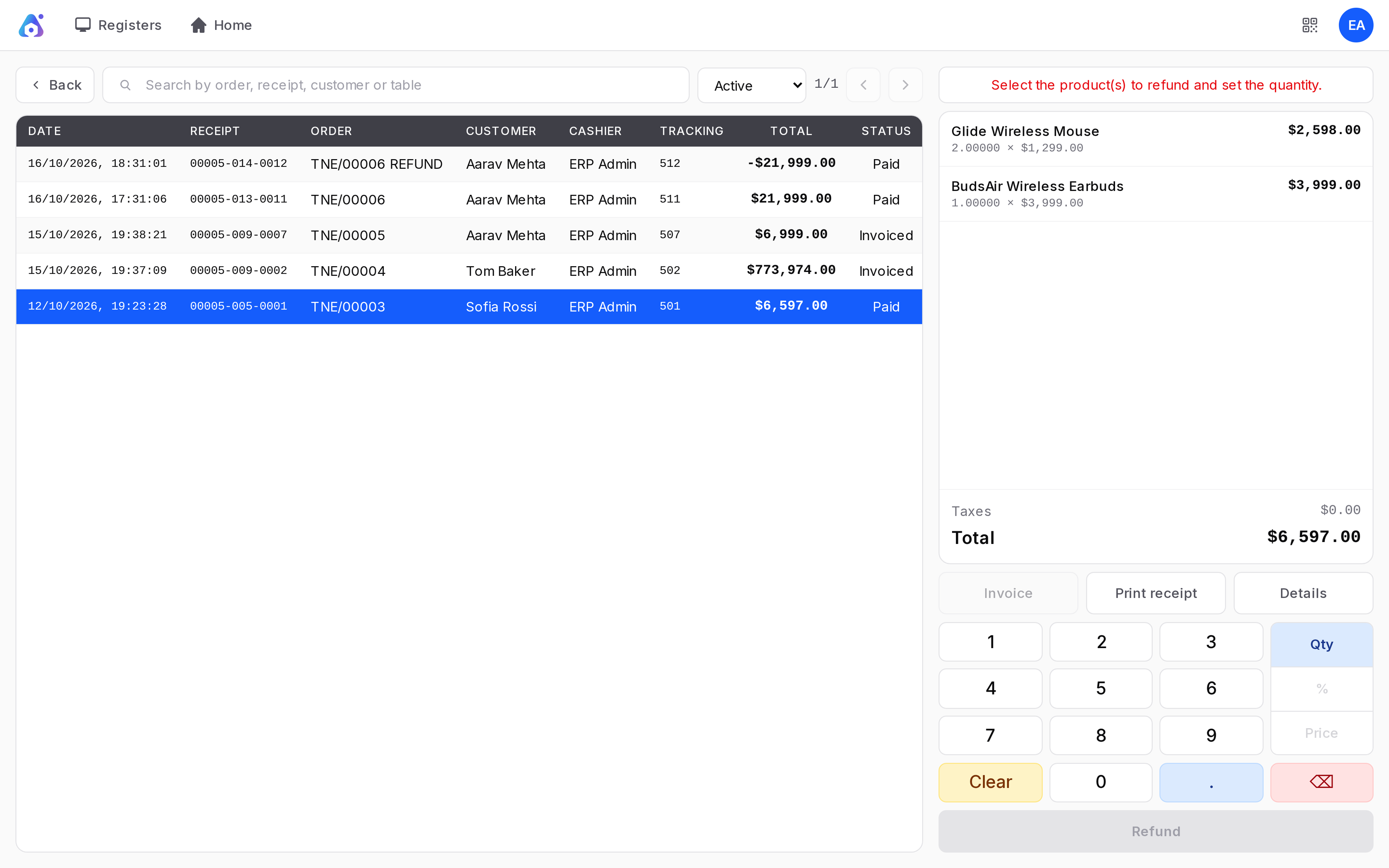
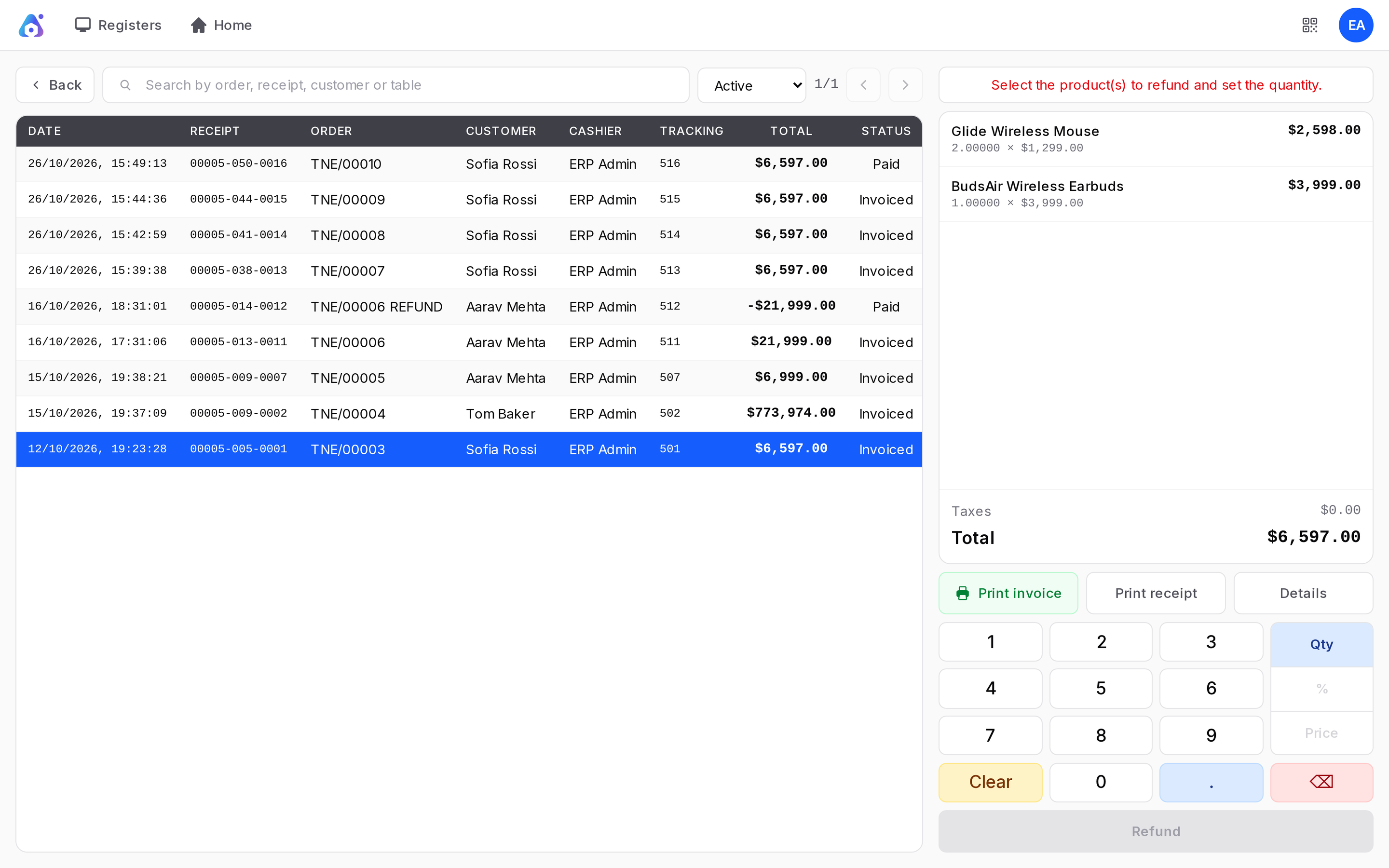
A notice says Invoice created. The order status changes to Invoiced and the Invoice button turns grey.
Find the invoice
The invoice is a normal customer invoice. Go to Invoices → Customers → Invoices or Accounting → Customers → Invoices. For TechNest the invoice is INV/2026/00004, status Posted, customer Sofia Rossi, amount 6,597.
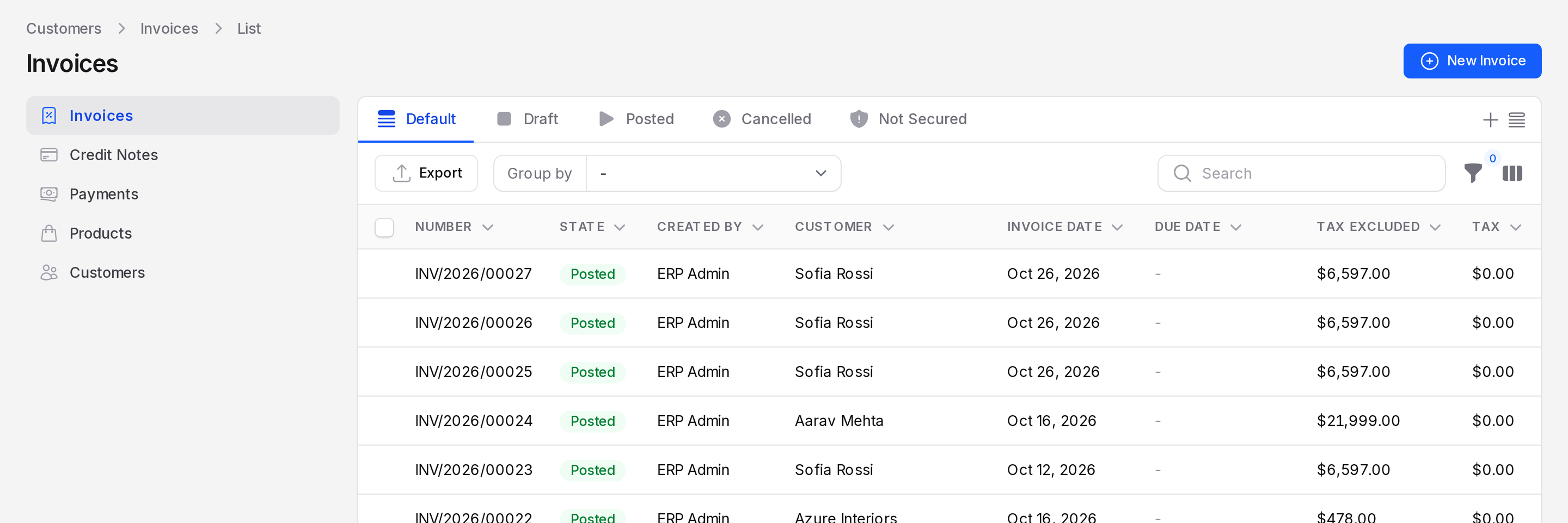
Open it to see the same lines as the order, with the order number as the Source Document. From there you can send it or register more payments like any invoice. See Invoicing processes and Create an invoice.
Actions and statuses
- Invoice: Creates the invoice once. If the order already has one, you get the same invoice.
- Invoiced: The order status after the invoice exists.
- After the session closes, an invoiced order settles through the customer invoice instead of the closing entry of the session.
An order cannot be invoiced after its session is closed. The invoice journal must also be set in the register. See Set up a register.
TIP
Not sure if a customer wants an invoice? Ask before payment. It is faster to tick Invoice than to find the order later.
WARNING
Invoice the order in the session it was sold in. Once the session is Closed & Posted, you can no longer invoice it from the terminal.