

Journal items
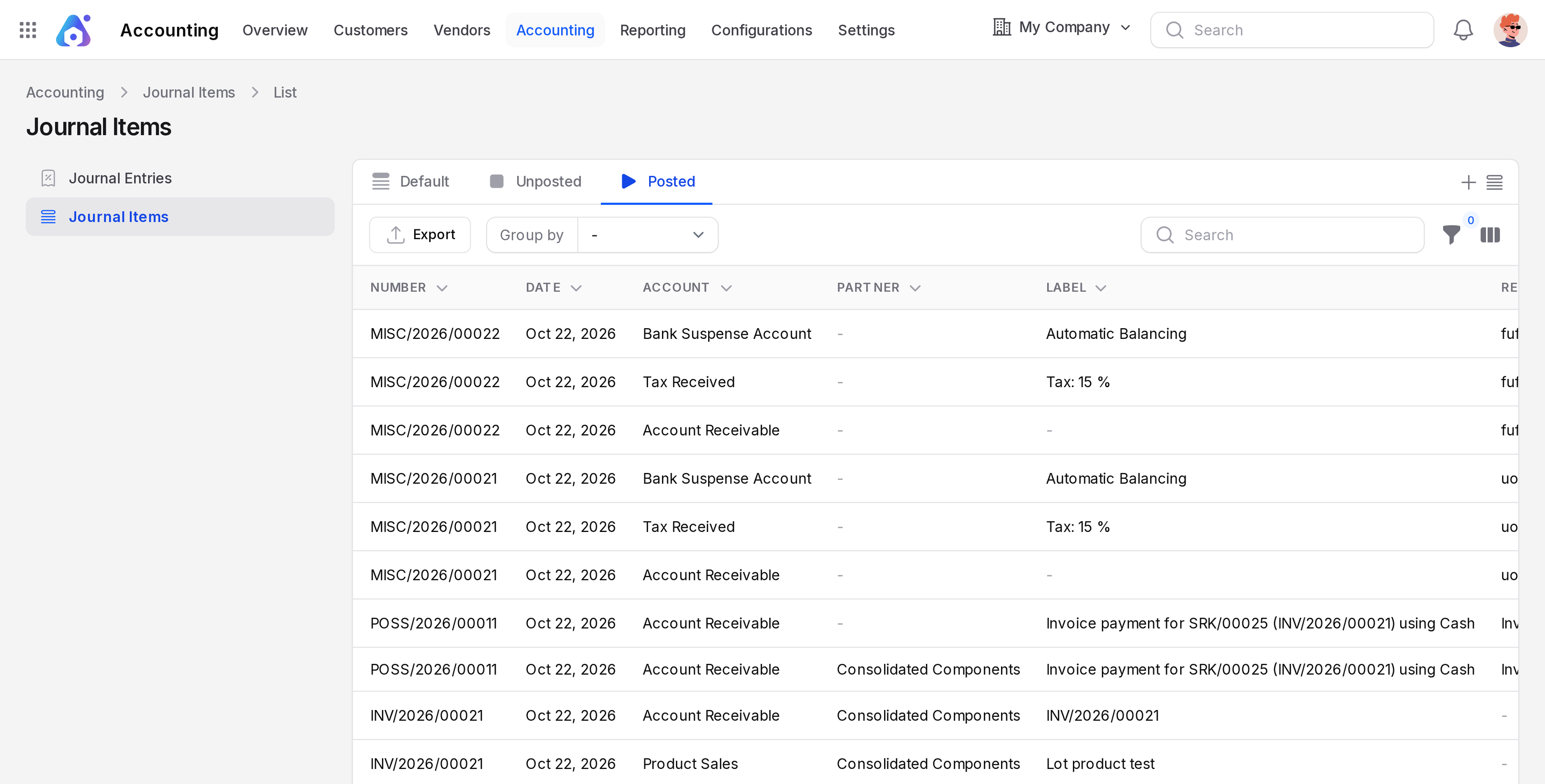
Journal items are the single lines of all journal entries, shown in one list. This is the place to ask questions like "Which receivable lines are still open?" or "Show every line for one partner". The list is read only. You cannot add or change a line here.
In simple words: Journal Items is the full ledger list. Every debit and credit in the books is one row.
Journal items exist in the Accounting app only. Open Accounting → Journal Items.
Overview
Columns
- Number: The number of the entry the line belongs to.
- Date: The accounting date.
- Account: The account, for example Account Receivable.
- Partner: The customer or vendor of the line.
- Label: The text of the line, for example
Manual Payment: INV/2026/2. - Reference: An outside reference.
- Journal: The journal of the entry.
- Debit, Credit and Balance: The amounts. Balance is Debit minus Credit, so a credit shows a minus.
More columns are hidden. Turn them on from the column toggle: Currency, Company, Status, Amount Currency, Amount Residual, Reconciled and Due Date.
At the bottom, Summary shows the totals for This page and for All Journal Items. The totals of Debit and Credit for all items are equal. In the sample data both are 71,070.
Saved filters
The tabs above the list are saved filters. Posted is the default.
- Unposted: Lines of draft entries.
- Posted: Lines of posted entries.
- To Check: Lines of entries that are not marked Checked.
- Unreconciled: Lines that are not matched yet.
- With Residual: Lines that still have an open Amount Residual.
- Sales, Purchases, Bank, Cash, Credit and Miscellaneous: Lines of journals of that type.
- Payable: Lines on payable accounts. Use it to see what you owe.
- Receivable: Lines on receivable accounts. Use it to see what customers owe.
- P&L Accounts: Lines on income and expense accounts.
Group, filter and export
- Group by: Journal Entry, Account, Partner, Journal, Date, Invoice Date, Matching, Status or Company.
- Filter: by number, label, reference, matching number, account, partner, journal, currency, dates, amounts, Reconciled and more.
- Export: Click Export to download the lines.
See Search, filter and group records.
Matching, Reconciled and Amount Residual
These three ideas show whether a line is settled.
- Amount Residual: The part of a line that is still open. An unpaid invoice line has a residual equal to its amount. When a payment is matched, the residual falls to zero.
- Reconciled: Yes when the residual is zero. A matched line is reconciled.
- Matching: The group that links lines that settle each other. Group by Matching to see an invoice line and its payment line side by side.
Example. Invoice INV/2026/2 has a debit of $891.25 on Account Receivable. Payment PBANK/2026/3 has a credit of $891.25 on the same account. They are matched, so both lines have a zero residual.
Common tasks
- Find open customer debt: Open Receivable, then add With Residual.
- Find one customer lines: Search the partner name, then group by Account.
- See unreviewed entries: Open To Check.
- Find draft lines: Open Unposted.
TIP
To fix a wrong line, open the journal entry from Accounting → Journal Entries. This list cannot edit.