

Three step flow
The three step flow is the most controlled setup. Receipts pass through quality control before storage. Deliveries are picked, packed and then shipped. Every stop is its own document, so you can see exactly where an order is.
In simple words: Receive, check, store. Or pick, pack, ship.
When to use it
- You inspect incoming goods.
- You pack orders at a packing bench.
- You want a clear audit trail for every handover.
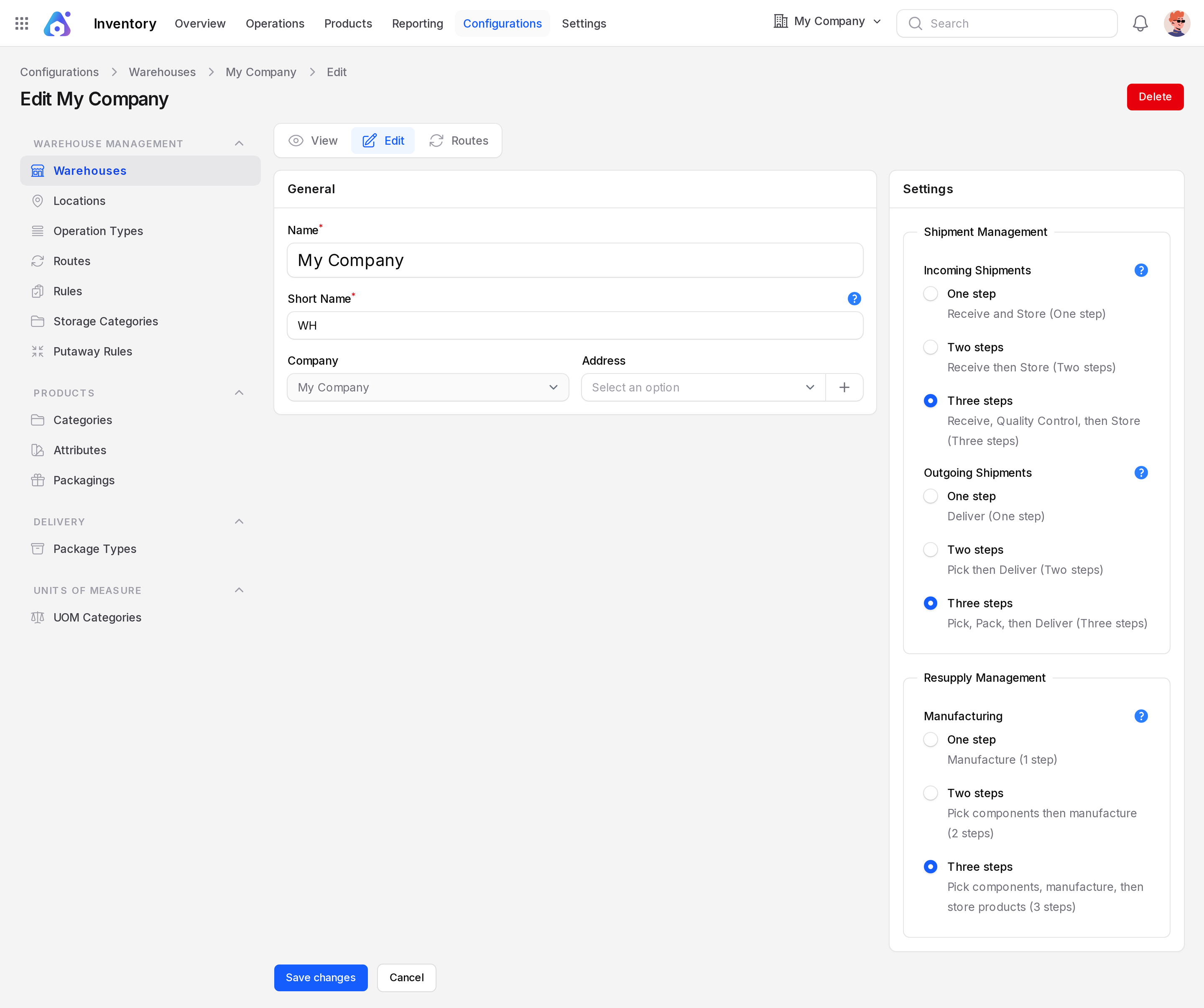
The example warehouse WH is set to three steps for incoming and outgoing shipments.
Set it in the warehouse
- Open
Inventory → Configurations → Warehouse Management → Warehouses. - Click Edit on your warehouse.
- Set Incoming Shipments to Receive, Quality Control, then Store (Three steps).
- Set Outgoing Shipments to Pick, Pack, then Deliver (Three steps).
- Click Save changes.
INFO
Needs Inventory → Settings → Manage Warehouses → Multi Steps Routes and Locations on.
Documents created
| Step | Operation type | Prefix | Path |
|---|---|---|---|
| 1 Receive | Receipts | WH/IN | Partners/Vendors → WH/Input |
| 2 Check | Quality Control | WH/QC | WH/Input → WH/Quality Control |
| 3 Store | Storage | WH/STOR | WH/Quality Control → WH/Stock |
| 1 Pick | Pick | WH/PICK | WH/Stock → WH/Packing Zone |
| 2 Pack | Pack | WH/PACK | WH/Packing Zone → WH/Output |
| 3 Ship | Delivery Orders | WH/OUT | WH/Output → Partners/Customers |
Receipt rules use push: validating one step creates the next. Delivery uses pull: the delivery asks for a pack, and the pack asks for a pick.
Example: receiving
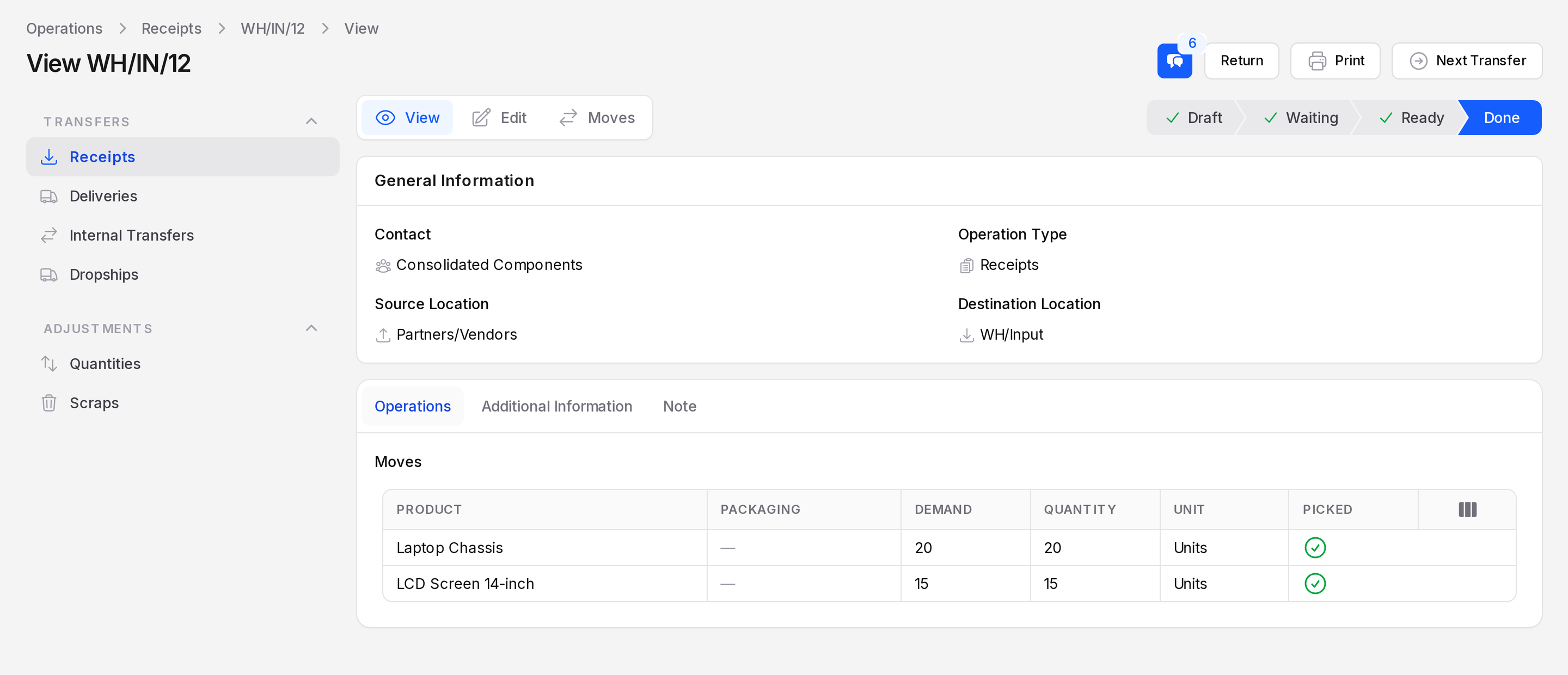
Purchase order PO/4 buys Laptop Chassis and LCD Screen 14-inch. It produced WH/IN/12, then WH/QC/13, then WH/STOR/37.
- Validate WH/IN/12. The goods are in
WH/Input. - Open WH/QC/13 and inspect the goods. Click Validate. They move to
WH/Quality Control. - Open WH/STOR/37 and click Validate. They reach
WH/Stock.
Example: delivering
Sales order SO/3 for customer Gemini Furniture produced WH/PICK/1, WH/PACK/41 and WH/OUT/42.
- Validate WH/PICK/1. Goods move to
WH/Packing Zone. - Validate WH/PACK/41. Goods move to
WH/Output. - Validate WH/OUT/42. Goods leave for the customer.
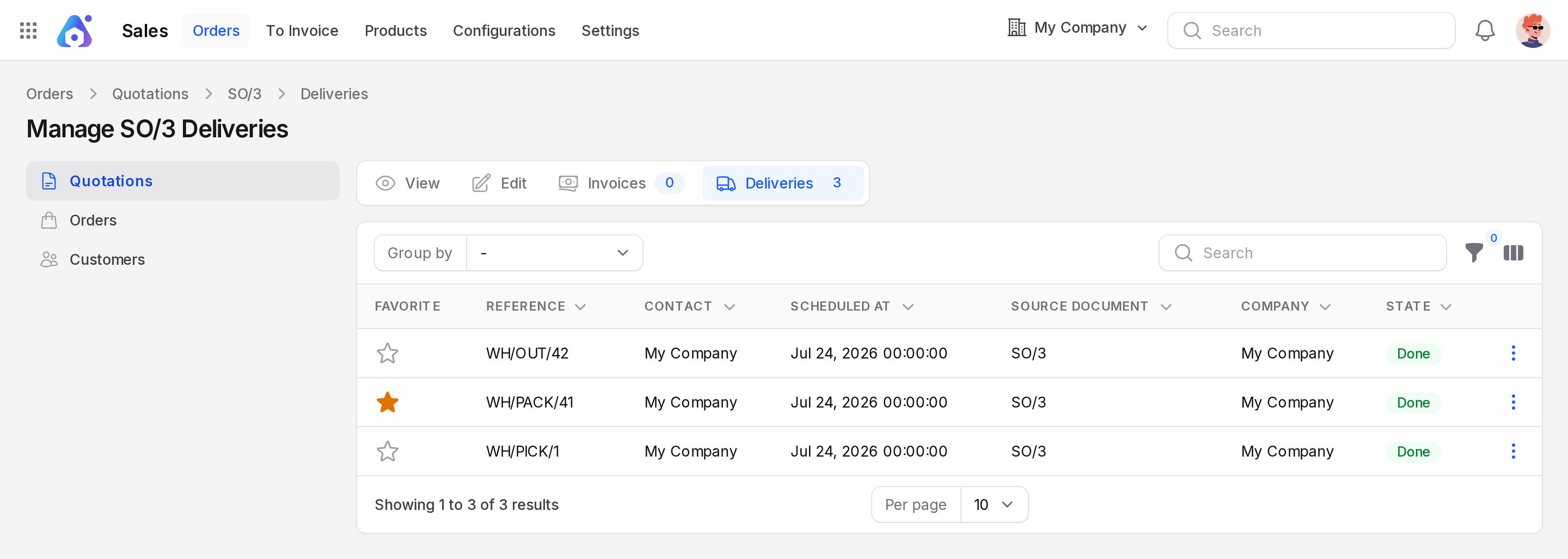
You can see every linked document on the Deliveries sub page of the sales order, for example Manage SO/3 Deliveries.
TIP
Use Inventory → Reporting → Moves History to follow one product through all six steps.
What you do at each step
| Step | Your action |
|---|---|
| Receive, check, store | Validate each document in order |
| Pick, pack, ship | Validate each document in order |
| Missing quantity | Answer the backorder question. See Backorders and returns |