

Stock report
The stock report shows how much of each product you hold in each location. It also shows how much is reserved for orders. Use it to answer "do we have it, and where?" in seconds.
In simple words: A live list of stock by product and place.
Open it from Inventory → Reporting → Locations. The page title is Product Quantities.
Gate
Location, Lot / Serial Numbers and Package columns show only when Locations, Lots & Serial Numbers and Packages are on in Inventory → Settings.
Tabs
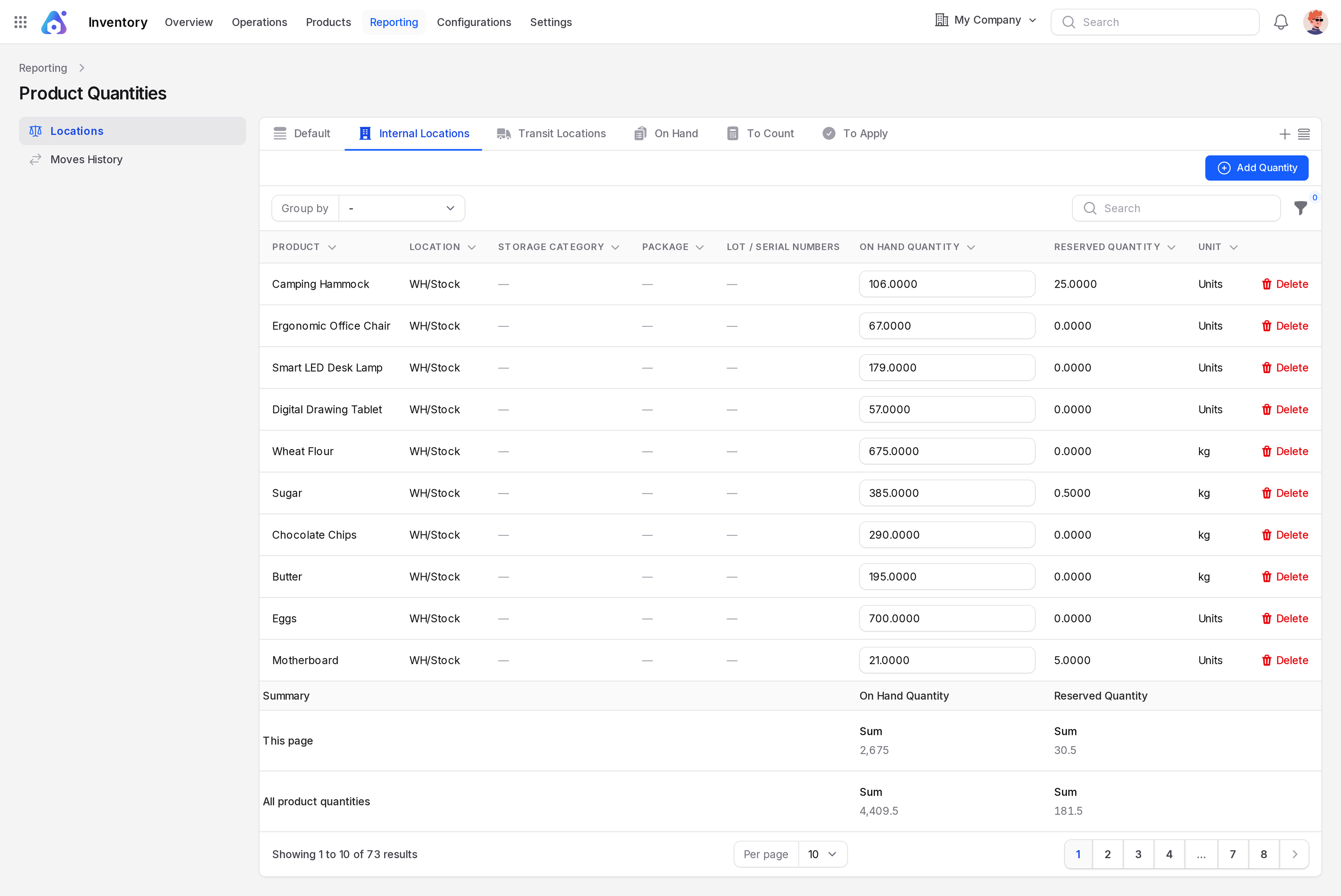
- Default: all rows. The page opens on Internal Locations.
- Internal Locations: stock in your warehouse.
- Transit Locations: stock on the way.
- On Hand: rows with a quantity above zero.
- To Count: rows due for a count.
- To Apply: rows with a count waiting to be applied.
Columns
- Product, Location, Storage Category, Package, Lot / Serial Numbers.
- On Hand Quantity: physically in the location. You can type a new value in the cell.
- Delete: a red button at the end of each row.
- Reserved Quantity: held for orders that are not yet shipped.
- Unit: the unit of measure.
A Summary block below the table totals the rows on this page and all rows. Available stock is on hand minus reserved. Example: 106 Camping Hammocks on hand and 20 reserved leaves 86 free.
Group by and filters
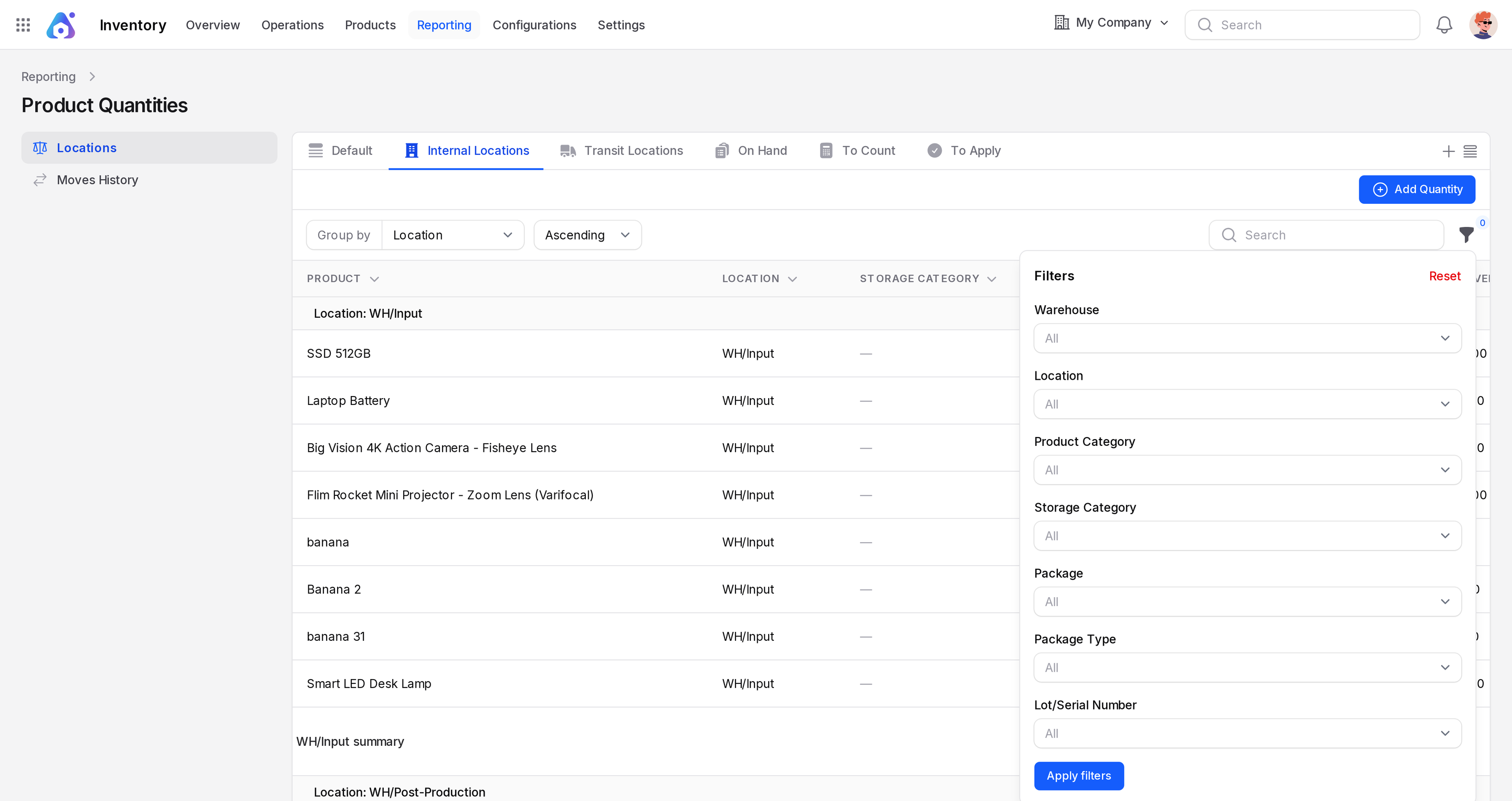
Group by Product, Product Category, Location, Storage Category, Lot / Serial Number, Package or Company. After you pick a group, an Ascending or Descending choice appears. Filters cover Warehouse, Location, Product Category, Storage Category, Package, Package Type and Lot/Serial Number.
Edit in place or adjust
The page has an Add Quantity button, like the Quantities page. Both change the same stock.
| Approach | Best for |
|---|---|
| Edit in the report | Quick fix of one row |
| Inventory adjustments | Counted quantity, difference, then Apply |
| Scrap | Destroyed goods |
Prefer adjustments for real counts. They record a clear difference and a stock move.