

Activity plans
An activity plan is a saved set of follow-up steps for a project or task. Each step is an activity, such as a call or an email, with an owner and a timing. When you start the plan, all its activities are scheduled in one go.
In simple words: An activity plan is a checklist of scheduled follow-ups that you launch from Chatter with one click.
Open Project → Configurations → Activity Plans.
Overview
The list shows Name, a Status icon, Created At and Updated At. Use the row menu for Edit, Delete, Restore and Force delete.
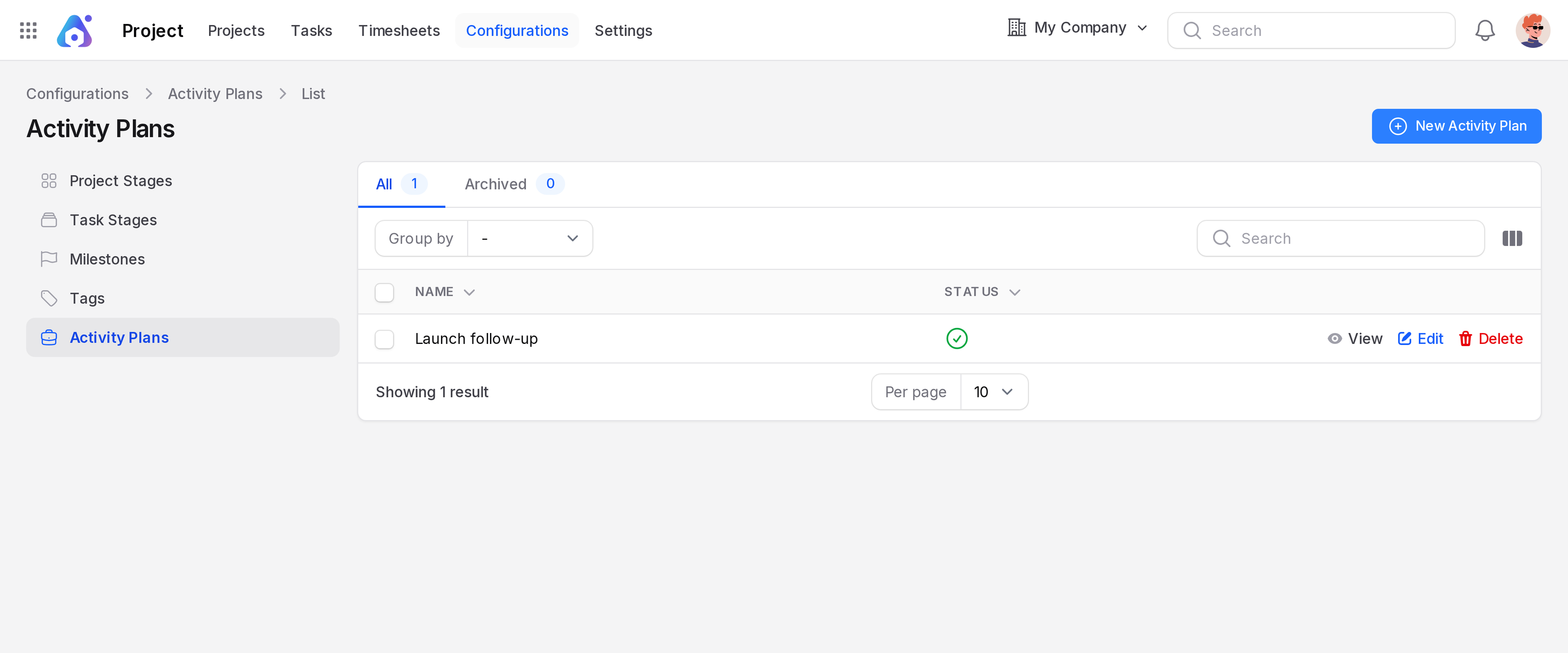
Create an activity plan
The example creates a plan named Launch follow-up.
Click New Activity Plan. The Create Activity Plan window opens.
Fill in the form.
- Name: (required) A clear name, for example Launch follow-up.
- Status: A toggle. It is on by default. Turn it off to stop the plan from being offered.
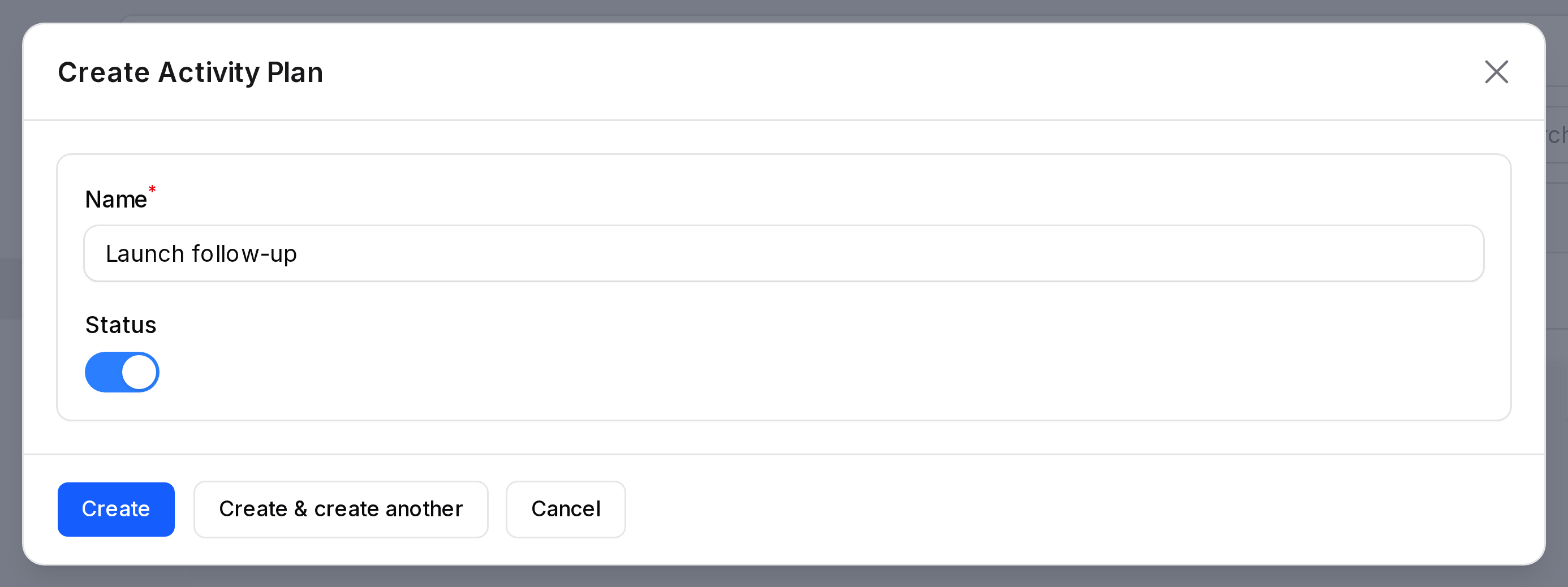
Click Create. The plan is saved and shows in the list. A plan with no steps schedules nothing, so click Edit on its row to add steps.
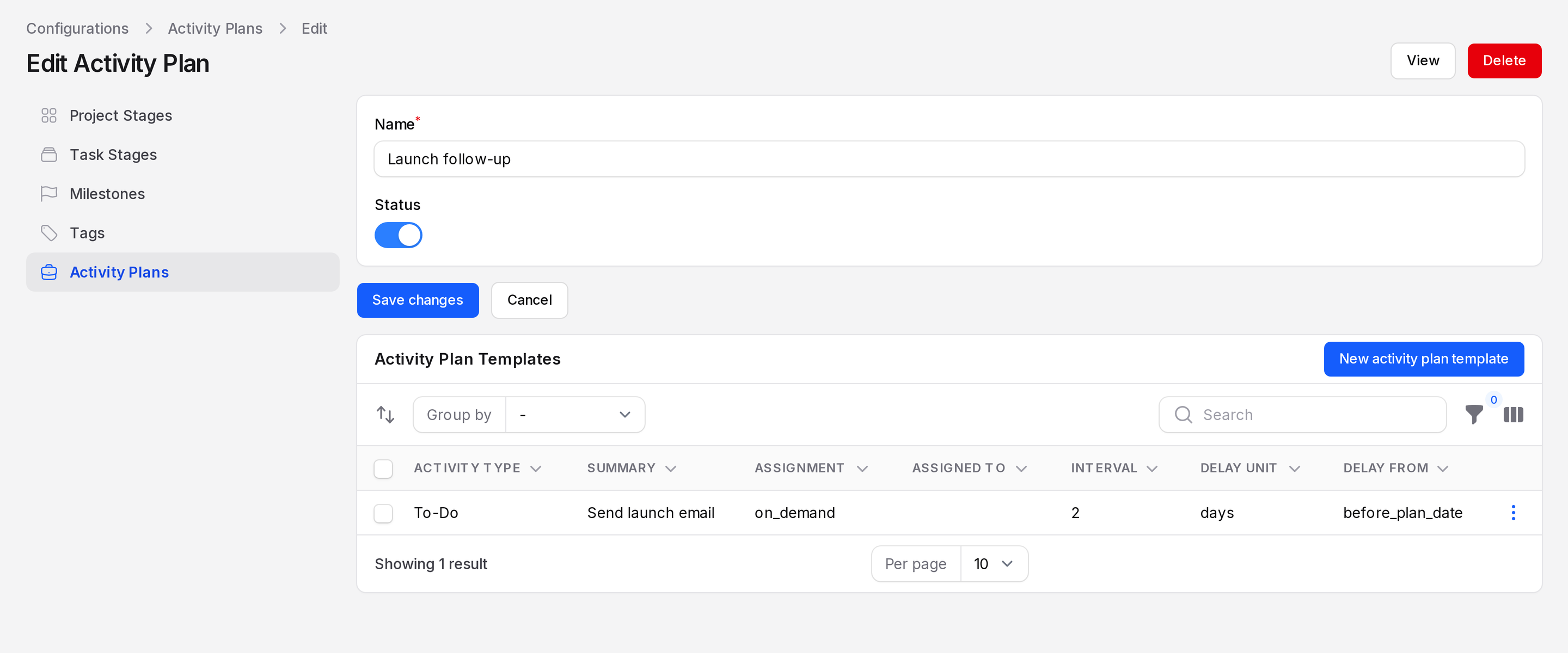
Add activity templates
Each step of the plan is an activity template. On the Edit Activity Plan page, find the Activity Plan Templates section and click New activity plan template.
Fill in the sections of the form.
Activity Details
- Activity Type: (required) The kind of activity, such as a call or an email. See Activities.
- Summary: A short title for the step.
- Note: More detail for the person who does it.
Assignment
- Assignment: (required) Who owns the step. Options are Ask at launch, Default user, Coach, Manager and Employee.
- Assignee: Shows only for Default user. Pick the user.
Delay Information
- Delay Count: How many units to wait.
- Delay Unit: Minutes, Hours, Days or Weeks.
- Delay From: Before Plan Date or After Plan Date. This says what the delay counts from.
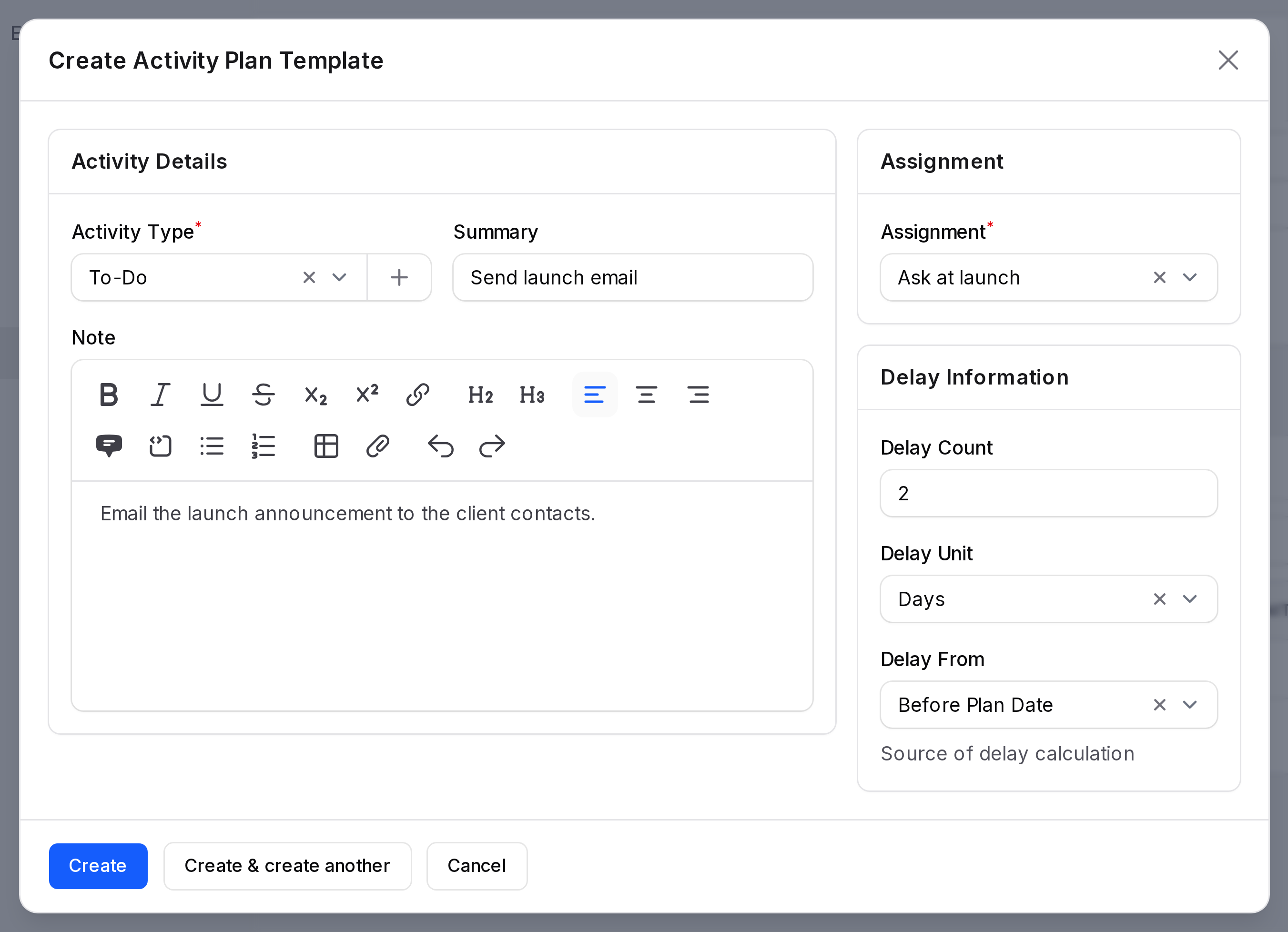
Click Create to save the step. Add more steps the same way.
Use a plan
- Open a project or a task.
- Click Chatter, then use the activity plan action.
- Pick the plan. Its activities are scheduled for you.
Only plans whose Status is on can be picked. See Chatter and Activities.
TIP
Use Ask at launch when the owner changes each time. You then choose the person when you start the plan.