

Partner levels
A partner level ranks your contacts, for example Gold, Silver and Bronze. Each level has a weight, a number that says how likely partners of that level are to be given leads. You set the levels once, then assign one to each contact.
In simple words: A level is a rank with a weight. A higher weight means more leads for that partner.
Open CRM → Configuration → Members → Levels.
The level list
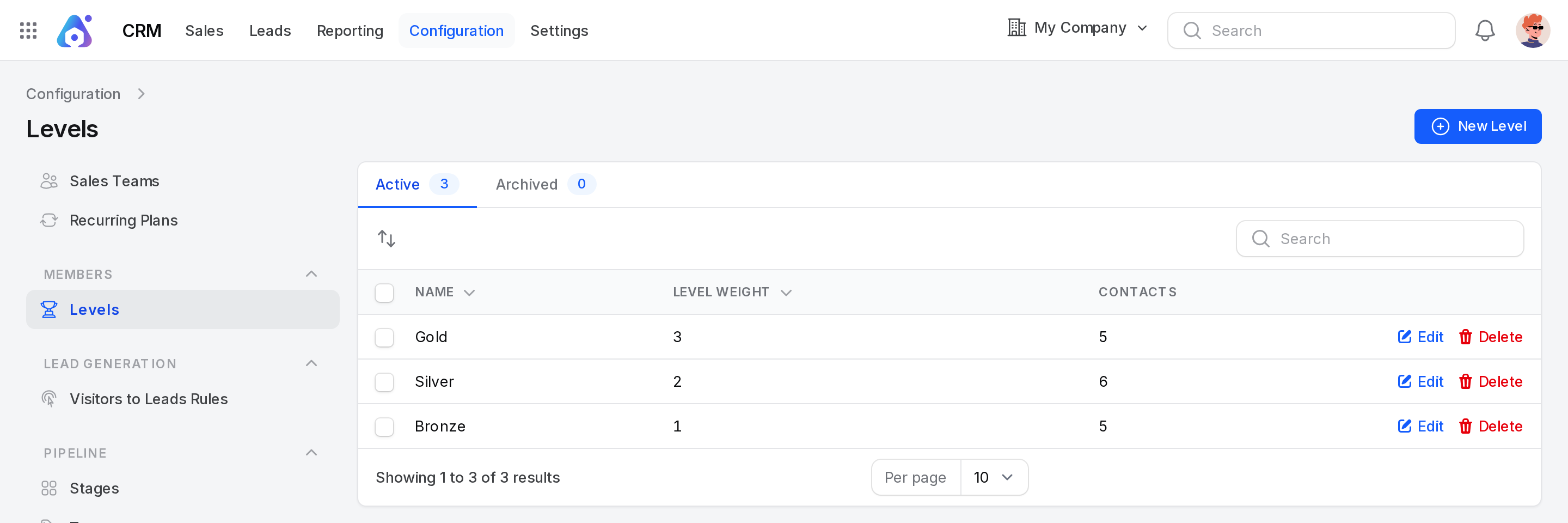
The default levels are Gold (weight 3), Silver (2) and Bronze (1).
Views (tabs)
- Active: Levels you can pick. The badge shows how many there are.
- Archived: Levels you deleted.
Columns
- Name: The name of the level.
- Level Weight: The weight number.
- Contacts: How many contacts have the level.
Example: In the dev data, Gold has 5 contacts, Silver has 6 and Bronze has 5.
Search, order and export
- Type in the search box to find a level.
- Click Name or Level Weight to sort.
- Drag a row handle to change the order of the levels in the contact form.
- Select rows and use the bulk actions to export, delete, restore or delete for good.
Create a level
- Go to
CRM → Configuration → Members → Levels. - Click New Level.
- Fill in the form.
- Click Create.
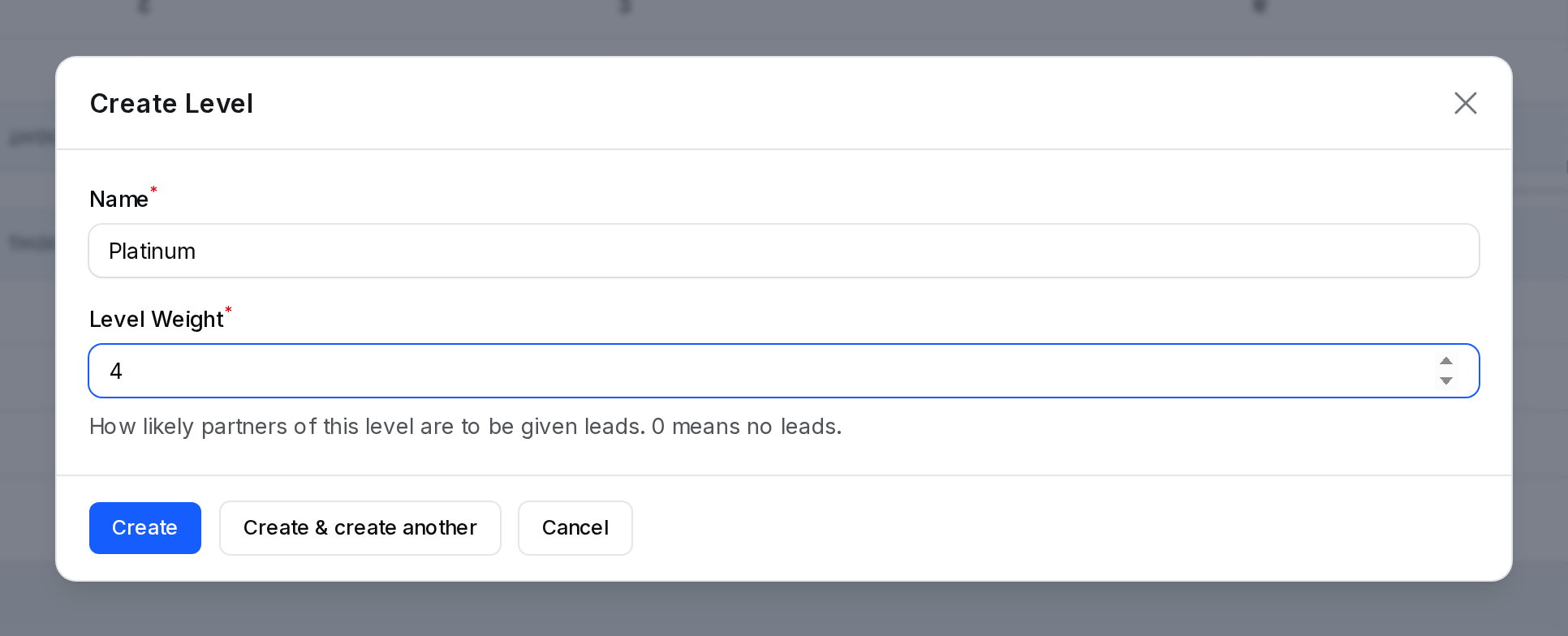
- Name: The name of the level. Required. Up to 255 characters.
- Level Weight: How likely partners of this level are to be given leads. Required. A whole number, 0 or more. It starts at 1. A weight of 0 means no leads.
Example: Name Platinum and weight 4. A notice says Level created.
Actions and statuses
| Action | Where | What it does |
|---|---|---|
| Edit | Active tab | Changes the name or weight. A notice says Level updated. |
| Delete | Active tab | Moves the level to Archived. |
| Restore | Archived tab | Brings the level back. A notice says Level restored. |
| Delete (permanent) | Archived tab | Removes the level for good. A notice says Level deleted. |
Give a level to a contact
- Open a contact from
CRM → Sales → Customers, or from the Contacts app. - Find the Partner level section.
- Choose a Level.
- Optional: enter a Level Weight for this contact only. Leave it empty to use the weight of the level.
- Save the contact.
The empty Level Weight field shows the weight of the chosen level as a hint. See Contacts.
Behind the scenes
- A contact uses its own weight when you set one. Otherwise it uses the weight of its level. With no level, the weight is 0.
- The Contacts column counts the contacts that have the level.
- Archiving a level does not remove it from contacts that already have it.