

Stages
A stage is one step in the life of a maintenance request. The stages show as a bar on top of every request, so you see at once where the work stands. A flag called Done tells Aureus which stages mean the job is finished.
In simple words: Stages are the steps of a job. The Done flag marks the last steps.
Other modules, such as projects and recruitment, also use stages. The idea is the same everywhere. See Stages in Getting started.
Open Maintenance → Configurations → Stages.
The seeded stages
| Stage | Done | What it means |
|---|---|---|
| New Request | No | A problem is reported. Work has not started |
| In Progress | No | A technician is working on it |
| Repaired | Yes | The job is finished |
| Scrap | Yes | The equipment cannot be fixed and is you stop using it |
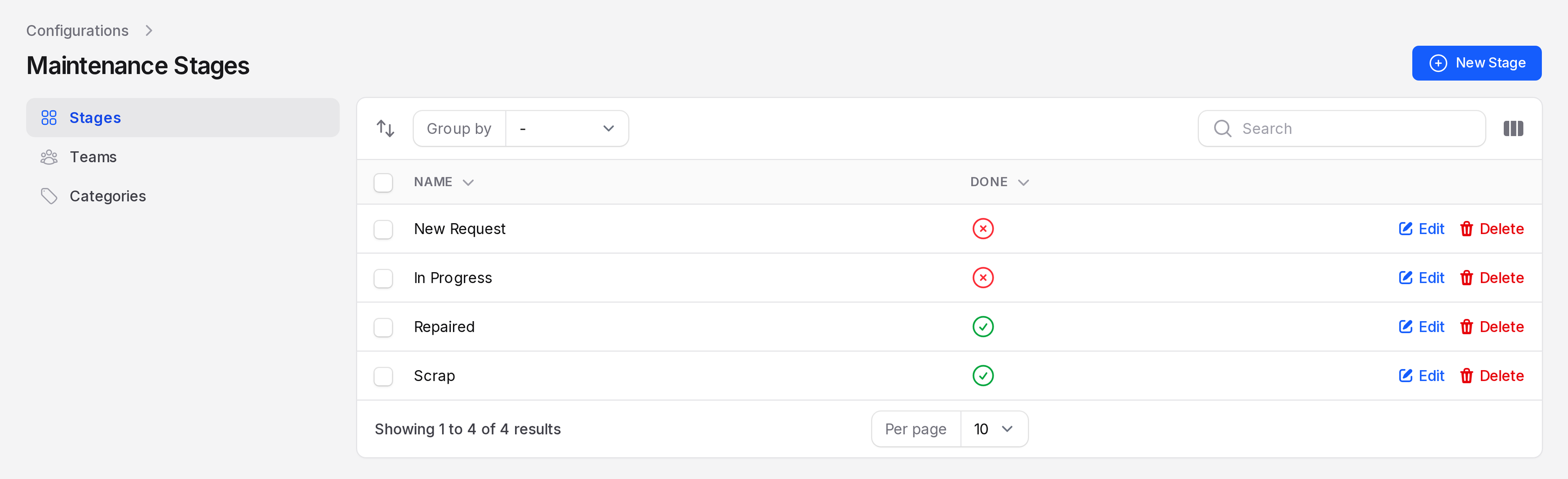
The list has a Name column and a Done column. A green tick means Yes. A red cross means No.
What the Done flag does
A request counts as closed when its stage has Done switched on. Then:
- It leaves the To Do tab and appears on the Done tab of the request list.
- It shows in green on the calendar. Open jobs show in blue.
- If it is a recurring preventive request, Aureus creates the next copy when you save it in this stage.
Create a stage
- Open
Maintenance → Configurations → Stages. - Click New Stage. A window opens.
- Fill in the form.
- Name: Required. For example
Waiting for Parts. - Done: Switch on only if the job is finished at this stage. It starts off.
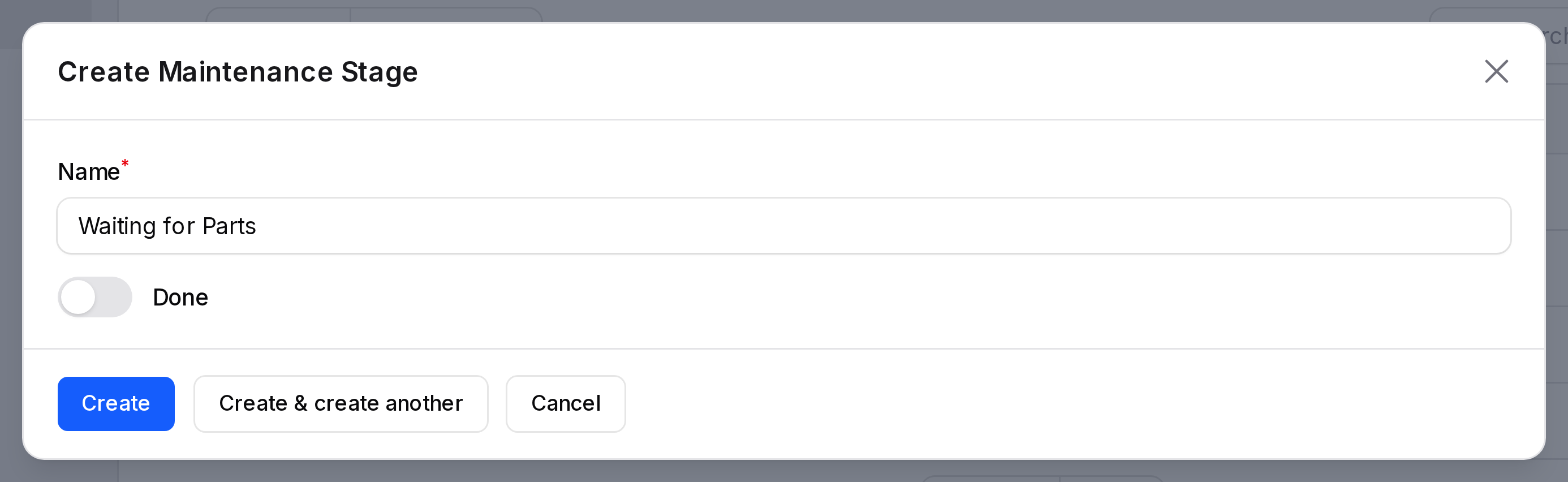
- Click Create.
Change the order
The order of the list is the order of the bar on each request. To change it:
- Click the reorder button at the left of the toolbar.
- Drag a row up or down.
- Click the button again to finish.
New requests always start in the first stage. Keep the done stages last.
Edit, group and delete
Click Edit to rename a stage or change its Done flag. Use Group by to group the list by Done. Click Delete to remove a stage.
WARNING
Do not delete a stage while requests use it. Move those requests to another stage first.
TIP
Keep the list short, three to five stages. A long bar is hard to read.