

Reporting overview
Reports turn your journal entries into answers: how much you own, how much you earned, and who owes you money. Aureus has seven reports. They read the posted entries of your company, so a draft invoice does not show up until you confirm it.
In simple words: Confirm your documents, then open a report to see the result. Reports never change your data.
Reports exist in the Accounting app only. Open Accounting → Reporting. The Invoices app has no reporting menu.
The seven reports
The left side of every report page groups them:
- Statement Reports
- Balance Sheet: what you own and owe on a date.
- Profit & Loss: revenue, expenses and net profit in a period.
- Audit Reports
- General Ledger: every account with its movements.
- Trial Balance: the debit and credit totals per account.
- Partner Reports
- Partner Ledger: the balance of each customer and vendor.
- Aged Receivable and Aged Payable: open amounts by age.
Shared controls
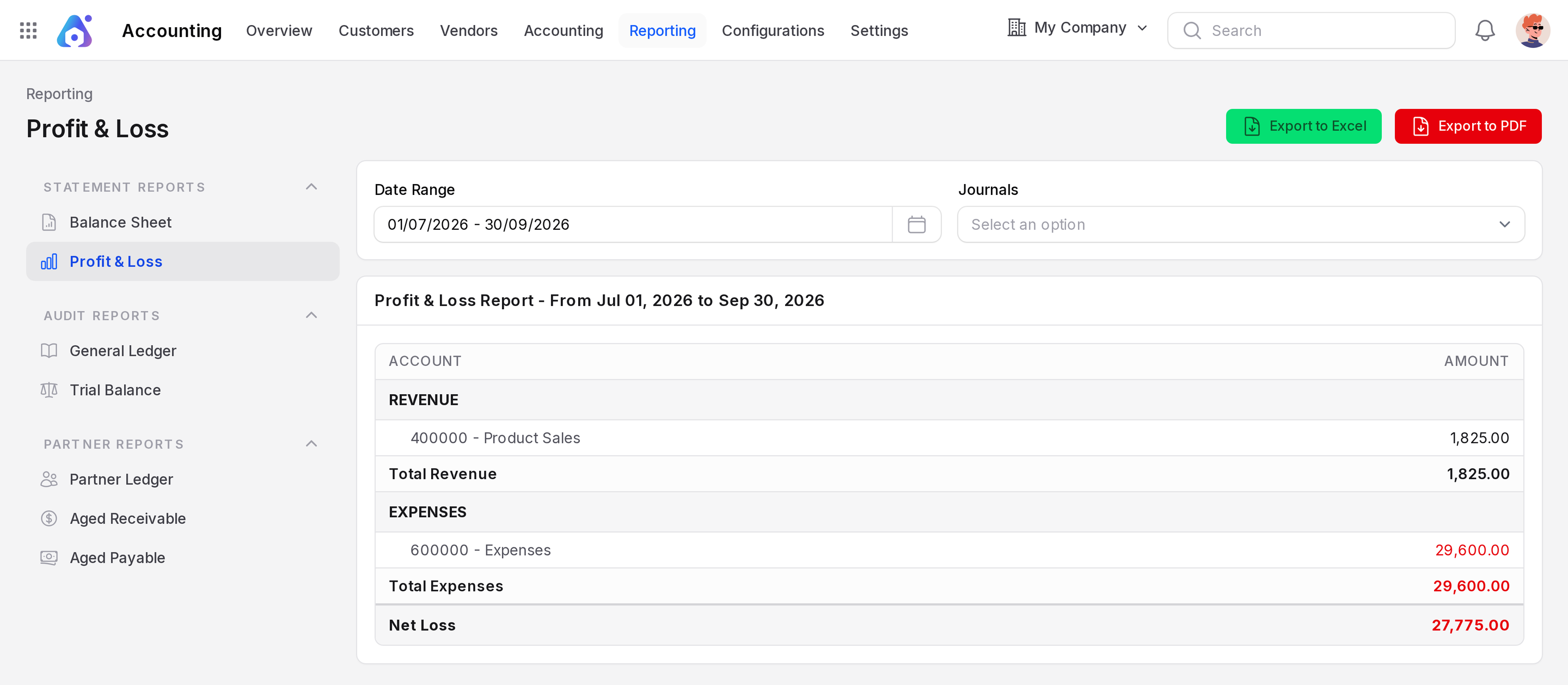
- Date Range: Pick a period from the calendar. Quick choices are Today, Yesterday, This Month, Last Month, This Quarter, Last Quarter, This Year and Last Year.
- Journals: Pick one or more journals to limit the report. Leave it empty to include all.
- Export to Excel and Export to PDF: Download the report you see. On the partner reports the buttons read Export Excel and Export PDF.
- Expand All and Collapse All: Open or close the detail rows. They are on the General Ledger, Partner Ledger and the aged reports.
The Balance Sheet, Profit & Loss, General Ledger, Trial Balance and Partner Ledger share the Date Range. The aged reports use As of instead.
TIP
The default range is the current month. If the report looks empty, pick a range that has data. Click the Date Range field and choose a ready-made range (Today, Yesterday, This Month, Last Month, This Quarter, Last Quarter, This Year or Last Year), or pick two days on the calendar, then click Apply. In the sample data the entries are dated July 2026, so choose Last Quarter.
Good habits
- Confirm all invoices, bills and payments before you read a report.
- Compare the Trial Balance totals. Debit and credit must match.
- Use the Journals filter to look at sales only or bank only.
- Export a PDF when you need to share the report.