

Mandatory days
A mandatory day is a date or range when the company expects everyone to be at work, such as a quarter close. You record it so people can see it. It has a colour, a name and two dates. The menu calls it Mandatory Holidays. The page calls it Mandatory Days.
In simple words: A mandatory day is a day everyone is expected to work, kept in a list.
Open Time Off → Configuration → Mandatory Holidays. The page title is Mandatory Days.
Prerequisite
Nothing is needed first. The company is filled in for you.
Overview
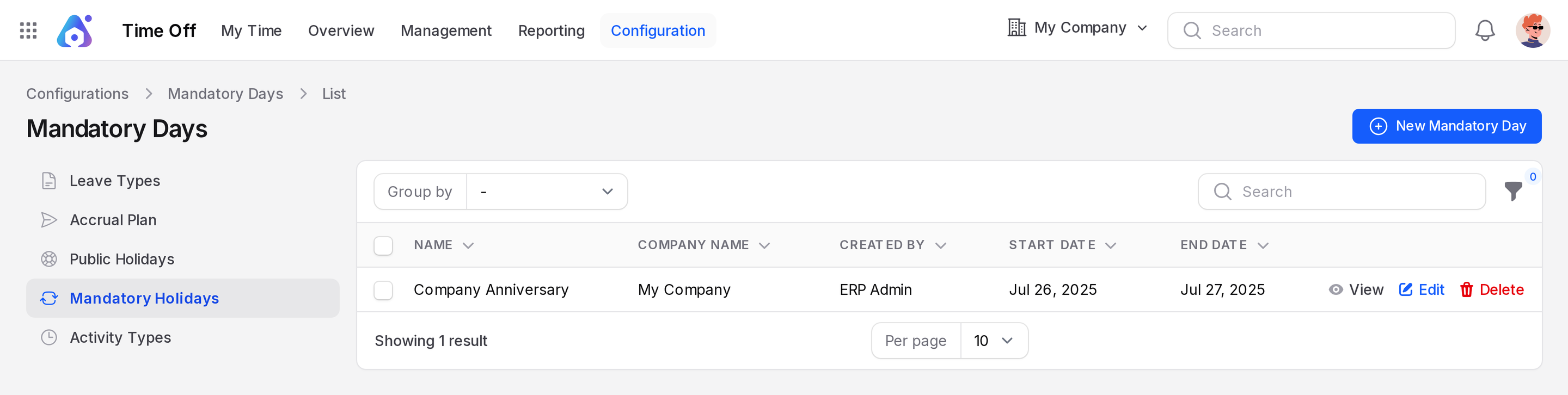
The page lists each mandatory day. The columns are Name, Company Name, Created By, Start Date and End Date. Use the Group by list to group by Name, Created By, Company Name, Start Date or End Date. Each row has View, Edit and Delete.
Sample data holds one record, Company Anniversary, from Jul 26, 2025 to Jul 27, 2025.
Create a mandatory day
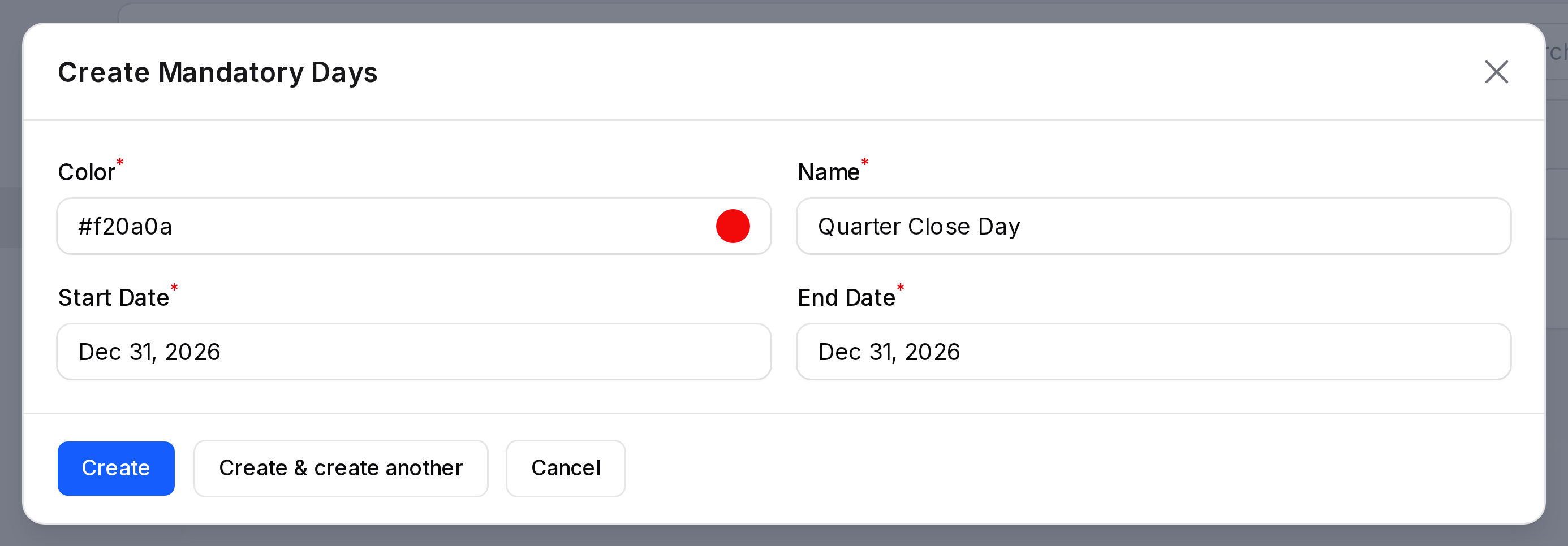
This example adds Quarter Close Day.
- Open
Time Off → Configuration → Mandatory Holidays. - Click New Mandatory Day. A window opens.
- Fill in the form.
- Color: Required. Type a hex code such as
#f20a0a(red), or click the swatch dot and pick a colour in the panel. - Name: Required. Type
Quarter Close Day. - Start Date: Required. Pick the day. Dates show like
Dec 31, 2026. - End Date: Required. Pick the same day for a one day range.
- Click Create. The window closes and the day joins the list.
Where mandatory days show
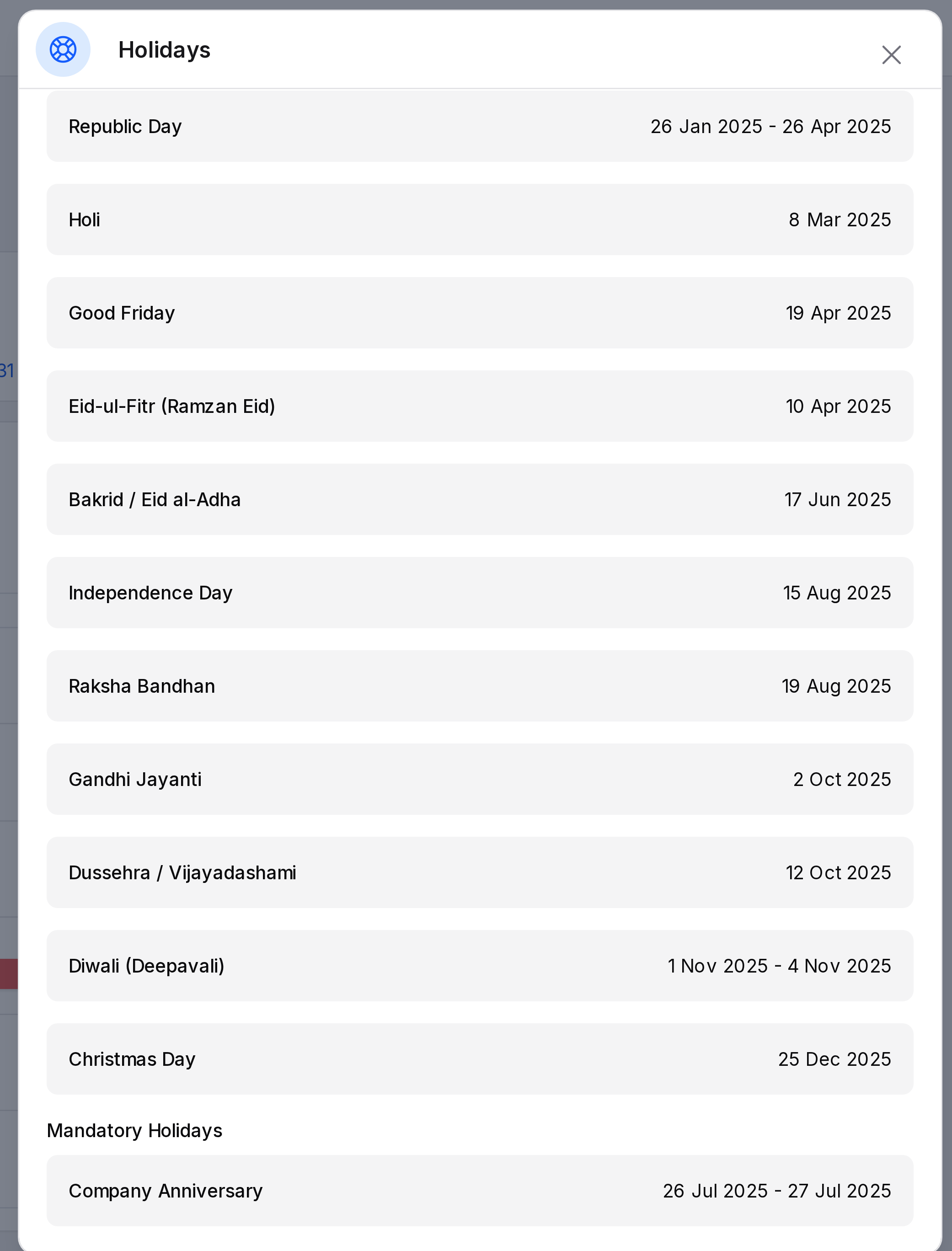
Open the Holidays window on Time Off → My Time → Dashboard. The Mandatory Holidays section lists each mandatory day with its start and end date.
A mandatory day does not block a request. Duration skips Saturdays and Sundays only.
Edit or delete
Click Edit to change a field, then Save changes. Click Delete to remove the day.