

Maintenance requests
A maintenance request is a job card for one piece of equipment. It says what needs attention, who does it, and when. You use requests to report problems, plan regular check-ups, and keep a record of every repair.
In simple words: A request is a to-do item for a machine. It moves from New Request to Repaired (or Scrap) as people work on it.
Open Maintenance → Maintenance Requests.
Corrective and preventive requests
Every request has a Maintenance Type. The type tells you why the work exists.
- Corrective: Something is already wrong and needs a fix. Example: the Hydraulic Press 200T leaks oil, so you raise Hydraulic press oil leak.
- Preventive: Nothing is broken. You plan the work to stop a failure later. Example: Monthly lubrication, Hydraulic Press 200T, repeated every month.
A preventive request can repeat on its own. See Preventive maintenance.
The life of a request
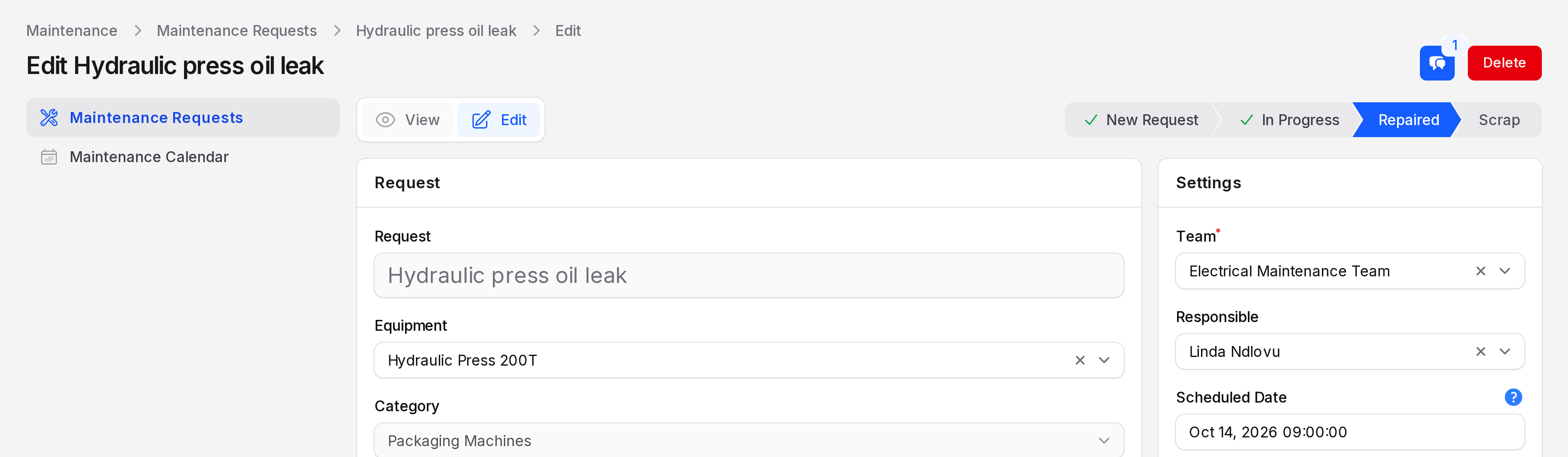
New Request  →  In Progress  →  Repaired
↘ Scrap- Someone reports the problem. The request starts in New Request.
- A technician takes the job. Choose In Progress on the Edit page and click Save changes.
- The work ends in Repaired or Scrap. These two stages carry the Done flag, so they close the request.
You can add or rename stages. See Stages.
Who does what
- The reporter creates the request and picks the equipment.
- The responsible person (the technician) does the work and moves the request along.
- The team groups technicians. See Maintenance teams.
In this section
- Create a maintenance request: fill the form and save.
- Process a request: move stages, add notes and activities, delete or restore.
- Preventive maintenance: repeat a job every few days, weeks, months or years.
- Maintenance request list: tabs, search, group by and bulk actions.