

Scrap
A scrap removes goods that are damaged, expired or otherwise unusable. The goods leave your stock and move to a special scrap location, so your on hand numbers stay honest and you keep a record of the loss.
In simple words: Scrap tells Aureus that these items are destroyed and no longer for sale.
Open it from Inventory → Operations → Adjustments → Scraps.
Before you start
The Source Location and Scrap Location fields need Inventory → Settings → Manage Warehouses → Locations switched on. The Lot/Serial field appears for tracked products, and Package needs the Packages setting.
Overview
The Scraps list shows these columns: Date, Reference, Product, Lot/Serial, Package, Source Location, Scrap Location, Quantity and Unit of Measure. Use Group by for Product, Source Location or Scrap Location.
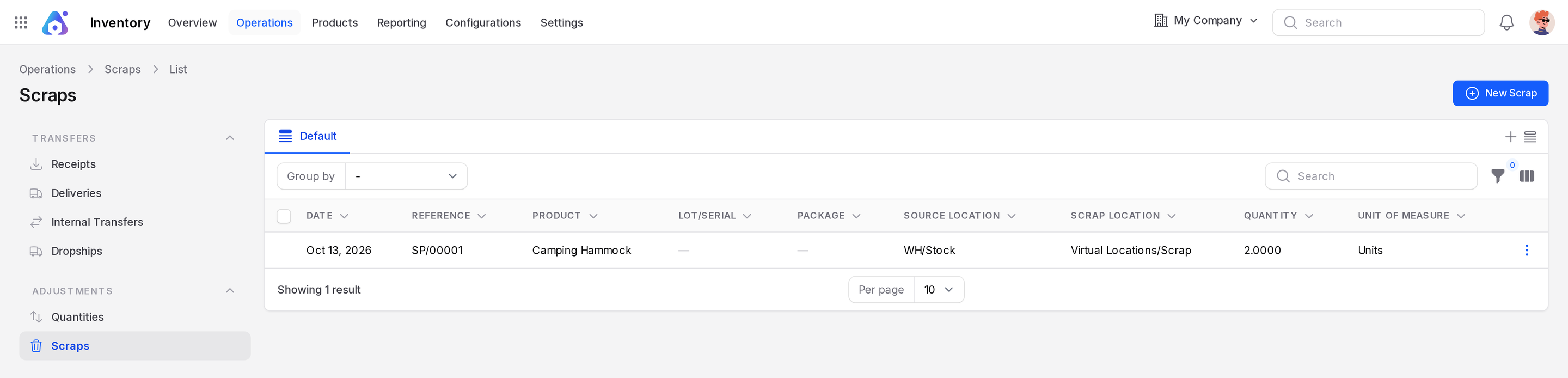
Create a scrap
Example: two Camping Hammocks arrive in WH/Stock with torn fabric.
- Click New Scrap.
- Fill in the General section.
- Click Create. The scrap is saved as Draft with a number such as
SP/00001, and its page opens. - Click Validate to finish the scrap. There is no confirmation window.
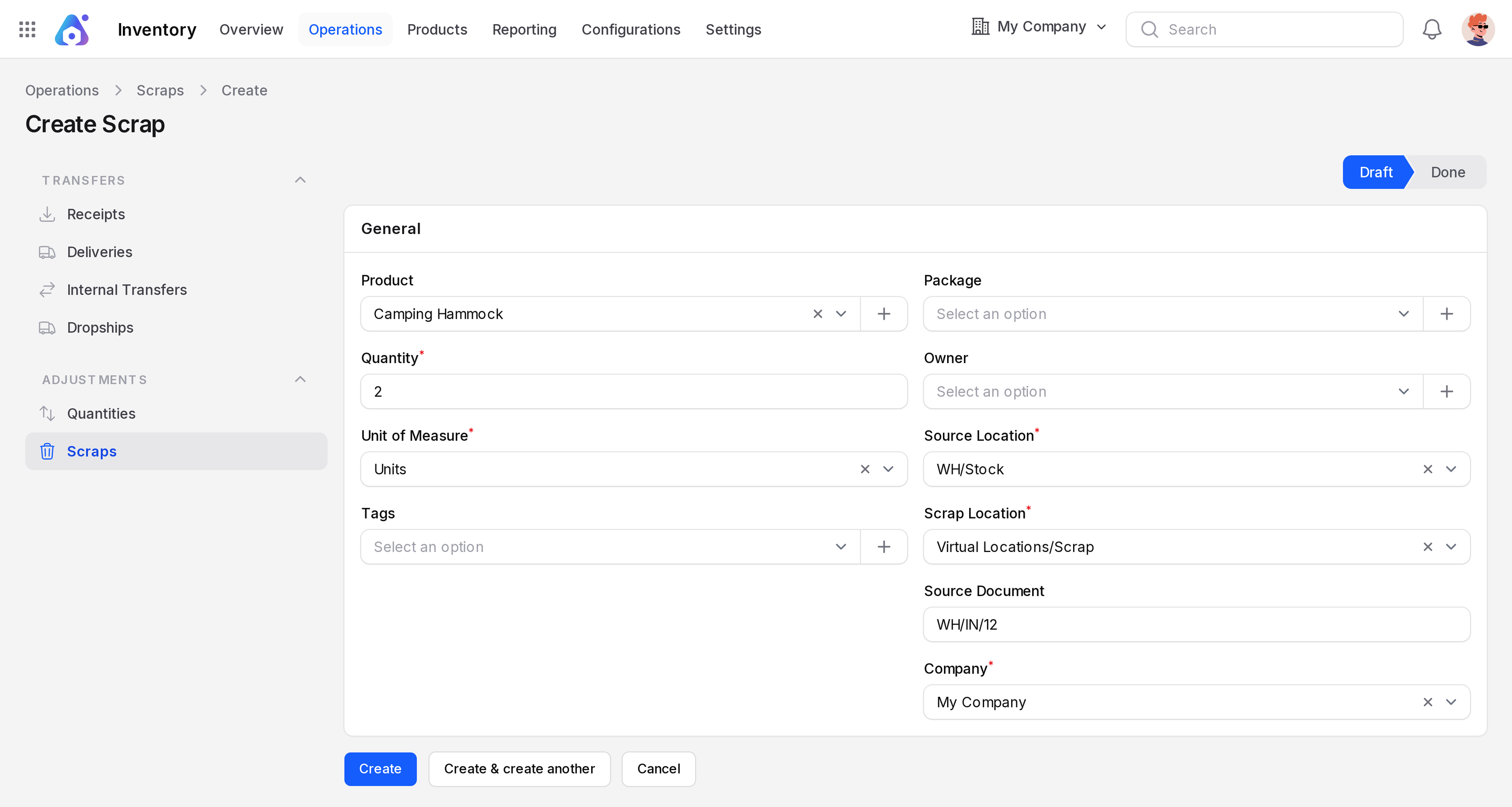
- Product: the item to scrap. Pick Camping Hammock.
- Quantity: required. Default is 1. Enter 2.
- Unit of Measure: required. It follows the product.
- Tags: optional labels such as Damaged. The list is empty at first, so click the + button next to the field to create your first tag.
- Package: use it when scrapping goods inside a package.
- Owner: optional.
- Source Location: required. Where the goods are now. Default is
WH/Input. Change it toWH/Stock. - Scrap Location: required. Where the goods go. Default is
Virtual Locations/Scrap. - Source Document: optional. Type a reference such as the receipt number WH/IN/12.
- Company: your company.
TIP
Fill Source Document when the scrap comes from a receipt or delivery. It lets you trace the loss back to the paper trail.
Effect on stock
After Validate, the state changes from Draft to Done. The Validate and Delete buttons disappear and the fields become read only. Two Camping Hammocks leave WH/Stock and arrive in Virtual Locations/Scrap. On hand drops by 2, for example from 108 to 106. Scrapped goods are not counted as available stock.
A scrap location is a location marked Is a Scrap Location?. See Locations.
Actions and statuses
| State | Meaning |
|---|---|
| Draft | Saved, stock not changed |
| Done | Validated, goods moved to the scrap location |
Behind the scenes
Validation creates a stock move from the source location to the scrap location. You can find it in Moves history with the scrap reference.