

Products
The Products menu inside the Manufacturing module gives you a dedicated view of every item that can be produced, consumed, or tracked during manufacturing.
From here you can manage product master data, variants, attributes, and quickly jump to the Bills of Material, Stock Moves, and On-Hand Quantities linked to each product.
Use Case:
Use this section to manage the catalog of items used on the shop floor — finished goods, sub-assemblies, raw materials, and components — and to launch BoM creation right from the product page.
In simple words: Every thing in manufacturing — the chair you build and the wood and screws you build it from — is a "Product". Create them all here first, before building a Bill of Material.
Steps to Create a New Manufacturing Product
Navigate to
Manufacturing → Products → Productsas shown below: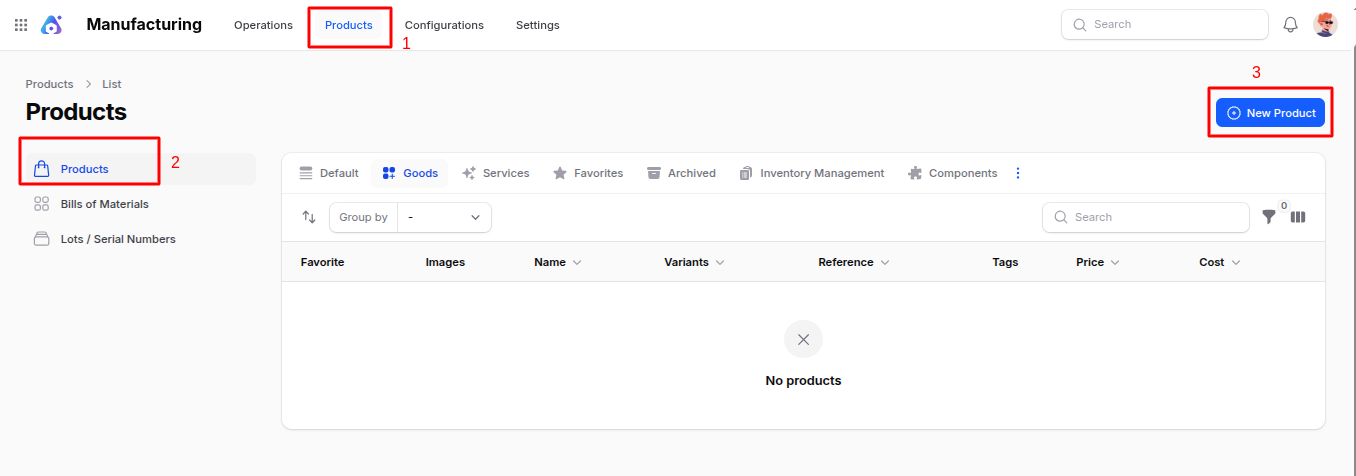
Fill in the standard product fields (the same form used in the Inventory module):
- Name: Product name displayed everywhere it is referenced.
- Type: Choose between
Goods(stockable / consumable) orService. Manufacturing typically usesGoods. - Reference / Internal Reference: Unique SKU or internal code.
- Sales Price / Cost: Default selling and cost values used in orders and valuations.
- Category: Product category used for routing, reporting, and accounting.
- Unit of Measure: Default unit (e.g. Units, Kilograms, Liters).
- Tracking: Choose
No Tracking,By Lots, orBy Unique Serial Numberif you need traceability. - Image: Upload a product photo shown in lists and work orders.
- Tags & Attributes: Add tags and define attribute values (size, color, etc.) used for variants.
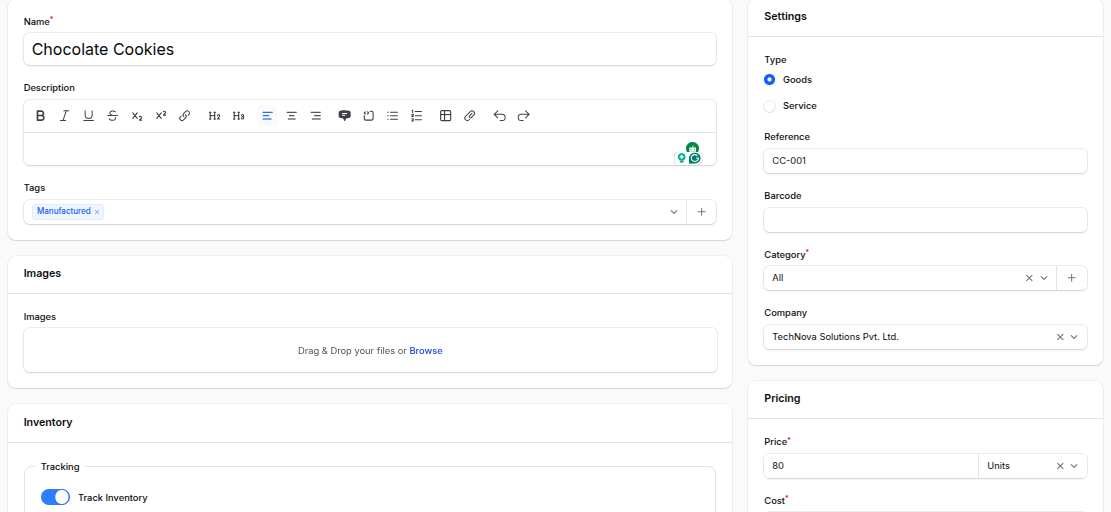
Action Buttons:
- Create – Save and open the product record.
- Create & Create Another – Save and open a blank form for the next product.
- Cancel – Discard and return to the list.
Product View Page — Manufacturing Sub-Tabs
After saving, the product opens with a manufacturing-aware sub-navigation:
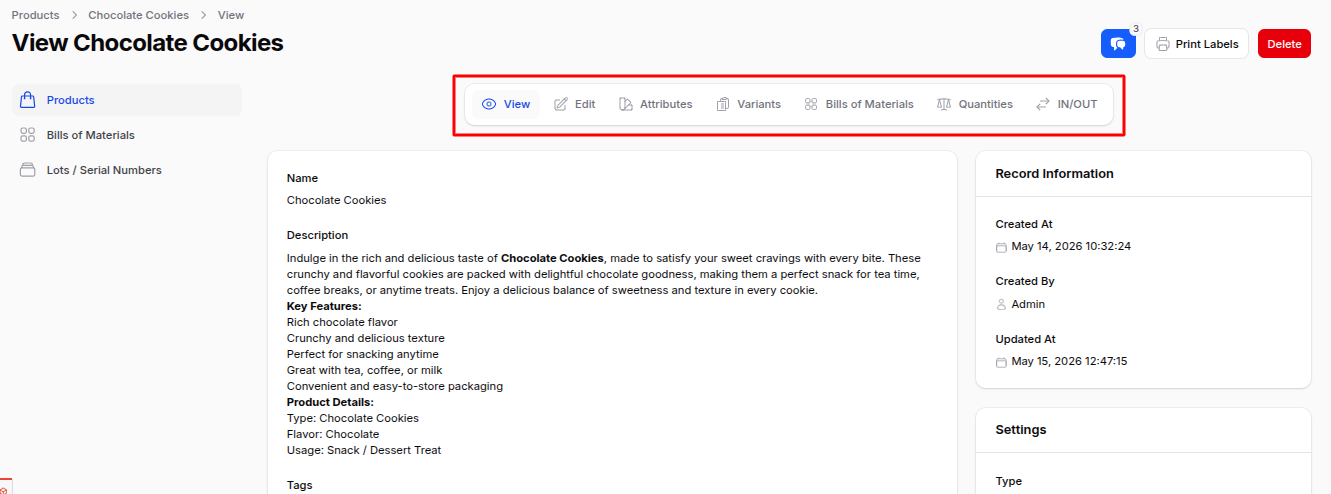
View: Read-only summary of the product master data.
Edit: Modify product fields.
Attributes: Manage product attributes (e.g. Color, Size) used to generate variants.
Variants: View and manage every variant generated from the configured attributes.
Bills of Materials: List and create BoMs for this product. Click Create Bill of Material to launch the BoM editor pre-filled with this product.
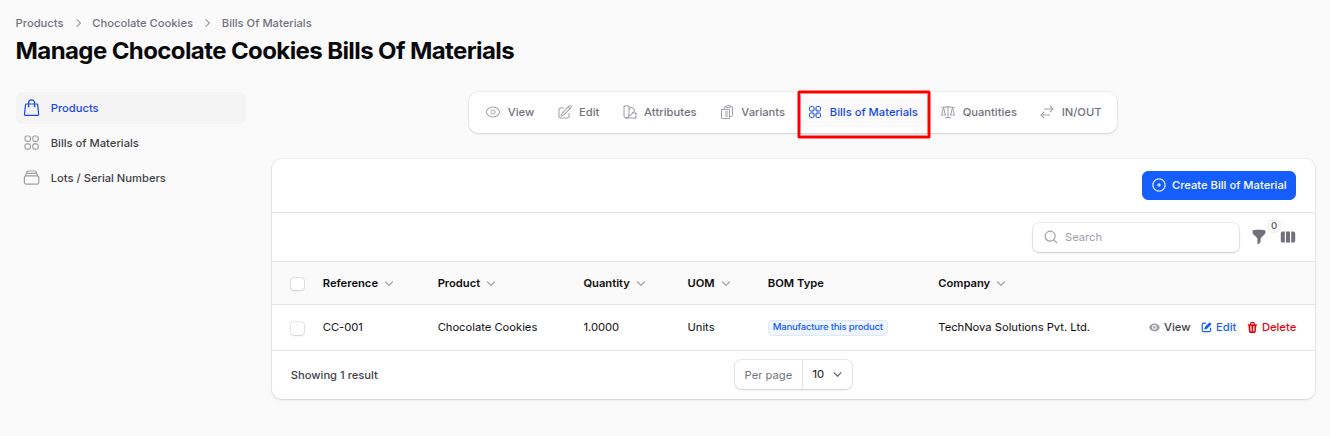
On Hand Quantities: See current stock levels per location, lot, and package.
Moves: Review every stock move (incoming, outgoing, internal) involving the product.
List View — Filters & Actions
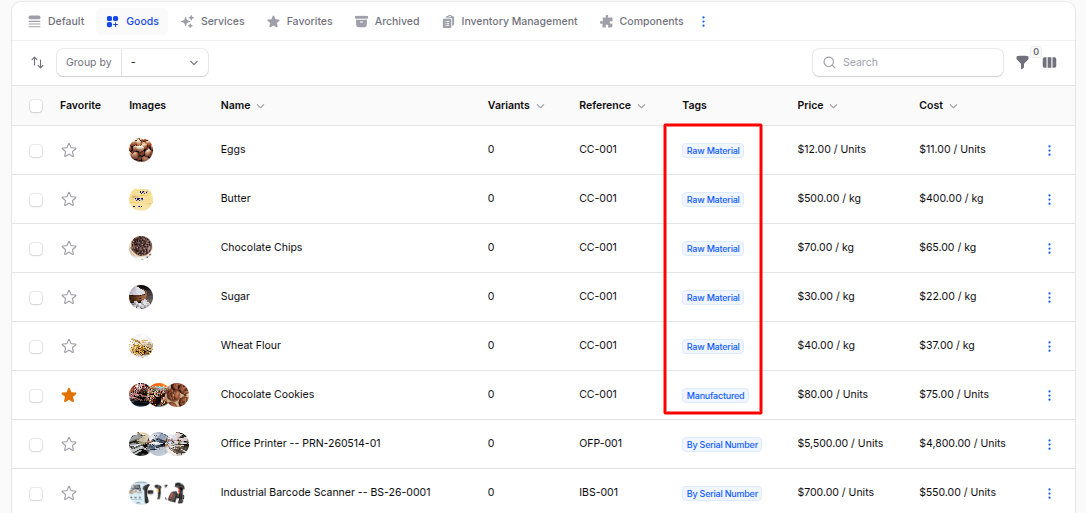
The Products list view shows manufacturing-relevant items along with image, reference, price, cost, and category.
You can:
Filter by: Type, Category, Tags, Tracking method, or Company.
Search: By name or internal reference.
Bulk Actions: Archive, restore, or delete selected products.
Summary
The Manufacturing Products section is your launchpad for everything related to a producible item:
- Maintain master data and variants.
- Create and update Bills of Material.
- Inspect on-hand stock and the full history of moves.
- Track items by Lot/Serial Number when traceability is required.
Next step: After creating your finished product and its components, build the recipe in Bills of Material.