

Lots / Serial Numbers
Lots and Serial Numbers are identifiers attached to a product that give you full traceability across receipt, production, internal movement, and delivery.
In the Manufacturing module, the Lots/Serial Numbers menu lets you view and manage every lot or serial linked to producible items — for example to register a finished product, view its production history, or check its current location.
Use Case:
Use this section when your products require regulatory traceability (food, pharmaceuticals, electronics, automotive), warranty tracking, or expiration management.
Each finished unit can be assigned its own Serial Number, and each batch can be tracked by Lot Number — directly from the work order.
Lots/Serial Numbers are only available when Lots & Serial Numbers is enabled in Inventory → Settings → Manage Traceability.
Steps to Create a New Lot / Serial Number
Navigate to
Manufacturing → Products → Lots/Serial Numbersas shown below: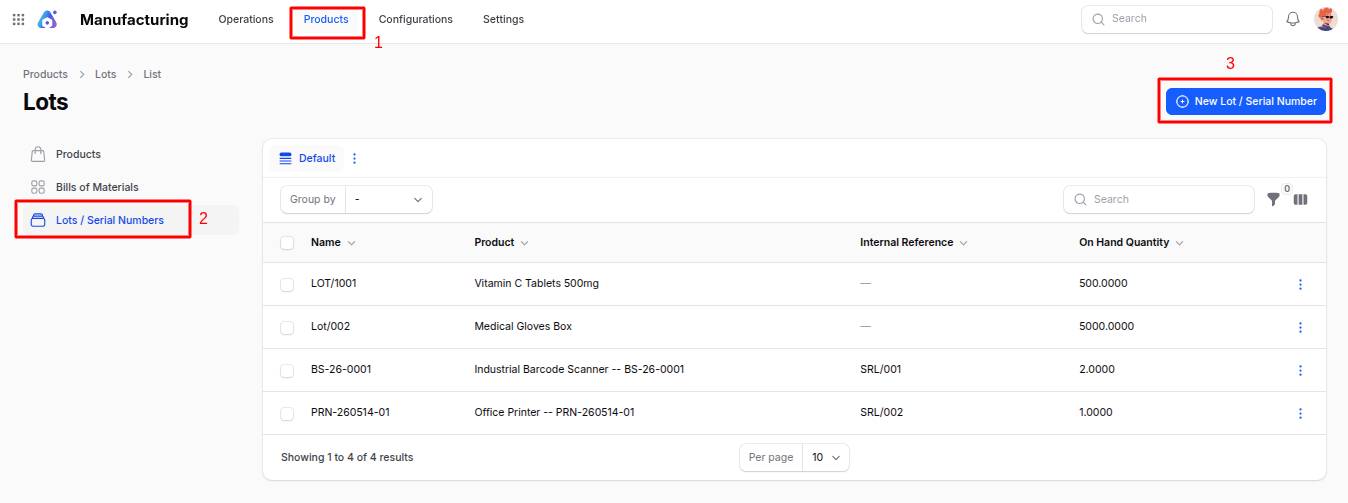
Fill in the following details:
- Lot/Serial Number: The unique identifier of the lot or serial. Auto-generated sequences can be configured per product.
- Product: Select the tracked product. Only products with
Tracking = By LotsorBy Unique Serial Numberare eligible. - Quantity: Quantity associated with this lot. For serial-tracked products this is always
1. - Reference: Optional internal reference (e.g. supplier batch number, production reference).
- Company: Company that owns the record.
- Description / Notes: Free-text field for additional information (manufacturer notes, certificates, expiration, etc.).
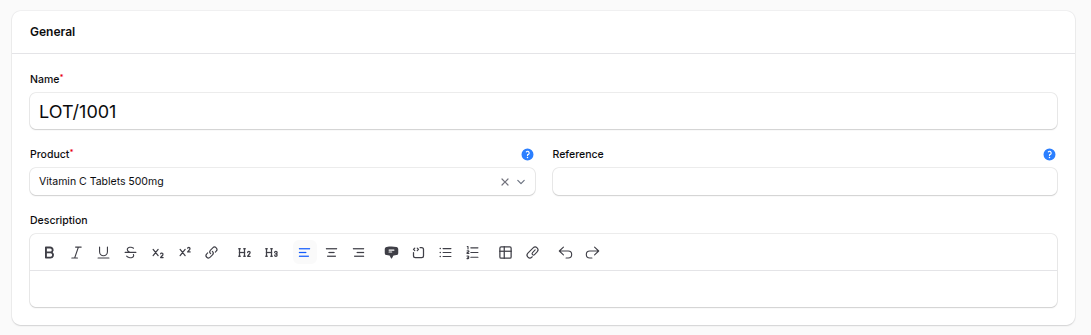
Action Buttons:
- Create – Save and open the lot record.
- Create & Create Another – Save and open a blank form to create another lot.
- Cancel – Discard the entry.
Lot / Serial Number View Page
After creation, you are redirected to the Lot View Page with a sub-navigation that gives full traceability.
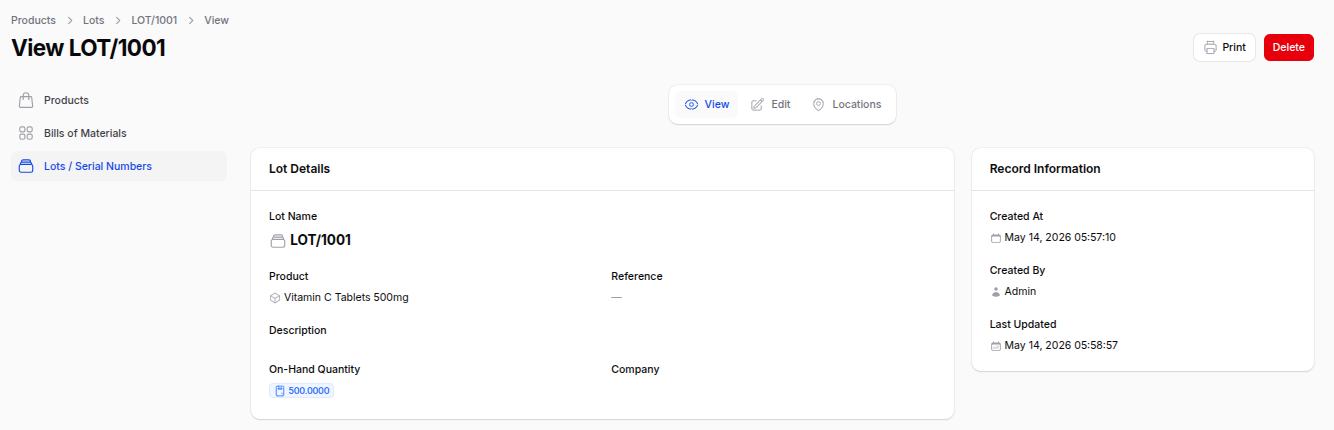
View: Summary of the lot details — product, quantity, reference, and notes.
Edit: Modify any saved field.
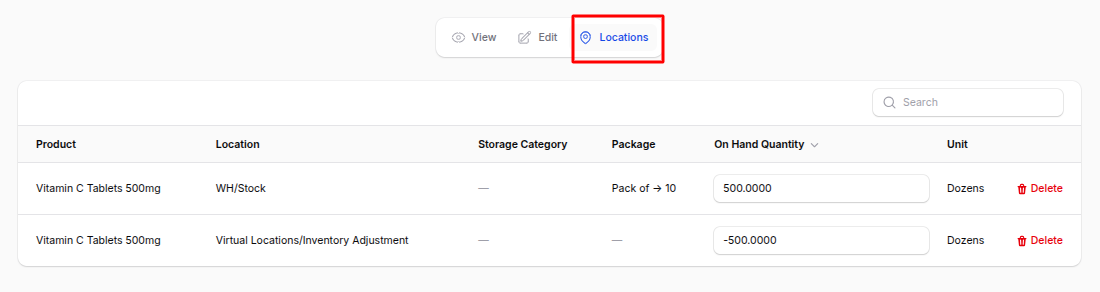
Locations: See on-hand quantity of this lot in every location, along with the date it arrived. Useful for stock audits.
Archive / Delete: Remove or archive lots that are no longer in use.
List View — Filters & Actions
The list view shows every lot/serial with its Lot/Serial Number, Product, Quantity, Reference, and Company.
You can:
- Filter by: Product, Company, or creation date.
- Group by: Product.
- Search: By lot/serial number or reference.
Summary
Lots and Serial Numbers give your manufacturing process end-to-end traceability:
- Assign serials to finished products at the Work Order step.
- Track lot-level consumption of raw materials.
- Inspect the full movement history of any unit.
- Stay compliant with industry-specific traceability regulations.
Related: Lot/Serial tracking is set per item in Products and is recorded automatically when a Manufacturing Order is completed.